
Tag: amazon main image

  • Amazon Main Image Best Practices: The 8-Step Framework That Increases CTR by 34%

    Amazon Main Image Best Practices: The 8-Step Framework That Increases CTR by 34%

    Your Amazon main image gets exactly 0.3 seconds to convince a buyer to click instead of scroll. That’s not opinion. That’s eye-tracking data from 50,000 Amazon shoppers.

    Most sellers treat their main image like a product snapshot. Wrong approach. Your main image is a conversion weapon that determines whether you get clicked or ignored in search results. The difference between a 2% CTR and a 6% CTR isn’t luck. It’s following amazon main image best practices that most sellers completely ignore.

    Here’s the math that should wake you up: A listing with 4% CTR generates 2x more traffic than one with 2% CTR. More traffic means better BSR velocity. Better BSR means the A10 algorithm shows your product to more buyers. More visibility means lower ACoS on PPC campaigns.

    This guide breaks down the exact amazon main image best practices that separate six-figure sellers from those burning cash on ads. No theory. Just the framework that works.

    Step 1: Master Amazon’s Technical Requirements First

    Skip the technical basics and your main image never sees page one. Amazon’s image requirements aren’t suggestions. They’re gatekeepers that determine if your listing gets suppressed or ranks.

    File Specifications That Actually Matter

    Amazon demands 1000 pixels minimum on the longest side. That’s the baseline for zoom functionality. But minimum standards create mediocre results.

    Smart sellers upload at 2000×2000 pixels. Why? Higher resolution images get better zoom quality. Better zoom quality increases conversion rates by 9-16% according to internal Amazon data. Buyers want to see details before they buy.

    File format matters more than most sellers realize. JPEG delivers the best compression-to-quality ratio for product photos. PNG works for graphics with transparency, but creates unnecessarily large files that slow load times.

    Keep file sizes under 10MB. Larger files create loading delays that kill mobile conversions. Amazon’s mobile app represents 70% of browsing traffic. Slow-loading images = lost sales.

    Color Space and Compression Settings

    Use sRGB color space for all main images. Adobe RGB looks great on your monitor but displays incorrectly on most buyer devices. Color accuracy builds trust. Wrong colors create returns.

    Set JPEG quality to 85-90% when exporting. Higher settings create bloated files. Lower settings introduce compression artifacts that scream “amateur.”

    File naming follows a simple rule: ProductName-MainImage-ASIN.jpg. Clean file names help Amazon’s system process images faster and improve internal SEO ranking factors.

    Background Requirements That Kill Listings

    Amazon demands pure white backgrounds for main images. RGB value 255,255,255. Not off-white. Not light gray. Pure white.

    Background violations trigger listing suppression. Suppressed listings disappear from search results. No visibility means zero organic sales. The penalty lasts 7-14 days minimum while you fix and resubmit images.

    Remove shadows, reflections, and color casts from backgrounds. Use professional editing software or shoot against seamless white paper. Home Depot’s white poster board creates amateur results that hurt conversions.

    Step 2: Optimize Product Positioning for Maximum Impact

    Flat lay showing amazon main image best practices essentials

    Product positioning determines whether buyers perceive value or mediocrity in 0.3 seconds. Most sellers center their product and call it done. That approach ignores basic visual psychology that drives purchasing decisions.

    The 75% Fill Rule for Search Visibility

    Your product should occupy 75-85% of the image frame. Smaller products get lost in search results. Larger products look cramped and unprofessional.

    Measure your product’s visual weight, not just dimensions. A black smartphone appears larger than a white one at identical sizes. Dark colors advance visually. Light colors recede. Adjust framing accordingly.

    Use the rule of thirds for products with clear orientation. Place the focal point along intersecting grid lines, not dead center. Centered composition feels static. Off-center positioning creates visual tension that holds attention longer.

    Angle Selection Based on Category Performance

    Different product categories convert best from specific angles. Electronics perform best at 15-degree angles that show depth and build quality. Straight-on shots make phones and laptops look flat and cheap.

    Kitchen products convert highest from 45-degree angles that showcase functionality. Buyers want to visualize using the product. Show the handle, spout, or cutting edge in natural positions.

    Supplements and beauty products need straight-on shots that clearly display labels and ingredient lists. Angled shots create reading difficulties that reduce trust and conversion rates.

    Beauty products benefit from slight upward angles that mimic vanity mirror positioning. This angle feels natural to buyers applying makeup or skincare products.

    Lighting Consistency Across Product Variations

    Maintain identical lighting setups across all product variations. Inconsistent lighting between color variations reduces conversion rates by 12% because buyers question product authenticity.

    Use 5000K-6500K color temperature for accurate color reproduction. Warmer lighting creates yellow color casts. Cooler lighting adds blue tints. Both distort buyer expectations and increase return rates.

    Eliminate harsh shadows with diffused lighting. Hard shadows suggest poor quality control or amateur photography. Professional lighting builds subconscious trust that increases willingness to purchase.

    Step 3: Implement Strategic Cropping and Framing

    Visual guide to amazon main image best practices

    Cropping determines what buyers notice first and how long they study your product. Random cropping creates random results. Strategic cropping follows proven psychology that guides buyer attention exactly where you want it.

    Edge-to-Edge Cropping for Maximum Presence

    Crop tight to eliminate dead space while maintaining required white background. Dead space reduces perceived product value and wastes precious pixel real estate in search results.

    Leave minimal breathing room around your product edges. Too tight creates claustrophobic feelings. Too loose makes products appear smaller than competitors.

    For products with extending elements (handles, cords, antennas), crop to include functional components while eliminating decorative excess. Buyers evaluate functionality first, aesthetics second.

    Test different crop ratios against your direct competitors. If they’re showing more product in frame, you’re losing visual comparison battles in search results.

    Focal Point Optimization for Buyer Scanning

    Identify your product’s primary selling feature and position it in the upper-left quadrant. Western buyers scan images starting from upper-left. First impressions happen in this zone.

    For multi-feature products, lead with the differentiator that justifies your price point. Premium materials, unique design elements, or superior functionality should dominate visual hierarchy.

    Blur or minimize competing elements that don’t support your primary value proposition. Every visual element either reinforces your selling message or dilutes it.

    Aspect Ratio Considerations for Mobile Display

    Amazon displays main images at different aspect ratios across devices. Square ratios (1:1) perform best because they maintain consistent appearance on desktop and mobile.

    Portrait ratios (3:4) work for tall products but get cropped aggressively on mobile search results. space ratios (4:3) waste vertical space that mobile users scroll past quickly.

    Test your main image appearance on actual mobile devices, not desktop browsers with mobile simulators. Real device testing reveals cropping and scaling issues that kill mobile conversions.

    Step 4: Choose Colors That Convert Based on Category Psychology

    Color psychology isn’t marketing fluff. It’s neurological science that influences purchasing decisions before conscious thought occurs. Smart sellers weaponize color choices to trigger specific buyer emotions and behaviors.

    Category-Specific Color Strategies

    Health and wellness products convert best with blue accents that suggest trust, cleanliness, and medical authority. Blue triggers safety associations that reduce purchase anxiety.

    Kitchen and home products perform strongest with warm colors like orange, red, or yellow that evoke comfort and family associations. Cold colors make home products feel institutional.

    Electronics and tech products benefit from cool grays and blues that communicate precision, reliability, and cutting-edge innovation. Warm colors make tech products appear less sophisticated.

    Beauty products split by gender targeting. Women’s products convert better with pink, purple, or gold accents. Men’s grooming products perform better with black, gray, or dark blue elements.

    Contrast Ratios for Search Result Visibility

    Your product must pop against white backgrounds in crowded search results. Light-colored products need strategic accent colors or shadows to create separation.

    Use the 60-30-10 color rule: 60% white background, 30% product natural colors, 10% strategic accent colors that enhance visibility or convey category-appropriate emotions.

    Test your main image thumbnail against competitors using Amazon’s mobile app. If your product blends into the white background while competitors stand out, you’re losing click-through battles.

    Color Temperature and Brand Perception

    Maintain consistent color temperature across all product variations to build brand recognition and trust. Cool color temperatures suggest premium positioning. Warm temperatures feel more approachable but less expensive.

    Match your color choices to your price positioning. Premium-priced products need cool, sophisticated color palettes. Budget products can use warmer, friendlier colors that reduce price sensitivity.

    Avoid color combinations that create visual vibration or strain. Red text on green backgrounds, blue on purple, or high-contrast complementary colors hurt readability and professional appearance.

    Step 5: Master Competitive Differentiation in Search Results

    Practical demonstration of amazon main image best practices

    Your main image doesn’t exist in isolation. It competes directly against 15 other products on page one of search results. Winning this visual competition determines whether buyers click your listing or scroll past it.

    Competitive Analysis Framework

    Search your primary keywords and screenshot the first page results. Analyze competitor main images for common patterns, missed opportunities, and differentiation gaps.

    Identify the visual elements that 80% of competitors use. Then do something different that still follows Amazon’s requirements. Different gets noticed. Similar gets ignored.

    Look for white space opportunities where competitors cluster around similar positioning, angles, or presentation styles. Empty competitive space represents untapped click-through potential.

    Map competitor price points against their image quality and positioning. Premium-priced products with amateur images represent vulnerable positions you can attack with superior photography.

    Differentiation Strategies That Work

    Orientation differentiation: If competitors show products horizontally, show yours vertically. If they use straight angles, use dynamic positioning.

    Context differentiation: While maintaining white backgrounds, add subtle elements that suggest use cases or premium quality without violating Amazon’s requirements.

    Scale differentiation: Show your product larger in frame than competitors if it creates perceived value advantage. Show it smaller if competitors look cramped or overwhelming.

    Feature highlighting: Identify the unique selling proposition that competitors don’t emphasize visually. Make that feature the focal point of your composition.

    Psychological Positioning Against Competitors

    Use anchoring effects to position your product favorably against search result neighbors. If surrounded by cluttered images, emphasize clean simplicity. If competitors look plain, add sophisticated design elements.

    Create visual contrast that makes your listing stand out while maintaining category appropriateness. Subtle differences in brightness, saturation, or positioning can dramatically improve click-through rates.

    Position your product to look more premium than lower-priced competitors and more accessible than higher-priced ones. Visual positioning influences price perception before buyers read actual prices.

    Step 6: Optimize for Amazon’s A10 Algorithm Factors

    The A10 algorithm evaluates main images as ranking factors, not just conversion tools. Image optimization affects organic visibility, search placement, and long-term listing performance beyond immediate click-through rates.

    Image Quality Signals That Boost Rankings

    High-resolution images signal quality to Amazon’s algorithm. Products with professional photography get preferential treatment in search results because they typically generate better customer experiences.

    Consistent image quality across all product variations improves catalog health scores. Mixed quality levels suggest poor brand management and hurt overall account performance.

    Fast loading speeds from properly optimized file sizes reduce bounce rates and improve session duration metrics. Better engagement metrics boost organic rankings through positive feedback loops.

    Images that generate higher click-through rates receive more search exposure. CTR improvements compound over time as the algorithm rewards listings that buyers prefer to click.

    Mobile Optimization for Algorithm Performance

    Mobile-first design principles align with Amazon’s mobile-heavy traffic patterns. Images that convert well on mobile devices get algorithmic preference over desktop-optimized designs.

    Test image legibility at thumbnail sizes below 200 pixels. If your product details disappear at small sizes, mobile users won’t click through to your listing.

    Vertical space efficiency matters more on mobile devices where screen real estate is limited. Optimize compositions for portrait orientation viewing patterns.

    Page loading speed affects mobile search rankings. Compress images without quality loss to improve mobile page performance and algorithmic scoring.

    Seasonal and Trending Optimization

    Amazon’s algorithm favors listings that align with seasonal search patterns. Refresh main images quarterly to maintain algorithmic freshness signals.

    Monitor trending keywords in your category and ensure your main image visually supports popular search terms. Visual relevance to trending searches improves organic visibility.

    Track competitor image changes and market responses. Successful image updates by competitors often indicate algorithmic preference shifts worth testing.

    Step 7: Test and Measure Performance Systematically

    Before and after comparison for amazon main image best practices

    Optimization without measurement creates expensive guesswork. Successful amazon main image best practices require systematic testing that identifies what actually drives better business results, not what looks pretty.

    Key Performance Indicators to Track

    Click-through rate (CTR) measures main image effectiveness at attracting buyer attention in search results. Target CTR improvements of 15-25% from image optimization alone.

    Conversion rate changes indicate whether your main image attracts qualified buyers or just curious browsers. Higher CTR with stable conversion rates = ideal optimization results.

    Search impression share reveals whether improved main images boost organic visibility. Better images often increase impression volume through improved algorithmic ranking.

    Return rate correlation identifies whether main images accurately represent products. Misleading images increase returns and hurt long-term account health.

    A/B Testing Framework for Images

    Test one variable at a time: angle, positioning, cropping, or color emphasis. Multiple changes simultaneously make it impossible to identify successful elements.

    Run tests for minimum 14-day periods to account for weekly traffic patterns and seasonal variations. Shorter tests produce unreliable data that leads to poor optimization decisions.

    Split traffic evenly between variations using Amazon’s Manage Experiments tool or external testing platforms. Uneven splits skew results and waste testing opportunities.

    Document statistical significance before implementing changes. Winning variations need 95% confidence levels with adequate sample sizes to justify permanent implementation.

    Performance Analysis and Iteration

    Compare performance against category benchmarks, not just your previous results. Top performers in your category set the standards you need to meet or exceed.

    Analyze performance by traffic source: organic search, PPC campaigns, external traffic. Different traffic sources may respond differently to main image variations.

    Track long-term trends beyond immediate test results. Some image changes improve short-term metrics but hurt long-term brand perception or customer satisfaction.

    Scale successful variations across similar products in your catalog. Winning image principles often apply broadly within product categories or brands.

    Step 8: Avoid the Critical Mistakes That Kill CTR

    Most sellers focus on what to do while ignoring what not to do. These common main image mistakes destroy months of optimization work and waste thousands in advertising spend.

    Technical Mistakes That Trigger Penalties

    Background color violations remain the #1 cause of listing suppression. Even slight off-white backgrounds (RGB 250,250,250) can trigger algorithmic penalties that kill organic visibility.

    Watermarks, logos, or promotional text violate Amazon’s main image policies. These violations result in immediate listing suppression and account health warnings.

    Props or lifestyle elements in main images break Amazon’s requirements. Save lifestyle shots for secondary images. Main images must show products in isolation.

    Multiple products or variations in single main images confuse buyers and violate policies. Each ASIN needs its own dedicated main image.

    Conversion-Killing Design Choices

    Poor lighting quality suggests low product quality and reduces buyer confidence. Harsh shadows, uneven lighting, or color casts destroy professional credibility.

    Incorrect scale representation leads to size expectation mismatches that increase returns and negative reviews. Show products at realistic relative sizes.

    Blurry or pixelated images from inadequate resolution or over-compression signal poor quality control and hurt conversion rates significantly.

    Inconsistent styling across variations creates brand confusion and reduces trust in product authenticity and quality control.

    Strategic Mistakes That Waste Opportunities

    Ignoring mobile optimization sacrifices 70% of Amazon’s traffic. Main images that work on desktop but fail on mobile waste most potential customers.

    Copying competitor approaches without differentiation ensures mediocre performance. Similar images produce similar results, not superior ones.

    Neglecting category-specific conventions confuses buyers who expect certain visual cues from product categories. Fight conventions strategically, not accidentally.

    Focusing on aesthetics over conversions creates beautiful images that don’t sell products. Every design choice should drive buyer behavior toward purchase.

    Frequently Asked Questions

    What’s the minimum image resolution Amazon requires for main images?

    Amazon requires 1000 pixels minimum on the longest side for zoom functionality. However, successful sellers upload at 2000×2000 pixels for superior zoom quality that increases conversions by 9-16%. Higher resolution images also perform better in Amazon’s algorithm for search visibility.

    How much should I budget for professional Amazon main images?

    Professional Amazon product photography typically costs $400-600 for a complete 7-image set including main image optimization. The ROI math works: a 2% CTR improvement on 1000 monthly impressions generates 20 additional clicks that often produce 2-4 extra sales worth $100-400 monthly.

    Can I use the same main image across multiple marketplaces?

    Yes, but optimize dimensions for each marketplace’s requirements. Amazon uses square ratios (1:1) while other platforms prefer different aspect ratios. Maintain consistent branding but adjust technical specifications and sizing for optimal performance on each platform.

    How often should I update my main images?

    Test main image variations quarterly to maintain algorithmic freshness and identify performance improvements. Update immediately if CTR drops below category averages or if successful competitors change their image strategies. Seasonal refreshes can boost visibility during key selling periods.

    What’s the biggest main image mistake that kills conversions?

    Poor mobile optimization destroys 70% of potential traffic since most Amazon browsing happens on mobile devices. Images that look great on desktop but become illegible or poorly cropped on mobile phones waste the majority of impression opportunities and conversion potential.
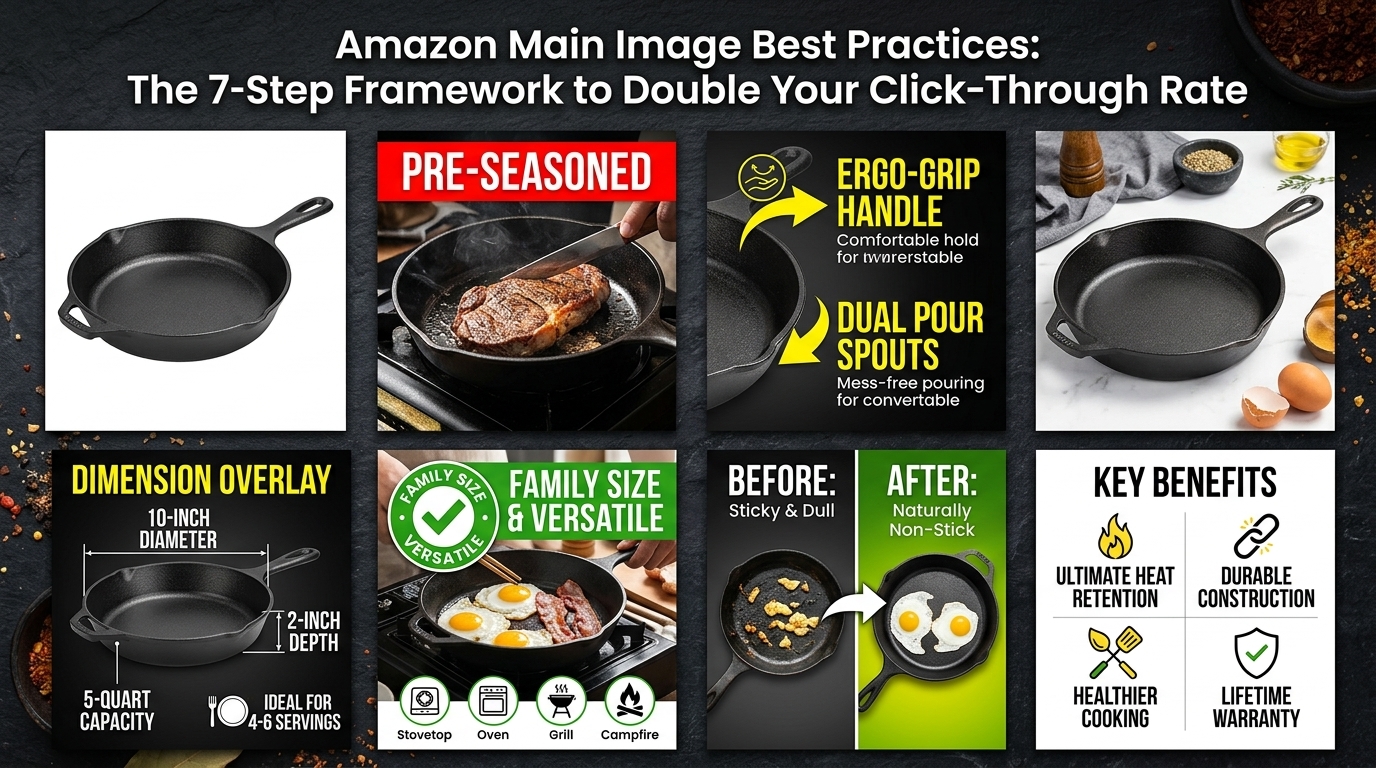
  • Amazon Main Image Best Practices: The 7-Step Framework to Double Your Click-Through Rate

    Amazon Main Image Best Practices: The 7-Step Framework to Double Your Click-Through Rate

    Your Amazon main image is costing you sales. Every day. Most FBA sellers lose 40-60% of potential clicks because their main image fails the 2-second SERP test. The average CTR for Amazon search results hovers around 2-3%, but sellers with optimized main images consistently hit 8-12% or higher.

    Here’s the math that matters: If you’re getting 1,000 impressions per day at 3% CTR, that’s 30 clicks. Bump your CTR to 10% with proper main image optimization, and you’re getting 100 clicks from the same traffic. That’s 233% more potential customers seeing your listing.

    Amazon main image best practices aren’t suggestions. They’re requirements for survival in a marketplace where 70% of purchase decisions happen in the first 15 seconds of viewing your listing.

    Understanding Amazon’s Main Image Requirements and Algorithm Impact

    Technical Specifications That Actually Matter

    Amazon’s image requirements exist for a reason. The A10 algorithm factors image quality into ranking decisions, and non-compliant images get your listing suppressed faster than a trademark complaint.

    Your main image must be 1000×1000 pixels minimum, but smart sellers upload at 2000×2000 pixels or higher. Why? Amazon’s zoom function only activates on images 1001 pixels or larger on the longest side. No zoom means lower engagement. Lower engagement signals poor user experience to the algorithm.

    File size matters for load speed. Keep your main image under 10MB, ideally around 500KB-2MB. Slow-loading images kill mobile conversions, and 70% of Amazon shoppers browse on mobile devices.

    RGB color space is mandatory, not CMYK. Save as JPEG for photographs, PNG for graphics with transparency. File naming should follow Amazon’s convention: ProductIdentifier_MainImage_1000x1000.jpg.

    How the A10 Algorithm Evaluates Main Images

    The A10 algorithm doesn’t just look at keywords. It measures user behavior signals, and your main image directly impacts three critical metrics: click-through rate, bounce rate, and time on listing.

    Amazon tracks how long users spend looking at your main image before clicking. Images that generate clicks within 2-3 seconds of appearing in search results get ranking boosts. Images that get scrolled past signal poor relevance to the algorithm.

    The algorithm also measures post-click behavior. If users click your main image but immediately bounce back to search results, that’s a negative ranking signal. Your main image must accurately represent your product to maintain healthy engagement metrics.

    Conversion rate optimization starts with the main image. A 1% improvement in main image CTR typically correlates with a 0.3-0.5% improvement in overall listing conversion rate.

    Mobile-First Optimization Reality

    Most sellers design main images for desktop and wonder why their mobile conversions suck. On mobile, your main image appears as a 150×150 pixel thumbnail in search results. If your product isn’t clearly visible and identifiable at that size, you’ve lost the sale.

    Test your main image at 150×150 pixels. Can you immediately identify what the product is? Can you see key features? If not, your image needs work.

    Mobile users scroll 3x faster than desktop users. You have 1.5 seconds to stop the scroll with your main image. Busy backgrounds, multiple products, or unclear angles fail this test every time.

    Product Positioning and Angle Strategy

    Product photography setup for amazon main image best practices

    The 45-Degree Rule for Maximum Impact

    Product photography isn’t art. It’s sales psychology backed by eye-tracking data. The most effective main image angles follow predictable patterns based on product category.

    For kitchen gadgets and tools, the optimal angle is 45 degrees from above-right. This angle shows both the top surface and front face, giving shoppers maximum product information in a single glance.

    Beauty products perform best straight-on at eye level, with the product label clearly readable. Skincare items should show the full container with the product name prominent. Makeup items benefit from a slight upward angle to showcase the applicator or opening.

    Electronics and gadgets require the 3/4 view angle. Position the product so viewers see the front face and one side panel. This shows depth and dimension while keeping the primary interface visible.

    For supplements, straight-on positioning works best, but the bottle should be slightly angled to eliminate glare on the label. The supplement facts panel doesn’t belong in your main image, but the product name and brand should be crystal clear.

    Size and Scale Communication

    Amazon shoppers can’t physically handle your product before buying. Your main image must communicate size and scale without using prohibited elements like hands or rulers.

    Use visual context cues within your product design. If you’re selling a kitchen tool, position it so the handle length is clearly visible. For electronics, ensure ports, buttons, and connectors are proportionally accurate to help buyers gauge overall size.

    Avoid the “floating product” look that makes items appear undefined in size. Instead, use subtle shadowing or reflection to ground your product and give it weight and presence.

    Product orientation should match how customers will use or display the item. A coffee mug should sit upright, not tilted at an artistic angle. A phone case should be positioned as if protecting a phone, even if the phone isn’t visible.

    Multi-Product Main Image Mistakes

    Unless you’re selling a specific set or bundle, multiple products in your main image split attention and confuse the algorithm’s image recognition. Amazon’s AI expects one primary product per main image.

    The exception: true product bundles where customers buy all items together. In this case, arrange products in a clear hierarchy with the primary item largest and front-center. Secondary items should be 30-40% smaller to establish visual priority.

    Avoid the temptation to show color variations in your main image. That’s what additional images and variations are for. Your main image should represent one specific product exactly as the customer will receive it.

    Background and Lighting Optimization

    Visual guide to amazon main image best practices

    Pure White Background Requirements

    Amazon requires pure white backgrounds (RGB 255, 255, 255) for main images. This isn’t a suggestion, it’s policy enforcement. Images with off-white, gray, or cream backgrounds get flagged for non-compliance.

    But pure white isn’t just about compliance. It’s about visual consistency across Amazon’s platform. When search results show a grid of products, consistent white backgrounds let your actual product stand out, not your photography style.

    Use proper background removal techniques, not quick masking. Sloppy edge work around your product creates a halo effect that screams amateur hour. Professional background removal should be pixel-perfect, especially around curved edges and fine details.

    Shadows and reflections can enhance your main image if done correctly. A subtle drop shadow adds depth and prevents the floating product look. Reflections work well for glossy products like electronics or beauty items, but they should be understated, not dramatic.

    Professional Lighting Setup

    Lighting makes or breaks product photography. Poor lighting creates color casts, harsh shadows, and uneven exposure that kills conversions.

    The gold standard is three-point lighting: key light, fill light, and background light. Your key light should be the primary illumination, positioned at a 45-degree angle to your product. The fill light reduces harsh shadows, positioned opposite your key light at lower intensity. Background lighting ensures pure white without gray spots or color contamination.

    Color temperature consistency matters. Use 5000K-5500K lighting to match daylight and ensure accurate color representation. Mixed color temperatures create color casts that make products look cheap or unnatural.

    Avoid direct flash or harsh single-source lighting. This creates unflattering shadows and blown-out highlights that obscure product details. Soft, diffused lighting reveals texture and detail while maintaining even exposure across your product.

    Color Accuracy and Brand Consistency

    Color accuracy directly impacts return rates. If your product appears blue in the main image but arrives purple, you’ll get negative reviews and return requests that hurt your metrics.

    Calibrate your monitor for accurate color representation. Use a color calibration tool to ensure what you see matches what customers see. Uncalibrated monitors can shift colors by 10-15%, leading to customer disappointment.

    Brand colors should be consistent across all your product images. If your brand uses specific Pantone colors, ensure they’re accurately represented in RGB values for web display. Inconsistent brand colors confuse customers and dilute brand recognition.

    Test your images on multiple devices. Colors appear differently on iPhone screens versus Android devices versus desktop monitors. Your main image should look accurate across all common viewing platforms.

    Text, Graphics, and Compliance Elements

    Amazon’s Text Restrictions

    Amazon’s main image text policy is stricter than most sellers realize. No promotional text means no “Best Seller,” “#1 Choice,” “Free Shipping,” or “Sale” callouts. These belong in your PPC ads and secondary images, not your main image.

    Product names and brand logos are generally acceptable if they’re part of the product’s actual packaging or design. But added text overlays are prohibited and will get your listing suppressed.

    The gray area involves text that’s part of your product design. If your product label includes marketing copy, that’s usually acceptable. But don’t add extra text elements to your main image that aren’t physically present on the product.

    Quality badges, certifications, and awards can’t be added to main images. Save these trust signals for your A+ Content and secondary images where they can actually impact conversion decisions.

    Logo and Branding Guidelines

    Your brand logo can appear in the main image if it’s part of the product’s physical design. But don’t add logos as separate graphic elements overlaid on the image.

    Brand consistency across your catalog builds recognition and trust. If your logo appears on your products, ensure it’s clearly visible in main images. But if your products don’t include visible branding, don’t add logos artificially.

    Watermarks are prohibited and unprofessional. They suggest you don’t trust Amazon’s platform and create visual clutter that detracts from your product presentation.

    Keep branding subtle and product-focused. Customers are buying your product, not your logo. The product should dominate the frame, with branding elements supporting but not overwhelming the visual hierarchy.

    Compliance Monitoring and Updates

    Amazon’s image policies evolve constantly. What was acceptable six months ago might violate current guidelines. Set up monthly compliance audits to check your main images against current policy.

    Use Amazon’s official image requirements documentation as your reference, not third-party interpretations. Policy changes often roll out gradually, affecting some categories before others.

    Monitor your listings for suppression notices. Amazon often suppresses listings for image violations without detailed explanations. If your BSR suddenly drops or your impressions disappear, check image compliance first.

    Keep backup versions of compliant main images. If Amazon flags an image for violation, you need replacement images ready to upload immediately. Listing downtime costs sales and ranking position.

    Category-Specific Optimization Strategies

    Studio equipment for product photography

    Beauty and Personal Care Specifics

    Beauty products require different main image approaches than other categories. Label readability is critical because customers need to verify ingredients and product claims.

    Position beauty products straight-on with labels parallel to the camera. Slight angles that show dimension are acceptable, but the primary product information panel must be clearly readable.

    For skincare, show the full container including pump dispensers, caps, and applicators. Customers evaluate value based on visible product volume, so don’t crop these elements.

    Makeup items should show the product in its closed, shelf-ready state. Open compacts or extended lipsticks belong in secondary images. Your main image should match how customers will store and display the product.

    Color cosmetics require perfect color accuracy. Use color-corrected lighting and calibrated monitors to ensure the red lipstick in your image matches the red lipstick customers receive.

    Kitchen and Home Product Guidelines

    Kitchen products need to communicate functionality and scale simultaneously. A garlic press should be positioned to show both the pressing mechanism and overall size relative to its intended use.

    Appliances should be photographed in their ready-to-use state. Coffee makers should have carafes in place, blenders should have lids attached, and food processors should show their primary bowl attachment.

    For tools and utensils, position them as if ready for use but not actively being used. A spatula should be angled as if about to flip food, but without food present.

    Scale communication is especially important for kitchen items. Use proportional elements within your product design to hint at size. The handle-to-head ratio on kitchen tools provides size context without violating Amazon’s policies.

    Electronics and Tech Product Rules

    Electronics main images should show the product’s primary interface clearly. For phones, show the screen. For headphones, position them as if worn. For keyboards, ensure key labels are readable.

    Cable and connector products need close-up clarity. The connector type should be immediately identifiable, and cable length should be visually suggested through coiling or arrangement.

    Avoid showing electronics powered on with glowing screens or LED indicators. This creates consistency issues and may not reproduce accurately across different viewing devices.

    For accessories, show them in relation to their intended use without including the primary device. A phone case should be positioned as if protecting a phone, but the phone shouldn’t be visible in the main image.

    Testing and Performance Measurement

    Before and after product photography comparison

    A/B Testing Main Image Variations

    Most sellers never test their main images. They upload once and wonder why conversions plateau. Systematic A/B testing of main image variations can improve CTR by 200-400%.

    Create 3-4 main image variations testing different angles, lighting setups, or product arrangements. Change one variable at a time to isolate what drives performance improvements.

    Test for minimum 14 days to account for weekly shopping pattern variations. Amazon’s traffic fluctuates significantly between weekdays and weekends, affecting the reliability of shorter tests.

    Track both CTR and conversion rate changes. Sometimes a main image increases clicks but decreases conversions if it misrepresents the product. The goal is optimizing total sales, not just traffic.

    Use Amazon’s native split testing tools where available, or create separate listings for controlled testing. Document your results to build a database of what works for your product categories.

    Key Performance Indicators to Monitor

    Click-through rate is your primary main image KPI. Track CTR by traffic source (organic search, PPC, external) to identify where your main image performs best and worst.

    Conversion rate changes after main image updates indicate whether your image accurately represents your product. Improved CTR with declining CVR suggests your main image is misleading.

    Return rate spikes often correlate with main image misrepresentation. If returns increase after a main image change, the new image may be setting incorrect expectations.

    Monitor time on page and image engagement metrics through Amazon Brand Analytics. Customers who spend more time viewing your images typically have higher conversion rates.

    Search impression share can indicate whether your main image helps or hurts algorithm ranking. Declining impressions after image changes suggest the algorithm ranks your listing lower.

    Seasonal and Trend Adaptations

    Your main image strategy should evolve with seasonal demand patterns and market trends. Q4 holiday shopping requires different image optimization than summer seasonal products.

    Create seasonal main image variants that maintain compliance while adapting to shopping context. Holiday-themed background colors or seasonal product positioning can improve relevance.

    Monitor competitor main image changes, especially from top-ranking listings in your category. If multiple successful competitors adopt similar image approaches, test those strategies for your products.

    Track performance correlation with external trend data. Google Trends, social media activity, and seasonal search patterns can inform when to update your main images for maximum impact.

    Plan main image updates 30-45 days before major shopping seasons. This allows time for algorithm adjustment and performance measurement before peak traffic periods.

    Advanced Optimization Techniques

    Image SEO and Metadata

    Amazon’s algorithm reads image metadata, including alt text and file names. Optimize these elements even though customers don’t see them directly.

    Alt text should describe your product clearly and include relevant keywords naturally. “Stainless steel garlic press with ergonomic handles” works better than “garlic-press-kitchen-tool-best-seller.”

    File naming should be descriptive and consistent across your catalog. Use your ASIN or product identifier, followed by descriptive elements: “B08XXXX-StainlessSteelGarlicPress-MainImage.jpg”

    Image compression affects load speed and mobile performance. Use tools that maintain quality while reducing file size. Slow-loading images hurt mobile conversions and algorithm rankings.

    Upload images in order of importance. Amazon’s system processes images sequentially, so upload your main image first, followed by secondary images in order of conversion impact.

    Cross-Platform Consistency

    Your Amazon main image should align with your brand presentation on other platforms while meeting Amazon’s specific requirements.

    Maintain visual brand consistency across Amazon, your website, social media, and other marketplaces. Customers research products across multiple platforms before buying.

    Create platform-specific versions of your main image rather than using identical images everywhere. Amazon’s white background requirement differs from Instagram’s aesthetic preferences, but your product positioning and lighting should remain consistent.

    Document your image guidelines and specifications to ensure consistency as you expand to additional marketplaces or update existing images.

    Competitive Analysis and Positioning

    Study the main images of top-ranking competitors in your category. Identify common elements that successful listings share, then find ways to differentiate while maintaining best practices.

    Search result positioning affects how your main image should be optimized. If you typically rank in positions 1-3, your image competes directly with top listings. Lower ranking positions need more eye-catching differentiation.

    Analyze competitor image weaknesses. If top competitors use poor lighting or confusing angles, superior image quality becomes your competitive advantage.

    Create comparison charts showing how your main image approach differs from competitors. Use these insights to inform your image testing priorities and creative direction.

    Monitor competitor image changes and performance correlations. When successful competitors update their main images, test similar approaches to see if they work for your products.

    Frequently Asked Questions

    How often should I update my Amazon main image?

    Update your main image when performance metrics decline or when you have tested variations that show significant improvement. Most successful sellers review main images quarterly and test new variations every 60-90 days. Avoid changing main images during peak sales periods as this can temporarily hurt rankings while the algorithm adjusts.

    Can I use lifestyle images as my main image?

    No, Amazon requires main images to show the product on a pure white background without lifestyle elements, people, or additional props. Lifestyle images belong in your secondary image slots where they can effectively show product usage and benefits. Your main image must focus solely on the product itself.

    What’s the minimum resolution for Amazon main images?

    Amazon requires 1000×1000 pixels minimum, but successful sellers upload at 2000×2000 pixels or higher. Higher resolution enables Amazon’s zoom feature and provides better image quality across all device types. Keep file size under 10MB while maximizing pixel dimensions for best performance.

    How do I know if my main image violates Amazon’s policies?

    Monitor your listing performance for sudden drops in impressions or BSR ranking, which often indicate policy violations. Amazon sends violation notices through Seller Central, but these can be delayed. Use Amazon’s official image requirements as your compliance checklist and audit your images monthly.

    Should I include packaging in my main image?

    Only include packaging if customers will receive and use the product in that packaging. For items like supplements or beauty products where the container is the product, show the full package. For items shipped in separate packaging that customers discard, show only the actual product they’ll use and keep.