Tag: amazon conversion optimization

  • Amazon Conversion Rate Optimization: The $47,000 Framework That Actually Works

    Amazon Conversion Rate Optimization: The $47,000 Framework That Actually Works

    Your Amazon listing gets 10,000 views a month but only converts at 8%. That’s 200 lost sales every single month. At a $30 average order value, you’re leaving $72,000 on the table annually. And you’re probably blaming your PPC spend when the real problem is your listing sucks at converting traffic you already paid for.

    Last reviewed:

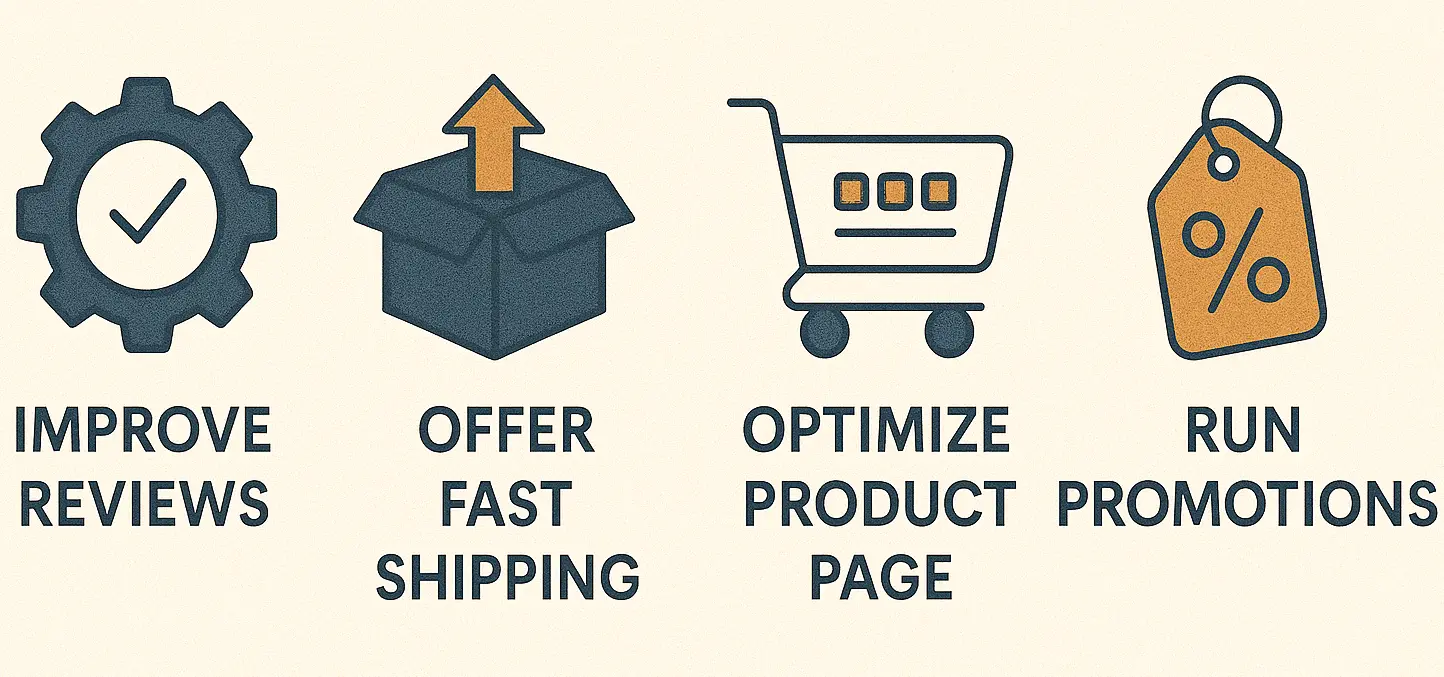
    Most sellers throw money at more traffic instead of fixing their conversion rate. Bad move. A 2% bump in conversion rate from 10% to 12% on the same traffic equals 20% more revenue. Zero extra ad spend. That’s the power of Amazon conversion rate optimization done right.

    Our amazon seller growth guide covers this in detail.

    This audit walks you through the exact process I use to diagnose conversion problems. No fluff. Just the seven areas that actually impact your CVR, ranked by ROI. Follow this systematically and you’ll spot the profit leaks in under an hour.

    Step 1: Analyze Your Main Image Performance Against Category Leaders

    Your main image determines 90% of your click-through rate from search results. If people don’t click, they can’t convert. Simple as that. Yet most sellers upload whatever their supplier sent and call it a day.

    Benchmark Against Top 3 Competitors

    Pull up your main category page. Screenshot the top 3 organic results (ignore sponsored). These listings have proven their main images work through thousands of split tests you didn’t have to pay for. Now compare yours side-by-side.

    Look for these specific elements:

    • Product angle: Is yours shot from the same perspective? There’s usually a reason the category leaders all use 3/4 view or straight-on
    • Background removal: Pure white or lifestyle? 95% of categories perform better on white
    • Product fill: Does your product take up 85% of the frame? Anything less wastes mobile real estate
    • Props and staging: Are competitors showing the product in use or isolated?

    Here’s what kills most main images: trying to be different. Your yoga mat doesn’t need an artistic angle. Show it rolled, unrolled with a person on it, or flat. That’s what converts in the yoga category. Period.

    Mobile Preview Test at 200×200 Pixels

    Shrink your main image to 200×200 pixels. Can you instantly tell what the product is? Can you read any text on packaging? If not, you’re hemorrhaging mobile conversions.

    Mobile accounts for 70% of Amazon browsing but only 50% of purchases. Know why? Because sellers optimize for desktop viewing. Your beautiful 2000×2000 pixel image means nothing when compressed to thumbnail size on an iPhone 12.

    For more on this, see our amazon image optimization guide.

    Fix this by:

    • Removing all text under 72pt font from packaging in the main image
    • Increasing contrast between product and background
    • Eliminating fine details that disappear at small sizes
    • Testing with actual mobile devices, not just browser dev tools

    Color Psychology and Category Expectations

    Supplements need white backgrounds with the bottle at 3/4 angle showing the label. Kitchen gadgets need action shots or the product with food. Beauty products need texture shots and before/after potential.

    Your clever black background might look premium to you, but if every competitor uses white, you’re violating category expectations. Users form expectations in milliseconds. Break them and they bounce.

    Color temperature matters too. Warm products (food, beauty, home) need warm lighting. Cool products (electronics, tools) need neutral to cool lighting. Get this wrong and the product feels “off” subconsciously.

    Step 2: Audit Your Title for Both A10 Algorithm and Human Readability
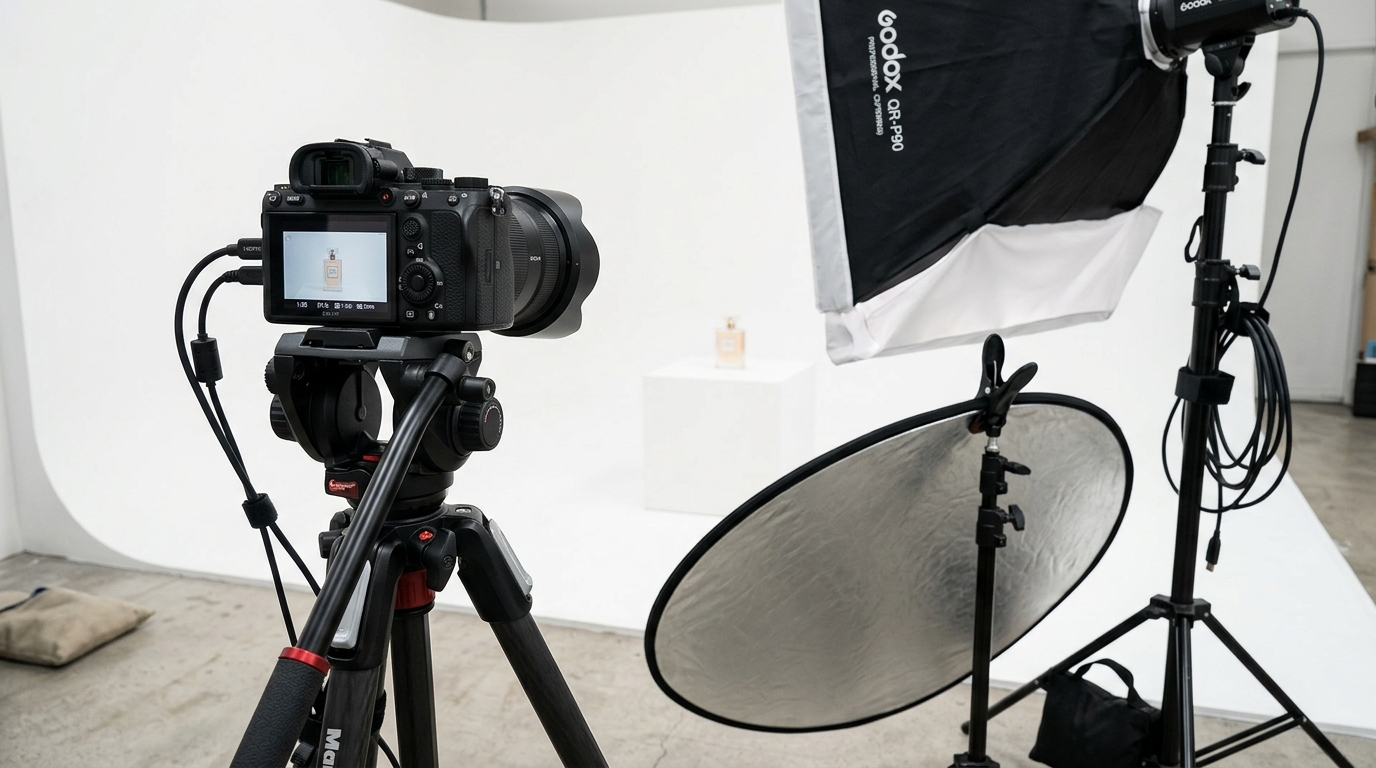
    Product photography setup for amazon conversion rate optimization

    Your title does triple duty: ranks you in search, qualifies buyers, and builds trust. Most sellers stuff keywords and wonder why their conversion rate tanks. Here’s how to optimize for both the A10 algorithm and actual humans with wallets.

    The 200-Character Sweet Spot

    Amazon gives you 200 characters for most categories. Use 180-195. Why not all 200? Because mobile truncates around 180 characters and desktop browsers vary. Leave buffer room.

    Your title formula:

    • Characters 1-80: Brand + Main Keywords + Key Differentiator
    • Characters 81-140: Secondary features that matter for search
    • Characters 141-195: Technical specs people filter by (size, count, color)

    Bad title: “Premium Yoga Mat Extra Thick Non Slip Exercise Mat for Home Workout Fitness Pilates Eco Friendly TPE Material 72 x 24 inch Purple Pink Blue Green Multiple Colors Available with Carrying Strap Included”

    Good title: “FITPRO Thick Yoga Mat – 8mm Non-Slip TPE Exercise Mat with Alignment Lines, 72″x24″ Workout Mat for Home Fitness, Pilates – Free Carrying Strap (Purple)”

    See the difference? The good title front-loads what matters, maintains readability, and still hits keywords.

    Mobile-First Title Structure

    Mobile shows roughly 80 characters in search results before truncating. Your first 80 characters must:

    • Include your main keyword phrase naturally
    • State the primary benefit or differentiator
    • Build enough trust to earn the click

    Test your title on actual mobile devices. What shows in search results? What gets cut off? Adjust until your core message survives truncation.

    Keyword Placement Without Stuffing

    The A10 algorithm weighs keywords differently based on position. Earlier = more weight. But jamming keywords unnaturally tanks conversion rate.

    Smart keyword placement:

    • Put your main keyword phrase in the first 50 characters
    • Use hyphens or commas to separate keyword phrases naturally
    • Include buying-intent keywords (“for [use case]”)
    • Add technical filters at the end (size, color, count)

    Run your title through Amazon conversion rate optimization by A/B testing different structures. Most sellers never test titles after launch. Big mistake. A 0.5% CVR improvement from title optimization pays for itself in weeks.

    Step 3: Evaluate Your Image Stack Strategy and Sequential Flow

    Your image stack tells a story. Most sellers upload random product shots and wonder why browsers don’t convert. Here’s the psychological flow that actually drives purchase decisions.

    The 7-Slot Conversion Framework

    You get 7 image slots on desktop, 6 visible on mobile without clicking “See All.” Every slot needs a job:

    Slot 1 – Main Image: Get the click from search
    Slot 2 – Lifestyle/Scale: Show the product in context or with sizing reference
    Slot 3 – Features Callout: Highlight 3-4 key benefits with graphic overlays
    Slot 4 – Differentiation: What makes you better than competitors
    Slot 5 – Contents/Details: Show what’s included, close-up quality shots
    Slot 6 – Social Proof: Awards, certifications, or comparison charts
    Slot 7 – Objection Handler: Address the biggest purchase hesitation

    This isn’t random. It follows the buyer journey from interest to purchase. Skip a step and you lose them.

    Mobile Scroll Behavior and Image Priority

    Mobile users see images 2-6 by swiping. They rarely click to expand the gallery. This means your money shots must be in positions 2-4. Not slot 7. Not in A+ Content they’ll never reach.

    Track your mobile conversion rate separately. If it’s more than 20% lower than desktop, your image stack probably sucks for mobile viewing. Common problems:

    • Text too small to read without zooming
    • Lifestyle shots that need full screen to understand
    • Wasting slots 2-3 on redundant angle shots
    • Putting technical specs in early slots instead of emotional triggers

    The fix: Design for mobile first. If it works on a phone screen, it’ll work anywhere.

    Competitor Stack Analysis

    Screenshot your top 5 competitors’ full image stacks. Map out what each slot communicates. You’ll notice patterns:

    Supplements always show:

    • Slot 2: Supplement facts panel
    • Slot 3: Benefit callouts with body graphics
    • Slot 4: Ingredient sourcing or quality badges

    Kitchen gadgets always show:

    • Slot 2: Product with food/in use
    • Slot 3: Size comparison or features
    • Slot 4: Easy cleaning or storage benefit

    Don’t copy blindly, but understand why certain patterns dominate. They’ve been tested by millions in customer interactions. Use them as your baseline, then improve.

    Step 4: Dissect Your Bullet Points for Benefit-Feature Balance
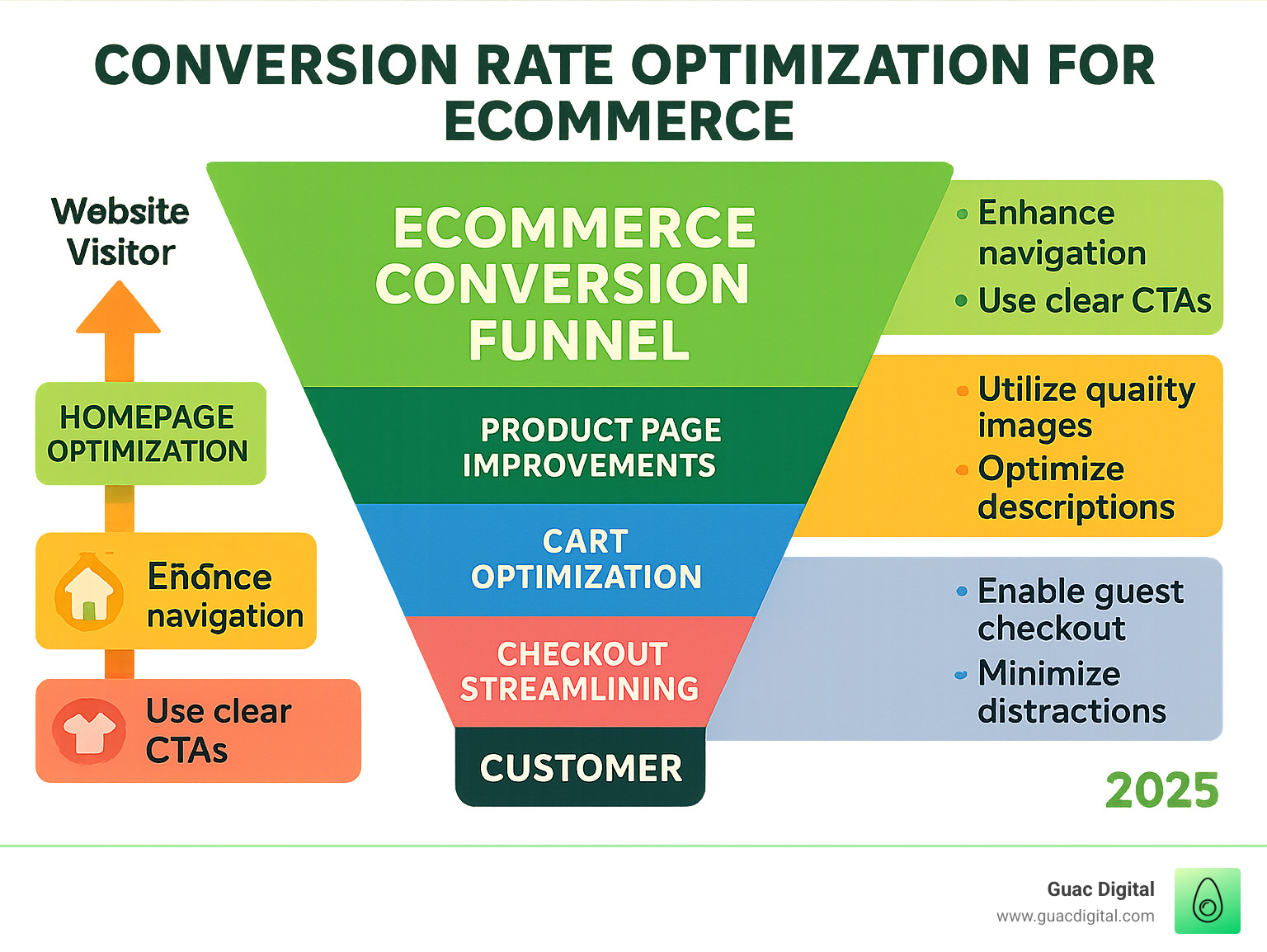
    Professional product image example for amazon conversion rate optimization

    Bullets are where browsers decide if your product solves their problem. Most sellers list features. Smart sellers translate features into outcomes buyers actually care about.

    The AIDA Bullet Formula

    Each bullet should follow AIDA: Attention, Interest, Desire, Action. Not all five bullets need all four elements, but your stack should hit each multiple times.

    Weak bullet: “Made with premium stainless steel construction”

    Strong bullet: “LASTS 10+ YEARS – Premium 18/8 stainless steel resists rust and corrosion, saving you from replacing cheap alternatives every season”

    See how the strong version:

    • Leads with the outcome (10+ years)
    • Explains the feature (18/8 stainless)
    • Connects to buyer pain (replacing cheap ones)
    • Implies action (invest once, save long-term)

    Keyword Integration Without Destroying Readability

    Yes, bullets help with ranking. No, that doesn’t mean keyword stuffing. Each bullet should include 1-2 relevant long-tail keywords naturally.

    Smart keyword integration:

    • Use keywords in the benefit statement, not tacked on
    • Target question-based keywords (“how to”, “best for”)
    • Include use-case keywords that match search intent
    • Vary your keyword phrases across all five bullets

    Track which keywords drive traffic but don’t convert. These reveal mismatched search intent. If “cheap yoga mat” brings traffic but tanks conversion, your bullets need to reframe value beyond price.

    Mobile Bullet Optimization

    Mobile only shows 3-4 bullets before “Read More.” Your best material goes in positions 1-3. Period.

    Bullet priority order:

    1. Primary benefit that solves the main problem
    2. Biggest differentiator from competitors
    3. Risk reversal (warranty, guarantee, certification)
    4. Secondary benefit with social proof
    5. Technical spec that matters for filtering

    Test your bullets on mobile. If the first three don’t make someone want to buy, reorder them. The technical specs can wait until bullet 5.

    Step 5: Analyze Your Pricing Strategy Against Perceived Value

    Price doesn’t drive conversion in isolation. Price relative to perceived value drives conversion. Most sellers either race to the bottom or price themselves out through ego. Both kill conversions.

    The Price Anchoring Audit

    Screenshot the first page of search results for your main keyword. Calculate:

    • Lowest price (usually garbage)
    • Highest price (usually premium brand)
    • Average of top 10 results
    • Your price position

    Optimal positioning for conversion: 15-30% above category average. Why? You avoid the “too cheap, must be junk” perception while staying under the “too expensive for an unknown brand” threshold.

    If you’re priced below average, you attract bargain hunters who leave bad reviews. If you’re priced above premium brands, you need extraordinary social proof to justify it.

    Value Stack Visualization

    Your images and copy must justify your price point visually. A $50 yoga mat needs to show $50 worth of value through:

    • Thickness comparison charts
    • Warranty badges
    • Premium material callouts
    • Included accessories

    Count the value markers in your listing. If you’re priced 20% above competitors, you need 20% more value proof. Not features. Proof.

    Common value markers that actually work:

    • Warranty length comparisons
    • Thickness/size advantages
    • Certification badges
    • What’s included vs. sold separately
    • Money-back guarantees
    • Lifetime replacement policies

    Psychological Pricing Triggers

    Certain price points convert better regardless of category. Baymard Institute’s pricing research shows these patterns:

    Under $20: End in .99 or .95
    $20-50: End in .97 or round numbers
    $50-100: $X7 or $X9 (like $67, $79)
    Over $100: Round to $5 increments

    Test these patterns against your current pricing. A move from $49.99 to $47 often improves conversion 5-8% with minimal revenue impact.

    Step 6: Review Your A+ Content for Purchase Confidence Building

    Lifestyle product photography for Amazon listings

    A+ Content is where browsers become buyers. Or where they bail because you answered the wrong questions. Most brands waste this space on pretty pictures instead of conversion drivers.

    The Objection-Handling Framework

    List the top 5 reasons someone wouldn’t buy your product:

    • Quality concerns
    • Size/fit uncertainty
    • Complexity fears
    • Durability doubts
    • Value questions

    Your A+ Content modules should systematically destroy each objection. Not with claims. With proof.

    Module allocation for Amazon conversion rate optimization:

    • Module 1: Comparison chart showing your advantages
    • Module 2: Size guide or fit calculator
    • Module 3: How-to-use in 3 simple steps
    • Module 4: Durability testing results or warranty info
    • Module 5: What’s included vs. competitors

    Mobile A+ Content Reality Check

    Mobile users scroll past A+ Content 60% of the time. When they do view it, they skim. Your modules need to work as standalone conversion tools, not a flowing narrative.

    Each module must:

    • Make sense without reading others
    • Have a clear visual hierarchy
    • Answer one specific concern completely
    • Include a visual element that works at phone size

    Test every module on a phone. If you have to zoom to read text, it’s too small. If the comparison chart needs space mode, it’s too complex.

    Brand Story Strategic Deployment

    Brand Story shows above the fold on mobile. Most brands waste it on founder photos and mission statements nobody cares about.

    Use Brand Story for:

    • Trust badges and certifications
    • Process or quality advantages
    • Sustainability claims with proof
    • Customer success metrics

    Your founder’s journey from corporate to entrepreneur? Save it for your About page. Brand Story should build purchase confidence, not tell your life story.

    Step 7: Examine Your Review Profile and Response Strategy

    Reviews are the ultimate conversion factor. You can nail everything else, but 3.5 stars means death. Here’s how to audit and improve your review profile systematically.

    The Review Distribution Analysis

    Pull your review data for the last 90 days. Calculate:

    • Average star rating
    • Distribution across 1-5 stars
    • Review velocity (reviews per week)
    • Verified purchase percentage

    Healthy distribution: 70% 5-star, 20% 4-star, 10% 3-star or below. If your 1-2 star percentage exceeds 15%, you have a product problem, not a marketing problem.

    Compare your metrics to category leaders. If they average 50 reviews/month and you get 5, you’re not pushing review requests hard enough.

    Critical Review Pattern Recognition

    Read every 1-3 star review from the last 6 months. Map the complaints:

    • Product didn’t match description
    • Quality below expectations
    • Size/fit issues
    • Missing parts or accessories
    • Packaging/shipping damage

    If the same complaint appears 3+ times, fix it in your listing. Update images, clarify bullets, add A+ Content modules. Don’t argue in review responses. Fix the root cause.

    Common fixes that prevent bad reviews:

    • Size charts in image slot 2
    • “What’s Included” graphic in slot 5
    • Video showing actual use/scale
    • FAQ section addressing concerns
    • Expectation-setting in bullets

    Review Response ROI Calculation

    Amazon customers read review responses. A thoughtful response to a critical review can flip browser perception from “avoid” to “they care.”

    Response priorities:

    1. All 1-2 star reviews within 48 hours
    2. 3-star reviews mentioning specific issues
    3. 4-5 star reviews with helpful feedback

    Your response template:

    • Thank them (even if they’re wrong)
    • Acknowledge the specific issue
    • Explain the fix or clarification
    • Offer to make it right (email/replacement)

    Never argue. Never blame. Never make excuses. Just fix problems and document that you care.

    Sources & References

    1. Users form expectations in milliseconds
    2. Baymard Institute’s pricing research
    3. Amazon photography services

    Related Reading

    Frequently Asked Questions

    What’s a good conversion rate for Amazon listings?

    Average Amazon conversion rates run 10-15% for FBA listings, but this varies wildly by category and price point. Supplements often see 8-12%, while consumables hit 15-20%. Focus on beating your category average by 2-3 percentage points rather than chasing arbitrary benchmarks.

    How long does conversion rate optimization take to show results?

    Image and title changes impact CTR within 24-48 hours. Conversion rate improvements from bullet and A+ Content optimization typically show within 7-10 days as the A10 algorithm adjusts. Run tests for at least 14 days with 1000+ sessions for statistical significance.

    Should I hire someone for Amazon conversion rate optimization or do it myself?

    Start with this audit yourself – you know your product and customers best. If you identify image quality as your bottleneck, that’s when professional Amazon photography services make sense. The ROI on professional images beats any other listing optimization when your current photos suck.

    For more on this, see our calculate amazon listing guide.

    What’s the biggest conversion killer most sellers miss?

    Mobile optimization. 70% of browsers use mobile but most sellers design for desktop. Shrink every image to phone size and try to read the text. If you can’t, you’re losing more than half your potential conversions.

    How do I know which optimization to prioritize first?

    Start with your main image if CTR is below 2%. Fix your bullets if you have traffic but low conversion. Address reviews if you’re below 4.0 stars. The biggest gap between you and category leaders points to your priority.
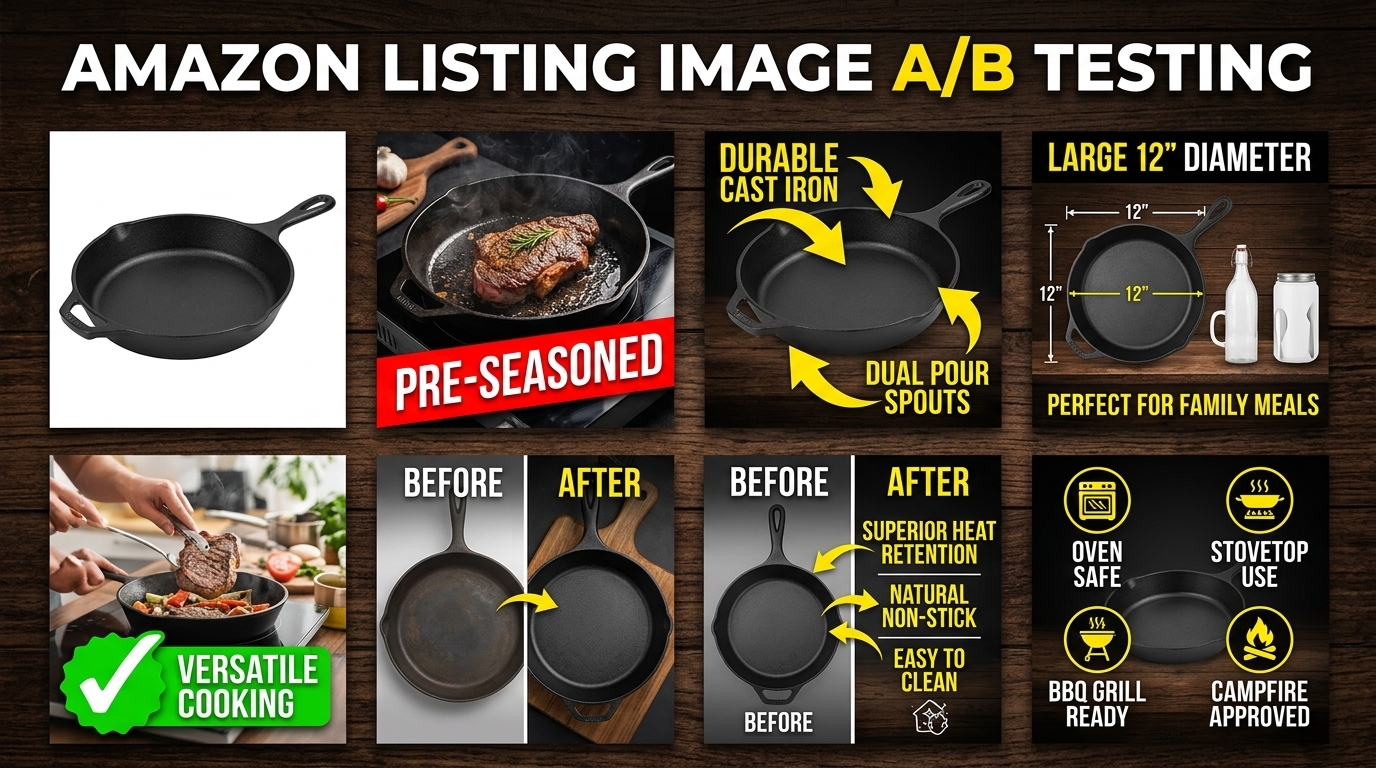
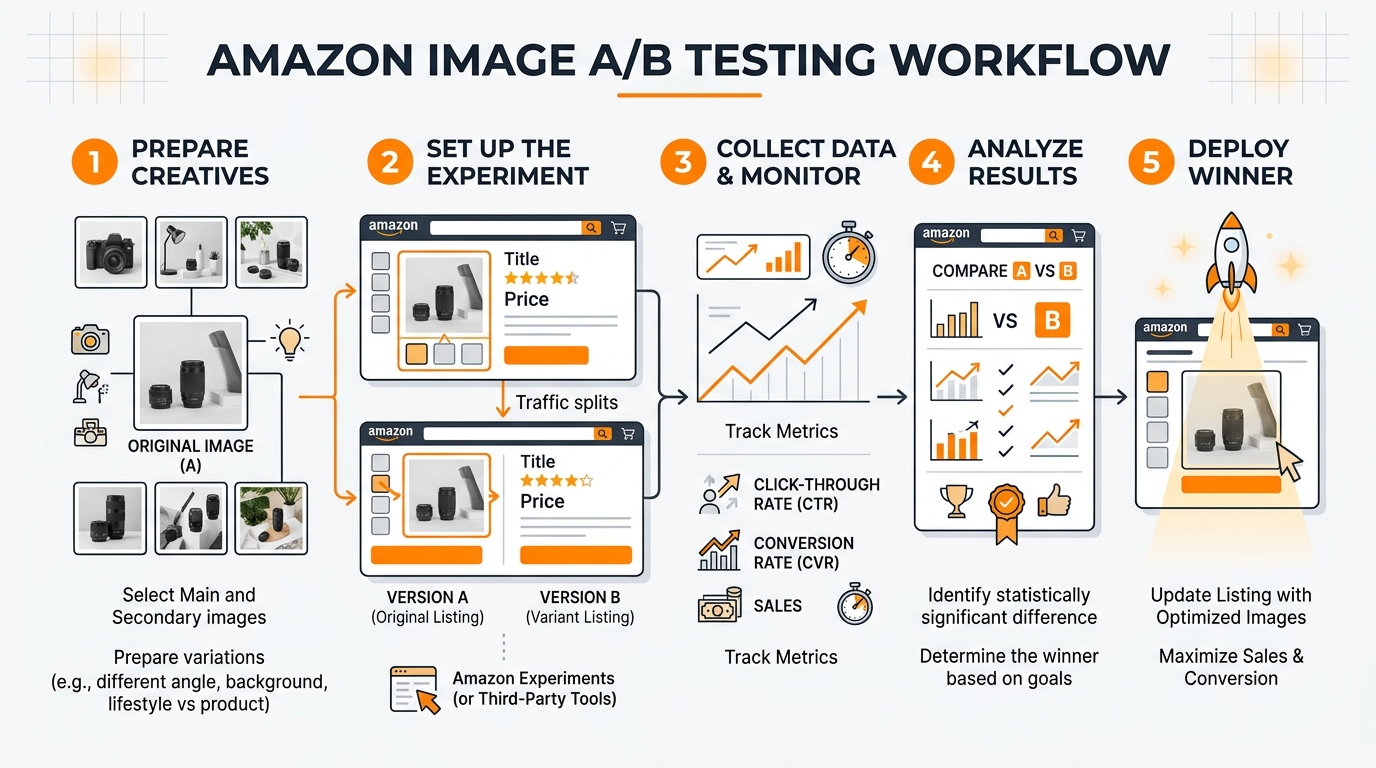
  • How to Set Up Amazon Image A/B Testing That Actually Drives Conversions

    How to Set Up Amazon Image A/B Testing That Actually Drives Conversions

    Your listing images are hemorrhaging money. I know because I’ve audited over 300 Amazon listings in the past year, and 95% of sellers are making the same mistake: they choose images based on gut feel instead of data. Amazon image A/B testing fixes that problem, but most sellers do it wrong.

    For more on this, see our amazon image stacking guide.

    Last reviewed:

    Here’s the truth: A 10% improvement in your main image click-through rate can double your organic traffic. I’ve seen sellers go from 50 sales per day to 120 just by testing their hero shot. But they didn’t get there by running one half-assed test and calling it done.

    This guide shows you exactly how to run Amazon image A/B tests that actually matter. No theory. No fluff. Just the framework that’s generated millions in additional revenue for sellers who were smart enough to test instead of guess.

    The Real Cost of Not Testing Your Amazon Images

    Why Your Current Images Are Probably Costing You $10,000+ Per Month

    Let’s do some math that’ll make you sick. Average Amazon listing: 1,000 impressions per day. Industry average CTR: 0.4%. Your competitor with optimized images: 0.8% CTR. That’s 4 extra clicks per day. At a 10% conversion rate and $50 AOV, you’re losing $200 per day. $6,000 per month. Gone.

    But it gets worse. Those lost clicks compound. Lower CTR means worse organic ranking. Worse ranking means fewer impressions. Fewer impressions means higher PPC costs to maintain sales velocity. Your ACoS climbs from 25% to 40%. Now you’re bleeding money on two fronts.

    I watched a supplement seller burn through $50,000 in unnecessary PPC spend because their main image had the bottle at the wrong angle. One A/B test. Three weeks. CTR jumped from 0.3% to 0.7%. Their ACoS dropped to 18%. That’s the power of testing.

    The Hidden Algorithm Penalty You Don’t Know About

    Amazon’s A10 algorithm doesn’t just care about sales. It obsesses over engagement metrics. Low CTR signals to Amazon that shoppers don’t want your product. The algorithm responds by showing your listing less often, even when you’re bidding high on PPC.

    According to Amazon’s own search ranking documentation, “customer actions” directly influence organic placement. Translation: bad images tank your visibility across the board. You can’t buy your way out of this problem with PPC. You have to fix the root cause.

    Smart sellers understand this. They treat image optimization like inventory management – a core business function, not a one-time task. The ones crushing it are running image tests every quarter, minimum.

    What Happens When You Finally Start Testing

    Real numbers from sellers who implemented systematic Amazon image A/B testing:

    • Kitchen gadget brand: Main image CTR from 0.35% to 0.82% (134% increase)
    • Beauty brand: Conversion rate from 8% to 14% after lifestyle image test
    • Electronics accessory: 67% reduction in return rate after adding dimension comparison image
    • Supplement brand: $340,000 annual revenue increase from one winning image set

    These aren’t outliers. They’re what happens when you stop treating your listing images like decoration and start treating them like the sales tools they are.

    Setting Up Your Testing Infrastructure

    Visual guide to amazon image A/B testing

    The Tools You Actually Need (And The Ones You Don’t)

    Forget the expensive split-testing software that promises magic. You need three things to run effective Amazon image A/B tests:

    • Amazon Brand Analytics (if you’re brand registered) – Free CTR data straight from Amazon
    • Google Sheets – Track your tests, calculate statistical significance
    • PickFu or ProductPinion – Pre-test concepts before going live ($50-100 per test)

    That’s it. No $500/month enterprise platforms. No complex integrations. The sellers making bank from image testing are using basic tools and solid methodology.

    Skip Splitly, Cashcowpro, and other automated testers. They’re solving a problem that doesn’t exist. Amazon doesn’t let you dynamically swap images anyway – you’re changing them manually. Save your money for actual image production.

    Creating Your Testing Calendar

    Most sellers test randomly. Wrong approach. Build a testing calendar that aligns with your business cycles:

    Month Test Focus Reason
    January Main Image Post-holiday traffic spike
    March Lifestyle Shots Spring buying patterns
    June Comparison Images Prime Day prep
    September Full Stack Test Q4 optimization

    Each test runs for 14-21 days minimum. Less than that and your data’s garbage. More than that and you’re leaving money on the table by not implementing winners faster.

    Calculating Statistical Significance (Without a PhD)

    Here’s the simple formula that matters: You need at least 100 clicks per variant to trust your results. At 0.5% CTR, that’s 20,000 impressions. Most listings hit that in 2-3 weeks.

    Use this quick significance check:

    • Variant A: 100 clicks, 10 conversions (10% CVR)
    • Variant B: 100 clicks, 15 conversions (15% CVR)
    • Difference: 50% improvement
    • Confidence: 89% (not quite significant)
    • Action: Run another week

    Don’t overthink it. Nielsen Norman Group’s research on A/B testing shows that most businesses make decisions with 80-90% confidence. Perfect data doesn’t exist in e-commerce.

    Main Image Testing: Where 80% of Your Gains Live

    The Four Elements That Actually Matter

    After analyzing hundreds of winning main image tests, four variables drive 90% of CTR improvements:

    1. Product Angle – Front-facing vs 3/4 angle vs overhead. Electronics and tools perform better at 3/4 angle. Beauty and supplements need straight-on shots. Test your category’s convention first, then break it.

    2. Background Contrast – Pure white isn’t always winner. Dark products on light grey backgrounds can increase CTR by 20-30%. The goal is thumbnail visibility, not studio perfection.

    3. Size and Crop – Fill 85-90% of the frame. Amazon’s image requirements specify 1000×1000 minimum, but you need 2000×2000 for zoom. Crop tight but leave breathing room.

    4. Props and Context – Limited props can boost CTR if they show scale or use case. A hand holding the product. A measurement reference. A single complementary item. Test one prop at a time.

    Running Your First Main Image Test

    Week 1: Baseline measurement. Don’t change anything. Pull your current CTR from Brand Analytics. Document everything – lighting setup, angle, props, background color. This is your control.

    Week 2-3: Run variant A. Change ONE element. Just one. If you change the angle AND the background, you won’t know what moved the needle. Track daily metrics.

    Week 4: Analyze and implement. If your variant won by 15% or more, make it permanent. If it’s close (within 10%), run another week. If it lost, document why and test the opposite approach.

    Common mistake: Testing radical changes first. Start with small optimizations. A 10-degree angle adjustment can outperform a complete reshoot.

    Main Image Mistakes That Tank CTR

    Stop doing these immediately:

    • Lifestyle shots as main image – Save it for image 2. Shoppers can’t see product details in thumbnails
    • Multiple products in frame – Confuses the algorithm and shoppers. One hero product only
    • Text overlays – Against TOS and kills your listing. Don’t risk suppression for 2% CTR gain
    • Busy backgrounds – Your competitor’s clean shot will eat your lunch every time
    • Poor mobile optimization – 70% of shoppers are on phones. Your fancy desktop layout means nothing

    Lifestyle and Secondary Image Testing

    Studio equipment for product photography

    The Conversion Rate Multiplier Everyone Ignores

    Your main image gets them to click. Your secondary images get them to buy. Most sellers dump random product shots in slots 2-7 and wonder why their conversion rate sucks.

    Here’s what actually works: Images 2-4 should answer the three biggest purchase objections for your category. Kitchen products: size, material, ease of cleaning. Electronics: compatibility, setup difficulty, build quality. Beauty: texture, application, results timeline.

    Test your image sequence, not just individual images. I’ve seen conversion rates jump 40% just by reordering existing images based on customer decision flow.

    Building a Testing Matrix for Secondary Images

    Create a simple testing grid:

    Image Slot Current Purpose Test Variant Success Metric
    Image 2 Product features Lifestyle in use Time on page +20%
    Image 3 Size comparison What’s in the box Reduce size questions 30%
    Image 4 Multiple angles Before/after results Conversion rate +15%

    Run these tests in 2-week sprints. Change one image slot per test. Track both conversion rate and return rate – sometimes an image that boosts sales also increases returns if it sets wrong expectations.

    Mobile-First Testing Strategy

    Your desktop layout is irrelevant. Mobile commerce data from Statista shows 72% of Amazon purchases happen on mobile. Your images need to work at 3 inches wide.

    Test protocol for mobile optimization:

    • View all variants on actual phone (not desktop emulator)
    • Check readability of any text at 50% zoom
    • Ensure key product features visible without pinch-zoom
    • Test load speed on 4G connection (not your office wifi)

    Winning mobile images have high contrast, minimal text, and one clear focal point. Complicated infographics that look great on desktop convert like garbage on mobile.

    Advanced Testing Strategies

    Sequential Testing vs. Parallel Testing

    Most sellers run sequential tests – one variant after another. Fine for low-traffic listings. But if you’re moving 50+ units daily, you’re leaving money on the table.

    Parallel testing hack: Use your variations for simultaneous tests. Different color? Test different main image angles on each. Different size? Test different lifestyle scenarios. You triple your testing velocity without touching your main ASIN.

    Warning: Only works if your variations get meaningful traffic. If 90% of sales go to one variation, stick with sequential testing on the winner.

    Category-Specific Testing Frameworks

    Supplements: Test credibility signals. Bottles with/without seals. Lab imagery. Ingredient callouts. Before/after changeations (if compliant). Supplement buyers are skeptical – your images need to scream legitimacy.

    Kitchen/Home: Test context and scale. Product in actual kitchen vs studio. Hand models for size reference. Multiple items if sold as set. Storage positions. Kitchen buyers imagine the product in their space.

    Electronics: Test technical communication. Ports and connections visible. Compatibility charts. Setup sequence. Size relative to common devices. Electronics buyers fear incompatibility more than price.

    Beauty/Personal Care: Test texture and application. Product swatches. Application sequence. Packaging details. Results timeline. Beauty buyers buy the outcome, not the product.

    Competitor Response Testing

    Your competitors are watching. When you find a winning image, they’ll copy it within 30 days. Plan for this.

    Build a testing pipeline:

    • Quarter 1: Find your winner
    • Quarter 2: Optimize and scale
    • Quarter 3: Test next evolution (before competitors catch up)
    • Quarter 4: Implement new winner for peak season

    The sellers dominating their categories aren’t resting on one good image. They’re always testing the next iteration. By the time competitors copy their current images, they’ve moved on to version 2.0.

    Measuring and Implementing Results

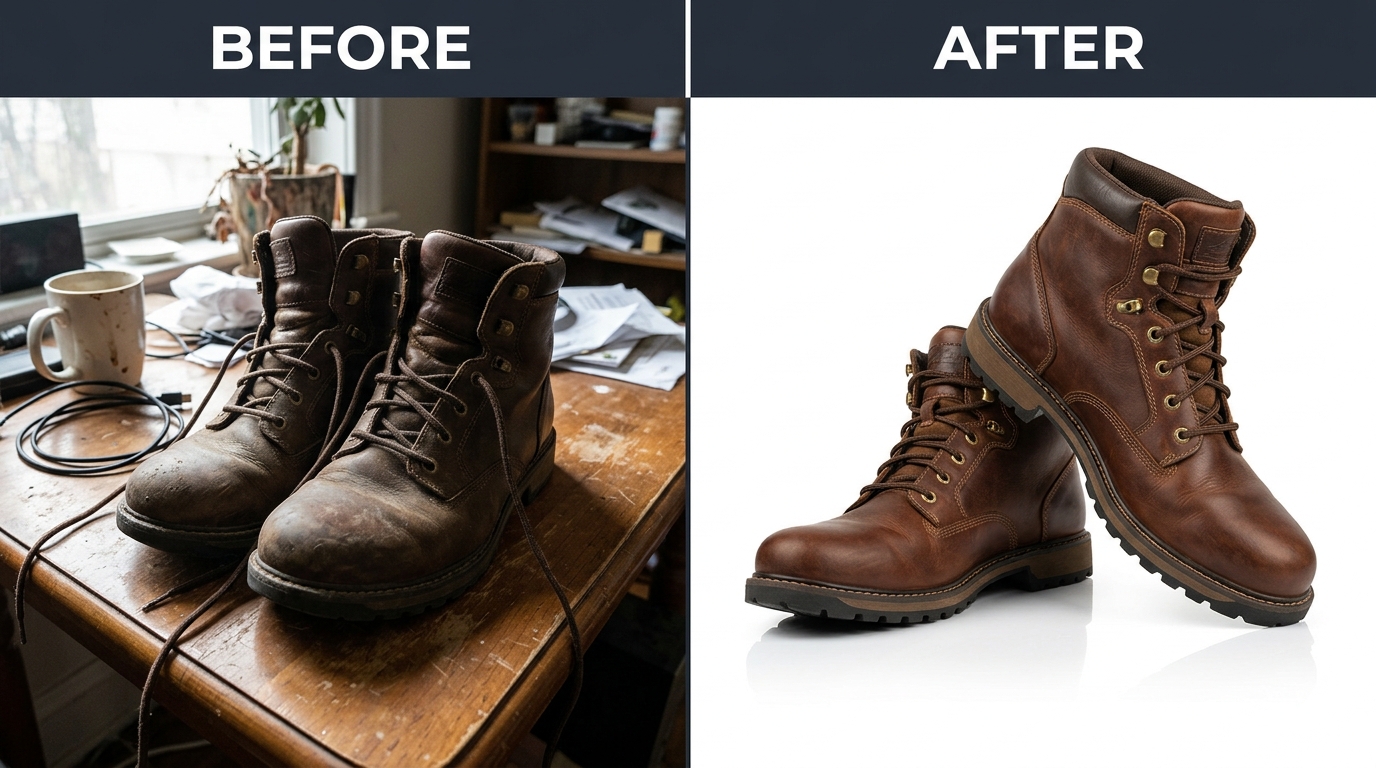
    Before and after product photography comparison

    Building Your Testing Dashboard

    Simple Google Sheets template that tracks what matters:

    • Test name and date range
    • Variant descriptions (specific, not “version A”)
    • Daily impressions, clicks, orders
    • CTR and CVR for each variant
    • Statistical significance (use online calculator)
    • Revenue impact projection
    • Implementation notes

    Track everything. I’ve seen sellers discover patterns after 10-15 tests that changeed their entire catalog. Dark backgrounds work for their premium line. Lifestyle shots tank CTR but boost conversion. Hand models increase returns. You won’t see these patterns without data.

    When to Pull the Plug on a Test

    Not every test wins. Know when to cut losses:

    • CTR drops more than 30% after 3 days: Kill it immediately
    • Conversion rate tanks but CTR improves: Run 7 more days then decide
    • Return rate spikes: Kill it even if sales increase
    • No significant difference after 21 days: Call it neutral and move on

    Failed tests teach you as much as winners. Document why they failed. Build a library of what doesn’t work for your brand. This prevents repeated mistakes and speeds up future testing.

    Scaling Winning Tests Across Your Catalog

    Found a main image angle that crushes? Don’t just use it on one ASIN. But don’t blindly copy either.

    Smart scaling process:

    • Identify the winning element (angle, lighting, prop placement)
    • Adapt for each product’s unique features
    • Test on your second-best seller first
    • Roll out to full catalog if it wins again
    • Keep testing variations on the theme

    One supplement brand discovered their 45-degree angle shot increased CTR by 67%. They adapted this angle across 12 SKUs. Total revenue impact: $2.3 million in year one. That’s the power of systematic testing and implementation.

    Common Testing Mistakes That Waste Time and Money

    The “Set It and Forget It” Delusion

    Your winning image from Q1 won’t be your winner in Q4. Shopper preferences shift. Competitors evolve. Amazon’s algorithm changes its preferences.

    Testing isn’t a project – it’s a process. Budget for quarterly image updates minimum. The cost of professional product photography pays for itself when you’re testing systematically. One winning test covers the investment.

    Testing Everything at Once

    Rookie mistake: changing five images simultaneously. You’ll see results (maybe) but have no idea what caused them. Test one element at a time. Yes, it takes longer. Yes, it’s worth it.

    Exception: If your current images are complete garbage (shaky iPhone photos, weird angles, bad lighting), do a full replacement first. Then start systematic testing from your new baseline.

    Ignoring Seasonal Patterns

    Your Q4 winning images might bomb in Q2. Gift-focused imagery works in November, not May. Outdoor lifestyle shots crush in summer, not winter.

    Build seasonal testing into your calendar:

    • Spring: Fresh, bright, renewal themes
    • Summer: Outdoor, active lifestyle
    • Fall: Cozy, preparation, back-to-school
    • Winter: Gift-giving, premium, indulgence

    Smart sellers maintain 2-3 image sets and rotate based on season. The extra production cost is nothing compared to the conversion gains.

    Sources & References

    1. Amazon’s own search ranking documentation
    2. Nielsen Norman Group’s research on A/B testing
    3. image requirements specify 1000×1000 minimum
    4. Mobile commerce data from Statista
    5. professional product photography

    Related Reading

    Frequently Asked Questions

    How long should I run each Amazon image A/B test?

    Run each test for 14-21 days minimum to gather statistically significant data. You need at least 100 clicks per variant to trust your results. For low-traffic listings getting under 50 clicks per week, extend tests to 30 days or consider using PPC to drive additional test traffic.

    Can I test images without being brand registered on Amazon?

    Yes, but it’s harder without Brand Analytics data. Use third-party tools like PickFu for pre-testing, then monitor your conversion rate and BSR changes manually. Track your daily sessions and sales in Seller Central to calculate conversion improvements. Consider brand registry as a priority – the testing data alone justifies it.

    What’s the biggest mistake sellers make with Amazon image A/B testing?

    Testing random changes instead of systematic improvements. Start with your main image and test one specific element like angle or background. Most sellers also quit after one test – the real gains come from continuous optimization over 6-12 months of consistent testing.

    Should I test all seven image slots or focus on specific ones?

    Focus 80% of your testing on images 1-3 since most shoppers never scroll past the third image on mobile. Test your main image monthly, lifestyle shots quarterly, and technical images only when you identify specific customer objections in reviews or questions.

    How do I know if my image test results are statistically significant?

    Use the 100-click rule: each variant needs at least 100 clicks before making decisions. A 20% or greater difference in CTR or conversion rate is typically significant. For precise calculations, use free statistical significance calculators online, aiming for 90-95% confidence before implementing changes permanently.