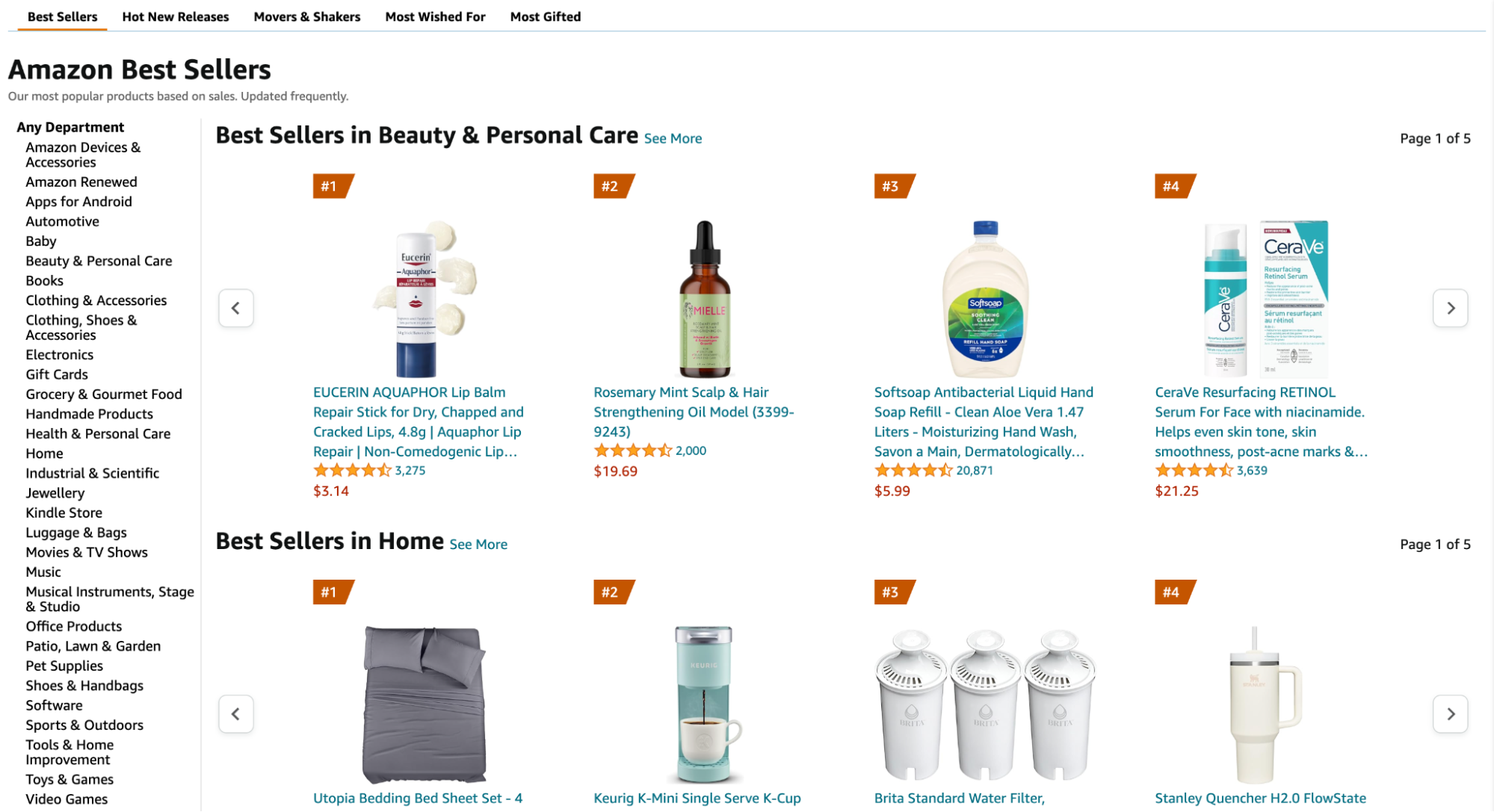
Your listing just got suppressed because your main image is 999 pixels instead of 1000. Congratulations, you just lost $500 in daily revenue over a single pixel. What size should Amazon listing images be? Get it wrong and watch your BSR tank while competitors eat your market share.
Last reviewed:
Amazon’s image requirements aren’t suggestions. They’re strict technical specifications that directly impact your listing’s visibility, click-through rate, and conversion rate. Miss a single requirement and the A10 algorithm punishes you with reduced organic ranking and disabled zoom functionality.
Most sellers upload whatever their supplier sends them. Then they wonder why their CTR sits at 0.3% while competitors pull 2.5%. The difference? Proper image sizing that triggers Amazon’s zoom feature and fills mobile screens.
This guide covers every technical specification for Amazon product images in 2024. Real numbers. Exact dimensions. File size limits. Category-specific requirements. Everything you need to avoid suppression and maximize conversions.
Amazon’s Core Image Size Requirements
Amazon enforces different requirements for different image types. Screw this up and your listing gets suppressed or your images disabled. Here’s what actually matters.
Main Image Technical Specifications
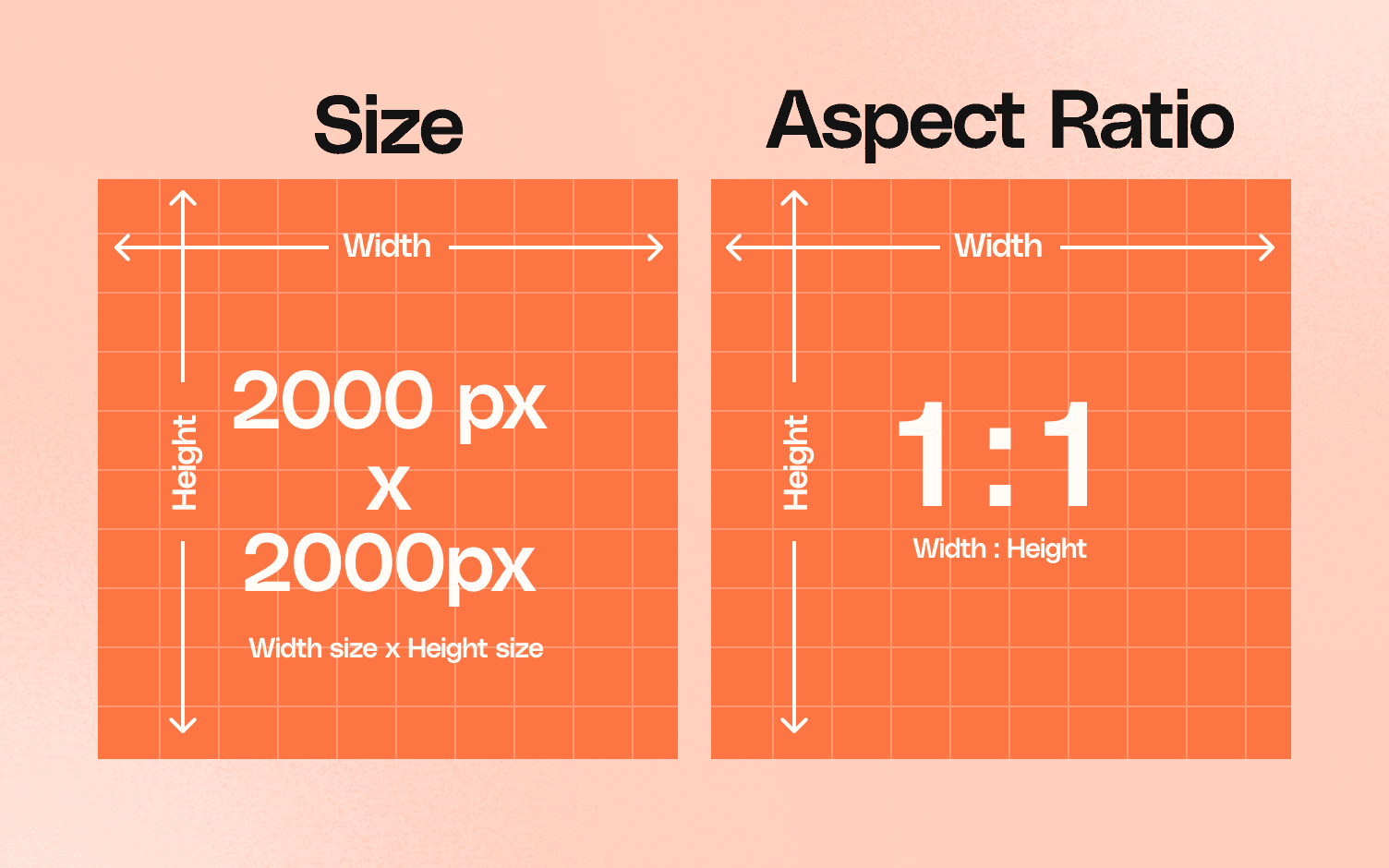
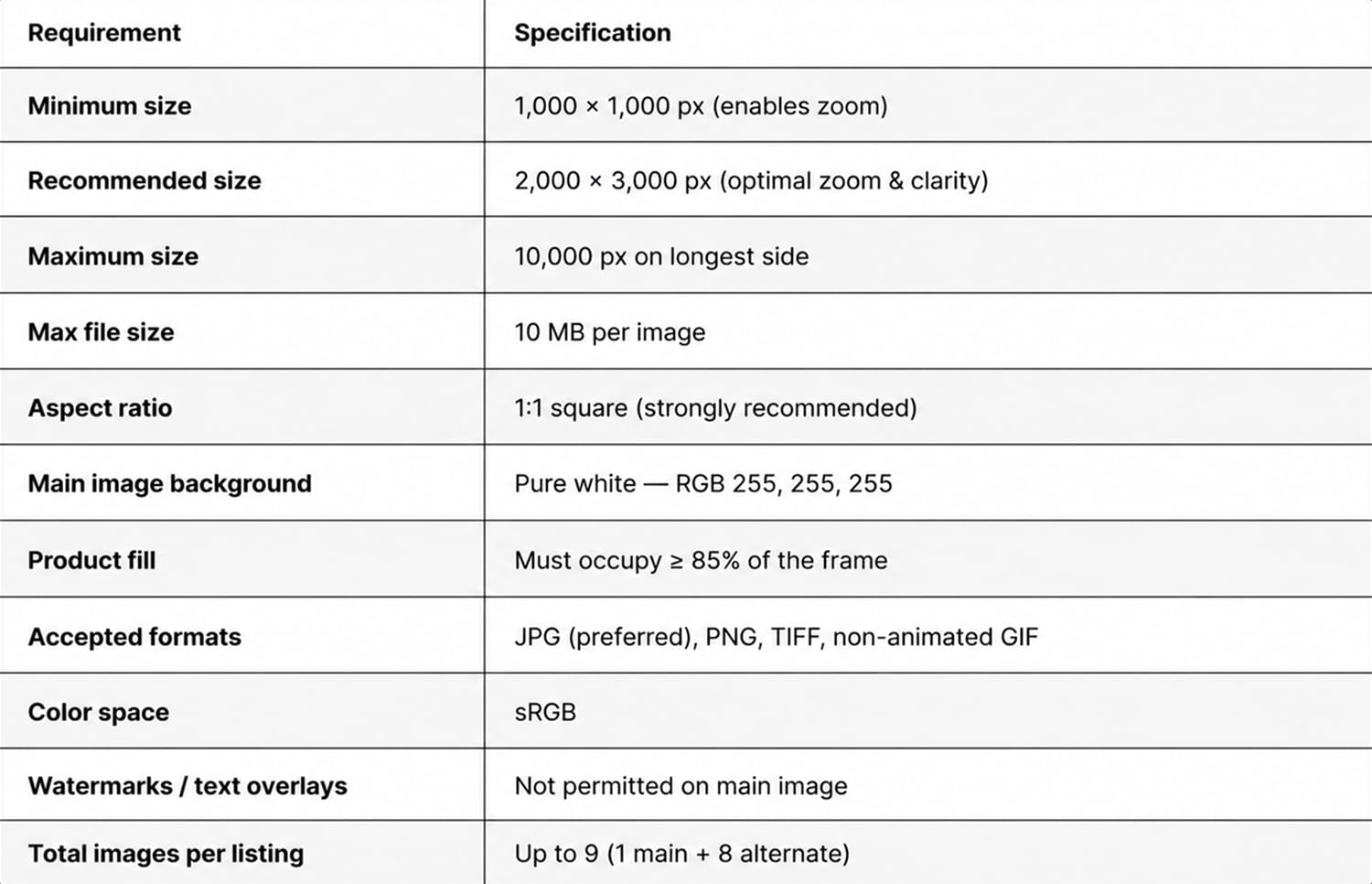
Minimum dimension: 1000 pixels on the longest side. Not 999. Not 998. Exactly 1000 or higher. This triggers the zoom feature that increases conversion rates by 30% according to Baymard Institute’s research on image zoom functionality.
Maximum file size: 10MB. But here’s what Amazon doesn’t tell you: images over 5MB load slower on mobile. Your page speed tanks. Your mobile conversion rate drops 7% for every second of load time.
Optimal dimensions for main images:
- Square products: 2000 x 2000 pixels
- Tall products: 1600 x 2000 pixels
- Wide products: 2000 x 1600 pixels
File format: JPEG for photographs, PNG only for images with transparency. TIFF and GIF will get rejected. Amazon converts everything to JPEG anyway, so save yourself the hassle.
Color profile: sRGB only. Upload in Adobe RGB or ProPhoto and watch your colors shift. That premium packaging you paid $10,000 to design? Now it looks like a knockoff because you used the wrong color space.
Secondary Image Requirements
Secondary images follow the same 1000-pixel minimum rule. But here’s where sellers mess up: they upload lifestyle shots at 1000×1000 when they should be using 1600×1600 minimum.
Why? Mobile users. What size should Amazon listing images be for mobile optimization? At least 1600 pixels. On mobile devices, your secondary images display at nearly full screen width. A 1000-pixel image looks pixelated on a iPhone 14 Pro. Pixelated images scream “cheap Chinese knockoff” to buyers.
Smart sellers upload at 2000×2000 for all slots. The file size difference is negligible with proper compression, but the quality difference on high-resolution displays is massive.
A+ Content Image Dimensions
A+ Content has its own dimension requirements that change based on module type:
| Module Type | Image Dimensions | Aspect Ratio |
|---|---|---|
| Standard Image Header | 970 x 600 pixels | 16:10 |
| Standard Single Image | 970 x 1300 pixels | 3:4 |
| Four Image Quadrant | 220 x 220 pixels each | 1:1 |
| Comparison Chart Images | 150 x 300 pixels | 1:2 |
Upload A+ images at exactly these dimensions. Amazon doesn’t resize gracefully. Your carefully designed infographic gets cropped weird and suddenly your USPs are cut off.
Category-Specific Size Requirements
Amazon enforces different image requirements by category. Ignore these at your own risk.
Apparel and Accessories
Clothing requires model or mannequin shots as the main image. Minimum 1001 pixels, but here’s the catch: you need 3:4 aspect ratio for optimal mobile display.
Why 3:4? Because that’s how fashion buyers browse. They want to see the full outfit without scrolling. Upload a square image and you’re leaving conversions on the table.
Shoe categories demand multiple angles:
- Main image: 3:4 ratio, model or ghost mannequin
- Image 2: Side profile at exactly 90 degrees
- Image 3: Back view showing heel height
- Image 4: Sole pattern (critical for athletic shoes)
- Image 5: Detail shot of materials/stitching
Jewelry gets even more specific. Main images must show the actual size relative to a body part. No exceptions. A ring floating on white background? Suppressed. Show it on a finger or include a sizing reference.
Electronics and Tech Products
Tech products live and die by their specification images. What size should Amazon listing images be for readable spec sheets? Minimum 2000 pixels wide.
Your port labels, button descriptions, and technical callouts need to be readable on mobile without zoom. Test this: open your listing on a phone and try to read your spec sheet. Can’t make out the text? Neither can your customers.
For electronics, allocate your image slots strategically:
- Slot 1: Hero shot on white (main image)
- Slot 2: All sides/angles composite
- Slot 3: Ports and connections labeled
- Slot 4: Size comparison with common objects
- Slot 5: What’s included (every cable and adapter)
- Slot 6: Setup or installation process
- Slot 7: Lifestyle usage shot
Health and Personal Care
Supplement labels must be readable. Period. FDA requires it, Amazon enforces it. Upload your supplement facts panel at less than 2000 pixels? Expect suppression.
Here’s the formula: your supplement facts panel should occupy at least 1500 pixels vertically. That ensures every ingredient and dosage remains readable on mobile devices. Amazon’s official supplement image requirements specify that all text must be clearly legible without zoom.
Beauty products need texture shots. Upload your cream or serum texture at 2000×2000 minimum. Customers zoom in to evaluate consistency. Give them pixels or lose the sale.
Mobile Optimization Strategies

70% of Amazon purchases happen on mobile. Your desktop-optimized images are costing you money.
The Mobile-First Upload Strategy
Design for mobile screens first. Your beautiful 7-image carousel means nothing if mobile users can’t read your key benefits.
Mobile image hierarchy:
- Image 1: Clean hero shot that pops at thumbnail size
- Image 2: Primary benefits with text at 120pt minimum
- Image 3: Social proof or size demonstration
- Images 4-7: Supporting details and lifestyle context
Test every image at 375 pixels wide (iPhone SE size). If you can’t read the text or understand the value prop at that size, redesign it.
Compression Without Quality Loss
Large files slow down page load. Slow pages kill conversions. But aggressive compression destroys image quality.
The sweet spot: 85% JPEG quality at 2000×2000 pixels. This typically produces 300-500KB files that load fast without visible quality loss.
Use progressive JPEG encoding. The image loads in stages, showing a low-quality version immediately while the full resolution loads. Customers see something instantly instead of staring at a blank space.
Tools that actually work:
- Adobe Photoshop: Save for Web at 85% quality
- TinyPNG: Automatic optimization without visible loss
- ImageOptim: Batch processing for multiple images
Aspect Ratio Considerations
Amazon displays images differently across devices. Your perfect square image gets cropped weird on mobile search results.
Optimal aspect ratios by placement:
- Search results: 1:1 square (design with critical elements centered)
- Mobile carousel: 3:4 portrait (more vertical real estate)
- Desktop view: 1:1 or 4:3 space works fine
- Sponsored ads: 1:1 mandatory (crops anything else)
Smart sellers create images that work at multiple aspect ratios. Keep critical information in the center 80% of the image. The edges might get cropped depending on placement.
Technical Upload Specifications
Getting the size right means nothing if you botch the upload process.
File Naming Conventions
Amazon’s system reads your file names. Random names like “IMG_1234.jpg” create backend issues.
Proper naming structure:
- ASIN or SKU + underscore + image slot + file extension
- Example: B08XYZ123_01.jpg for main image
- Example: B08XYZ123_02.jpg for second image
Never use spaces, special characters, or uppercase extensions. “Product Image.JPG” gets rejected. “product-image.jpg” uploads fine.
Color Space and Bit Depth
sRGB color space only. Period. Upload in Adobe RGB and watch your vibrant product photos turn muddy.
Bit depth: 8 bits per channel. Don’t upload 16-bit images thinking you’re preserving quality. Amazon converts everything to 8-bit anyway, and you just quadrupled your upload time.
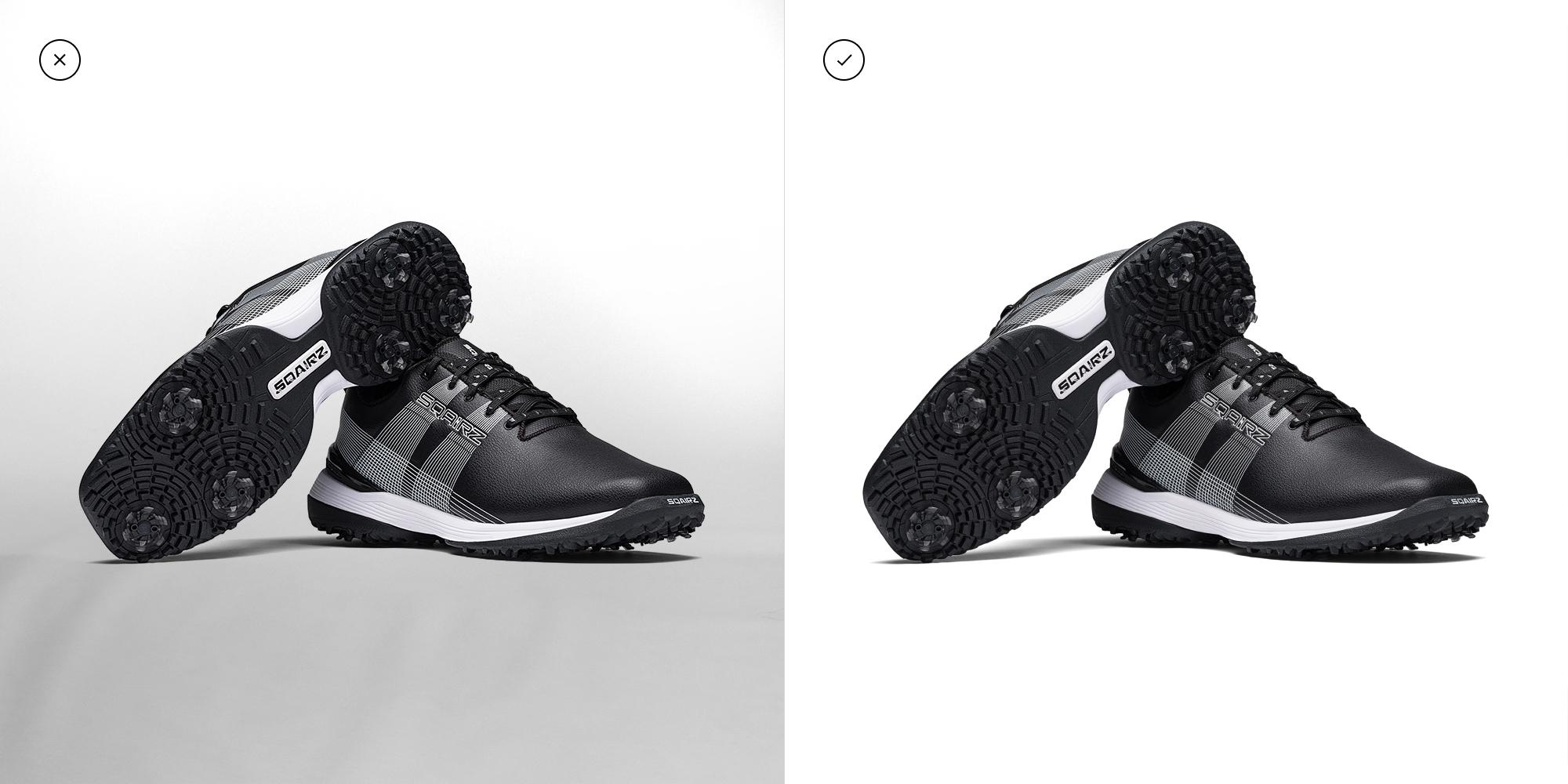
White balance matters. Your “pure white” background better be RGB 255,255,255. Anything else risks suppression. Use the eyedropper tool to verify. Off-white backgrounds make products look dingy.
Metadata and EXIF Data
Strip EXIF data before uploading. Location data, camera settings, timestamps – Amazon doesn’t need it and it bloats file size.
But preserve copyright metadata. Embed your brand name and copyright notice in the file. When competitors steal your images (they will), you have proof of ownership.
Alt text gets pulled from file names during bulk uploads. Name your files descriptively if using flat file uploads. “blue-widget-front-view.jpg” becomes better alt text than “IMG1234.jpg”.
Common Sizing Mistakes That Kill Conversions
These errors cost sellers thousands in lost revenue. Stop making them.
The “Good Enough” Dimension Trap
Uploading at exactly 1000 pixels because that’s the minimum? You’re leaving money on the table.
Here’s what happens: Customer hovers over your image to zoom. Instead of crisp details, they see pixelated garbage. They assume your product quality matches your image quality. Click. Gone. Bought from competitor with 2000-pixel images.
What size should Amazon listing images be for maximum conversion? 2000×2000 minimum for all slots. The hosting cost difference is negligible. The conversion difference is 15-20%.
Inconsistent Image Dimensions
Uploading images at different sizes creates a janky shopping experience. Your main image is 2000×2000. Second image is 1200×1200. Third is 1500×2000.
Result: Customers click through your carousel and images jump around. Looks unprofessional. Screams “dropshipper who grabbed random supplier photos.”
Solution: Standardize everything. Pick 2000×2000 or 1600×2000 for your entire catalog. Create templates. Batch process. Consistency builds trust.
Mobile Text Readability Failures
Your infographic looks beautiful on desktop. Clear benefits. Compelling stats. Perfect hierarchy.
On mobile? Microscopic text that nobody can read. You just wasted an image slot.
Minimum text sizes for mobile readability:
- Headlines: 120pt or larger
- Benefit points: 80pt minimum
- Supporting text: 60pt absolute minimum
Test on an actual phone, not your desktop browser’s mobile view. Real devices render differently.
Advanced Image Optimization Techniques
Beyond basic requirements, these strategies separate amateur sellers from pros pulling 7-figure revenues.
Strategic Pixel Allocation
Not all pixels are equal. Where you place detail matters more than total resolution.
For example: Supplement sellers obsess over label readability. Smart ones allocate 60% of their image real estate to the supplement facts panel, 40% to the bottle. Amateurs show the entire bottle with an unreadable label.
Electronics sellers should allocate pixels based on customer priorities:
- Ports/connections: 40% of detail shots
- Screen/display: 30% of image space
- Controls/buttons: 20% of detail
- Overall design: 10% for context
Dynamic Sizing for Different Placements
Your images appear in multiple places:
- Search results (small thumbnails)
- Product page (full size)
- Sponsored ads (various sizes)
- Mobile app (different aspect ratios)
- Email recommendations (tiny thumbnails)
One image can’t optimize for all placements. But you can design with flexibility.
Create a “safe zone” in the center 60% of your image. Place critical elements there. They’ll survive any crop or resize.
Test your main image at these sizes:
- 160x160px (search thumbnail)
- 500x500px (mobile carousel)
- 1000x1000px (desktop zoom)
If it doesn’t work at all three, redesign.
File Size Optimization for Page Speed
Nielsen Norman Group’s research shows that users expect pages to load in under 3 seconds. Every 100ms delay costs you conversions.
Your image strategy directly impacts page speed:
- 7 images at 1MB each = 7MB total load
- 7 images at 400KB each = 2.8MB total load
That 4.2MB difference? On 4G mobile, that’s 2-3 extra seconds of load time. You just lost 20% of potential buyers to impatience.
Optimization checklist:
- Export at 85% JPEG quality (not 100%)
- Run through TinyPNG or similar
- Remove unnecessary metadata
- Use progressive JPEG encoding
- Test total page weight under 5MB
Platform-Specific Requirements
Amazon isn’t your only sales channel. Different platforms have different requirements.
Amazon vs Other Marketplace Standards
If you sell multichannel, you need images that work everywhere:
| Platform | Minimum Size | Recommended Size | Max File Size |
|---|---|---|---|
| Amazon | 1000×1000 | 2000×2000 | 10MB |
| eBay | 500×500 | 1600×1600 | 12MB |
| Walmart | 2000×2000 | 3000×3000 | 5MB |
| Shopify | No minimum | 2048×2048 | 20MB |
The smart play: Create at 3000×3000, then downsize for each platform. Never upsize – you can’t create pixels from nothing.
International Marketplace Variations
Selling on Amazon.de or Amazon.co.jp? Requirements change.
Japan requires product dimensions in images. Not optional. Include a ruler or size reference in at least one image or face suppression.
European marketplaces enforce stricter white background requirements. Your “close enough” white that works on Amazon.com gets rejected on Amazon.de.
India has lower average internet speeds. Optimize file sizes more aggressively. Target 200-300KB per image max.
Future-Proofing Your Image Assets
Amazon changes requirements. Plan for it.
Current trend: requirements keep increasing. Five years ago, 500 pixels was fine. Now it’s 1000 minimum. What size should Amazon listing images be in 2025? Probably 1500 minimum.
Shoot and save at maximum resolution:
- Photograph at 4000×4000 minimum
- Save master files uncompressed
- Create Amazon versions as needed
- Archive everything
When Amazon raises requirements (not if, when), you re-export from masters. Competitors scramble to reshoot. You upload and move on.
Sources & References
Related Reading
Frequently Asked Questions
What happens if my images are under 1000 pixels?
Amazon disables the zoom feature immediately, which typically drops conversion rates by 20-30%. Your listing might also face suppression during peak seasons when Amazon enforces requirements more strictly. Upload at exactly 1000 pixels minimum or watch competitors with proper sizing steal your sales.
Can I use PNG format for all my Amazon images?
Only use PNG for images requiring transparency, like logos or technical diagrams. Amazon converts PNG photos to JPEG anyway, but at lower quality than if you’d uploaded JPEG directly. Stick to JPEG for product photography – you’ll get better compression and color accuracy.
What’s the ideal image size for mobile shoppers?
Upload at 2000×2000 pixels minimum for optimal mobile display. This ensures crisp images on high-resolution phones without excessive file sizes. Test your images at 375 pixels wide (iPhone SE size) to verify text readability, but upload at 2000×2000 for the actual listing.
Should I use the same dimensions for all 7 image slots?
Yes, standardize at 2000×2000 pixels for consistency. Mixed dimensions create a jarring experience as customers swipe through your carousel. The only exception is A+ Content, which has specific dimension requirements for each module type.
How do I fix color shift problems after uploading?
Export all images in sRGB color space, not Adobe RGB or ProPhoto RGB. Check your export settings in Photoshop or your editing software. If colors still look wrong, verify your monitor calibration and test on multiple devices. Amazon only supports sRGB, so any other color space will shift during processing.