
Professional Amazon product photography doesn’t require a $10,000 studio investment. You need clean, consistent images that drive conversions and keep your ACoS under control. A DIY Amazon product photography setup built for under $200 can deliver the image quality that gets clicks and sales.
Here’s the math that matters: poor product images tank your CTR by 40-60% compared to optimized listings. That translates to higher PPC costs, lower organic ranking, and missed sales. A seller moving 100 units monthly at $25 each loses roughly $750 in revenue per month from subpar images. Your photography setup pays for itself in 3-4 weeks.
This guide walks through building a functional product photography setup that meets Amazon’s technical requirements and delivers the visual impact your listings need to compete.
Essential Equipment for Your DIY Amazon Photography Setup
Camera Equipment That Actually Matters
Skip the gear obsession. Amazon product photography demands sharp, well-lit images with accurate colors. A DSLR or mirrorless camera with manual controls beats a smartphone for consistency and file quality. The Canon EOS Rebel T7 ($350) or Nikon D3500 ($400) handle most product photography needs without breaking budgets.
Your lens choice impacts everything. A 50mm prime lens ($100-150) delivers sharp results with minimal distortion. Avoid kit lenses for main images. They create softness that hurts conversion rates.
For budget builds under $200, a high-end smartphone with manual camera controls works. The iPhone 13 Pro or Samsung Galaxy S22 Ultra produce usable results with proper lighting. Use a dedicated camera app like VSCO or Adobe Lightroom Mobile for manual exposure control.
How Many Images For Amazon Listing covers this in more detail.
Lighting Equipment That Drives Conversions
Lighting separates amateur shots from professional results. Amazon’s A10 algorithm favors listings with bright, evenly-lit main images. Poor lighting creates shadows that obscure product details and reduce click-through rates.
Build your lighting kit with these components:
- Two continuous LED panels (Neewer 660 LED, $45 each) – consistent color temperature at 5600K
- Light stands (Neewer 6-foot stands, $25 each) – adjustable height for angle control
- Softbox diffusers (24-inch square, $15 each) – eliminates harsh shadows
- Reflector disc (43-inch 5-in-1, $20) – fills shadows and adds catchlight
Total lighting investment: $175. This setup produces the even, shadowless lighting that Amazon main images require.
Support Equipment and Accessories
Stability and precision separate good images from great ones. A sturdy tripod ($40-60) eliminates camera shake and maintains consistent framing between shots. The Manfrotto Compact Action tripod balances price and performance.
Add these accessories for professional results:
- Wireless camera remote ($15) – eliminates camera movement during shooting
- Gray card set ($10) – ensures accurate white balance and exposure
- Lens cleaning kit ($12) – maintains sharp image quality
These small investments prevent the technical issues that force expensive reshoots.
Setting Up Your Photography Space
Space Requirements and Layout Planning
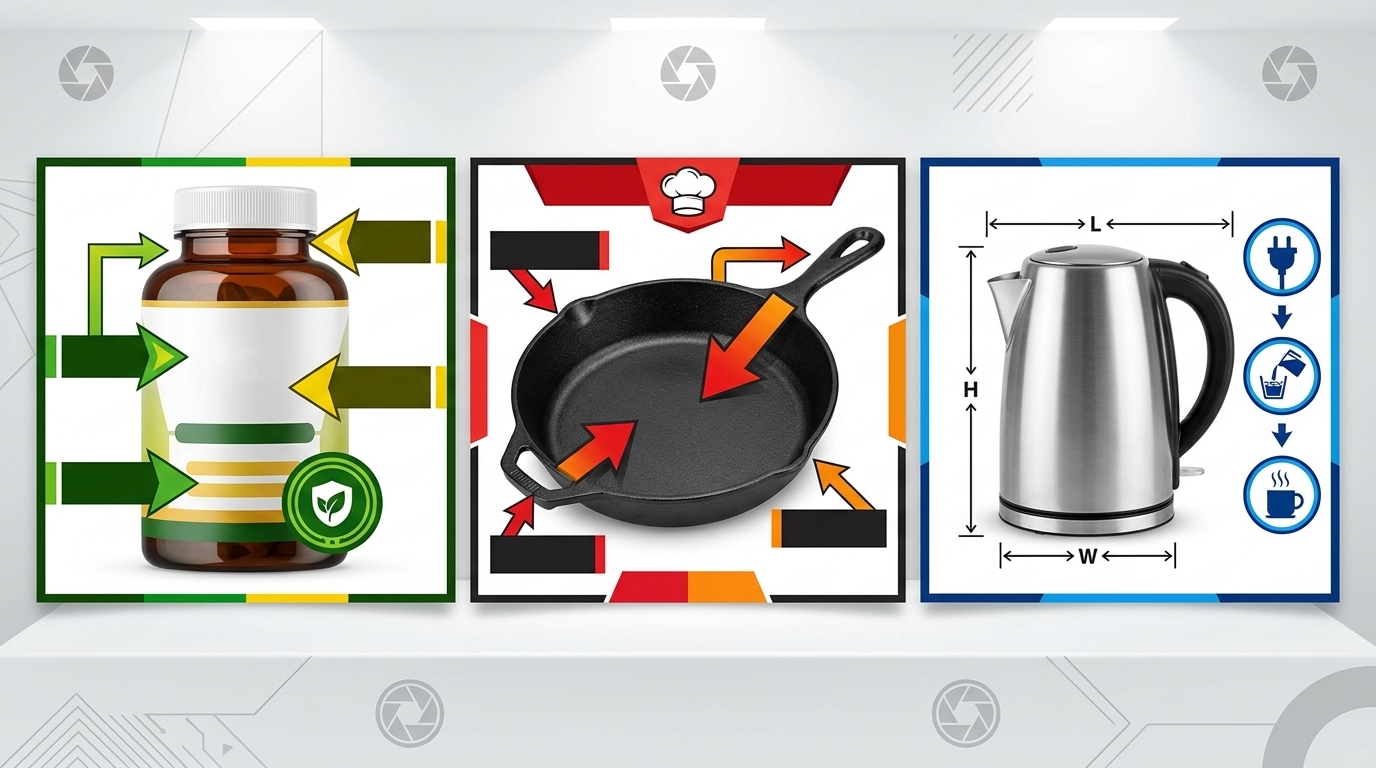
Amazon product photography needs consistent conditions. A dedicated 8×8 foot space with white walls provides the control you need. Avoid rooms with colored walls or mixed lighting sources. They create color casts that require extensive post-processing.
Position your setup near a large window for supplemental natural light, but don’t rely on it as your primary source. Window light changes throughout the day, making color matching between product shots nearly impossible.
Layout your space with these measurements:
- Camera position: 4-6 feet from product
- Background distance: 3-4 feet behind product
- Light placement: 45-degree angles, 3-4 feet from product
This configuration provides the working room needed for different product sizes while maintaining consistent lighting ratios.
Background and Surface Setup
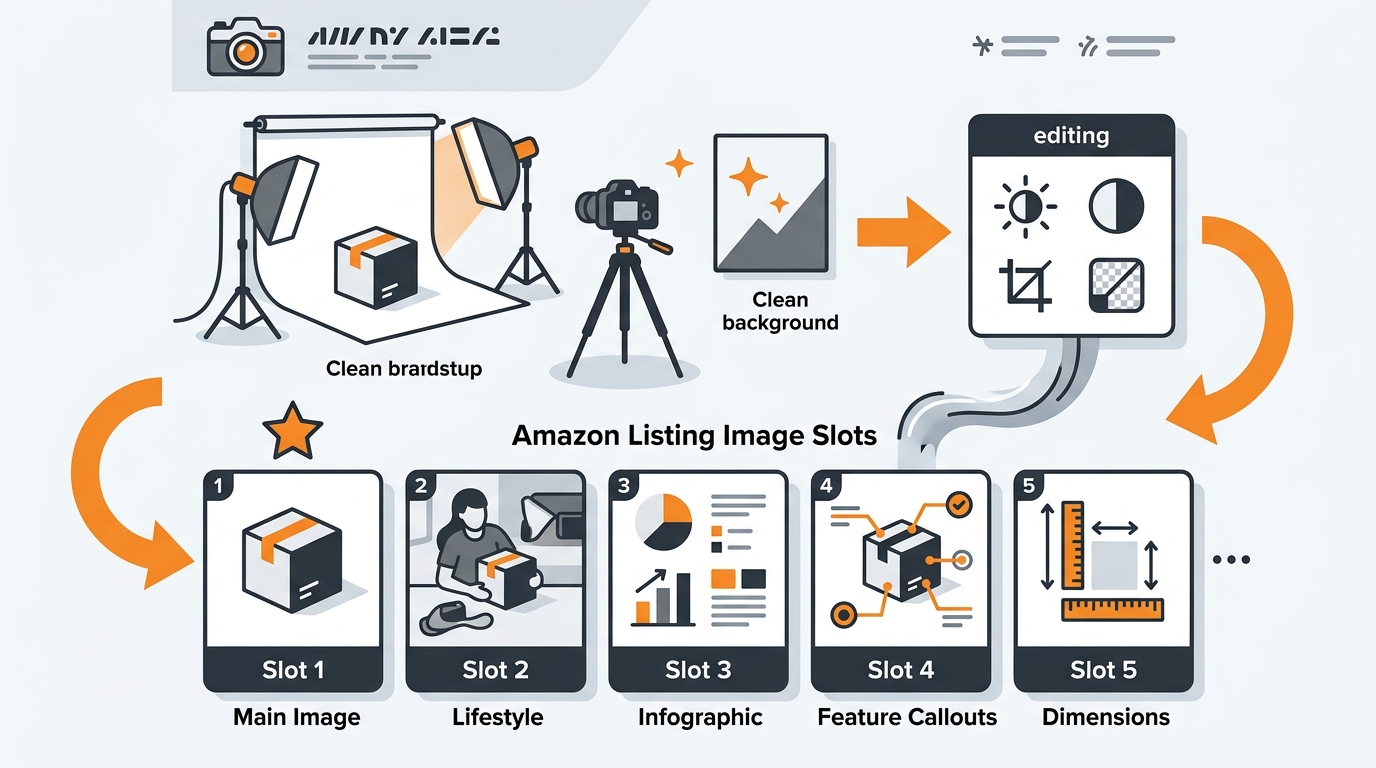
Amazon’s main image requirements demand clean white backgrounds. A seamless white backdrop creates the infinite white background that meets platform standards. Use a 9-foot wide seamless paper roll ($25) mounted on a backdrop stand system ($45).
For smaller products under 12 inches, a white acrylic shooting table ($60) provides both surface and background in one piece. The curved design eliminates visible horizon lines that break Amazon’s clean aesthetic requirements.
Surface materials matter for different product categories:
- Electronics: Matte white acrylic prevents reflections
- Beauty products: Gloss white acrylic adds premium feel
- Supplements: Textured white paper reduces glare from plastic bottles
- Kitchen items: Seamless paper allows easy cleanup between shots
Match your surface choice to your primary product category for optimal results.
Lighting Positioning and Setup
Professional lighting follows specific patterns that highlight product features while maintaining clean shadows. The key light and fill light setup provides the controlled lighting Amazon images demand.
Position your main light at a 45-degree angle to the product, 3-4 feet away. This creates dimensional lighting that shows product shape without harsh shadows. Place your fill light at the opposite 45-degree angle at 50% power to soften shadows without eliminating them completely.
Use your reflector to bounce light back into shadow areas. Position it opposite your key light, closer to the product. This technique reduces shadow density while maintaining the dimensional quality that makes products look three-dimensional on screen.
Measure your lighting with a smartphone light meter app. Aim for even exposure across your product with no more than a 1-stop difference between highlights and shadows. This ratio provides the balanced lighting that converts browsers into buyers.
Camera Settings and Technical Requirements
Essential Camera Settings for Amazon Images
Amazon’s technical requirements drive your camera settings. Manual mode provides the control needed for consistent results across multiple product shots. Auto modes create exposure variations that make product matching difficult in post-processing.
Start with these baseline settings:
- ISO 100-200: Minimizes noise for clean image quality
- f/8-f/11: Provides sharp focus across the entire product
- Shutter speed 1/60s or faster: Eliminates motion blur
- Manual focus: Ensures consistent focus point between shots
White balance matters more than most sellers realize. Set your camera to 5600K (daylight) to match your LED panel color temperature. Poor white balance creates color casts that require correction and slow down your workflow.
Shoot in RAW format when possible. RAW files contain more image data for post-processing corrections and maintain quality better than compressed JPEGs. Amazon accepts TIFF and JPEG formats, but RAW gives you flexibility during editing.
Focus and Composition Techniques
Amazon main images follow specific composition rules that impact click-through rates. Products should fill 80-85% of the frame without touching edges. This sizing provides visual impact while meeting Amazon’s image technical requirements.
Focus on the product’s most important feature. For electronics, focus on the front panel or screen. For supplements, focus on the label text. For beauty products, focus on the brand name or key ingredient callout.
Use single-point autofocus rather than multi-point systems. Single-point focus puts sharpness exactly where you need it without camera guessing. Place your focus point on the product element customers examine first when evaluating purchase decisions.
Check focus accuracy by zooming to 100% on your camera’s LCD screen. Soft focus kills conversions faster than poor lighting. If you can’t achieve sharp focus across your entire product, increase your aperture to f/11 or f/16 for extended depth of field.
File Format and Resolution Standards
Amazon’s file requirements balance image quality with page loading speed. Shoot at your camera’s highest resolution, then resize for upload. High-resolution source files provide flexibility for different image sizes and future listing updates.
Amazon accepts these technical specifications:
- Minimum resolution: 1000 pixels on the longest side
- Recommended resolution: 2000+ pixels for zoom functionality
- Maximum file size: 10MB per image
- Accepted formats: JPEG, TIFF, PNG, GIF
JPEG format at 90-95% quality provides the best balance of file size and image quality. Lower quality settings introduce compression artifacts that reduce perceived product quality. Higher settings create unnecessarily large files that slow page loading.
Save your edited images with descriptive file names that include your SKU. Amazon’s system processes images faster with proper naming conventions, reducing the time between upload and listing activation.
Lighting Techniques for Different Product Types
Flat Lay Products and Small Items
Supplements, books, and flat products require different lighting approaches than dimensional items. Overhead lighting setups work best for flat lay compositions that show multiple angles or product contents.
Mount your camera directly above the product using a boom arm or overhead camera mount. Position two lights at 45-degree angles from opposite sides, pointing down at the product. This creates even illumination without directional shadows.
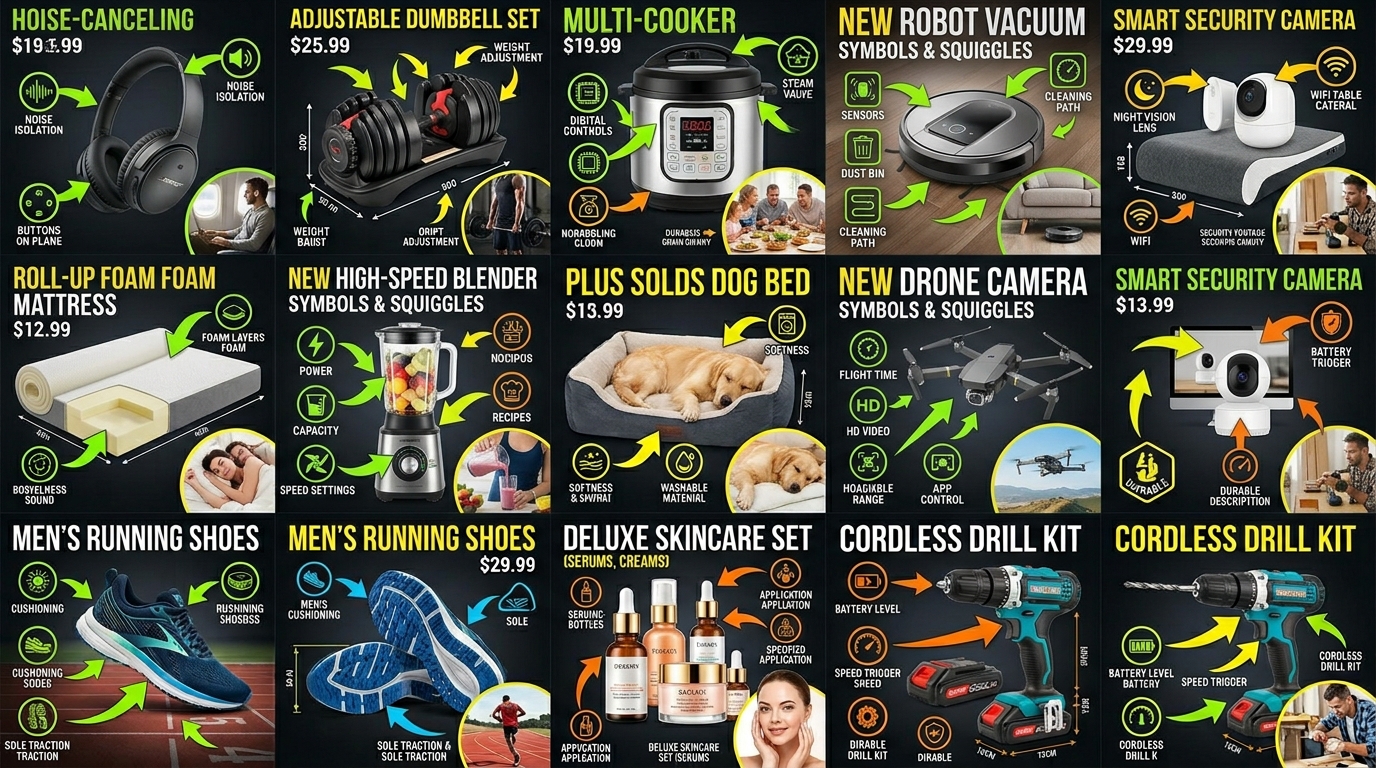
For supplement bottles and beauty products, add a third light from the front to illuminate label text clearly. Poor label readability reduces conversion rates by 20-30% according to Amazon listing optimization studies. Customers need to read ingredient lists and usage instructions before purchasing.
Use a large softbox or diffusion panel between your lights and the product. Small products reflect light sources directly, creating hotspots that obscure product details. Diffused lighting eliminates these reflections while maintaining the brightness Amazon’s algorithm favors.
Dimensional Products and Electronics
Electronics, kitchen gadgets, and dimensional products need lighting that shows form and function. Three-point lighting provides the professional look that builds trust and drives conversions.
Your key light highlights the product’s main features. Position it at a 45-degree angle, slightly above product level. This angle shows dimensional details while creating subtle shadows that define product shape.
Add a fill light at the opposite 45-degree angle at 50% power. This softens shadows without eliminating them completely. Completely flat lighting makes products look cheap and reduces perceived value.
Include a background light pointed at your backdrop to ensure pure white backgrounds. Underexposed backgrounds appear gray in Amazon listings, violating main image requirements and reducing click-through rates.
For products with screens or reflective surfaces, angle your lights to avoid direct reflections. Use flags or barn doors to control light spill that creates unwanted reflections or lens flare.
Reflective and Challenging Surfaces
Beauty products, chrome surfaces, and glassware present unique lighting challenges. Reflections can obscure product details or create distracting visual elements that reduce listing performance.
Use polarizing filters on your camera lens to reduce reflections from non-metallic surfaces. Polarizing filters cut reflections by 60-80% while maintaining color saturation and contrast.
For highly reflective products, create a light tent using white fabric or diffusion material. Surround the product with diffused light sources to create even, reflection-free illumination. This technique works especially well for jewelry, watches, and metallic products.
Large softboxes positioned close to the product create broad, even light sources that minimize harsh reflections. Small light sources create defined reflections that distract from product features customers need to evaluate.
Consider the product’s intended use environment when lighting reflective items. Kitchen appliances should look bright and clean. Beauty products should have subtle glamour lighting that suggests premium quality.
Post-Processing and Image Optimization
Basic Editing for Amazon Standards
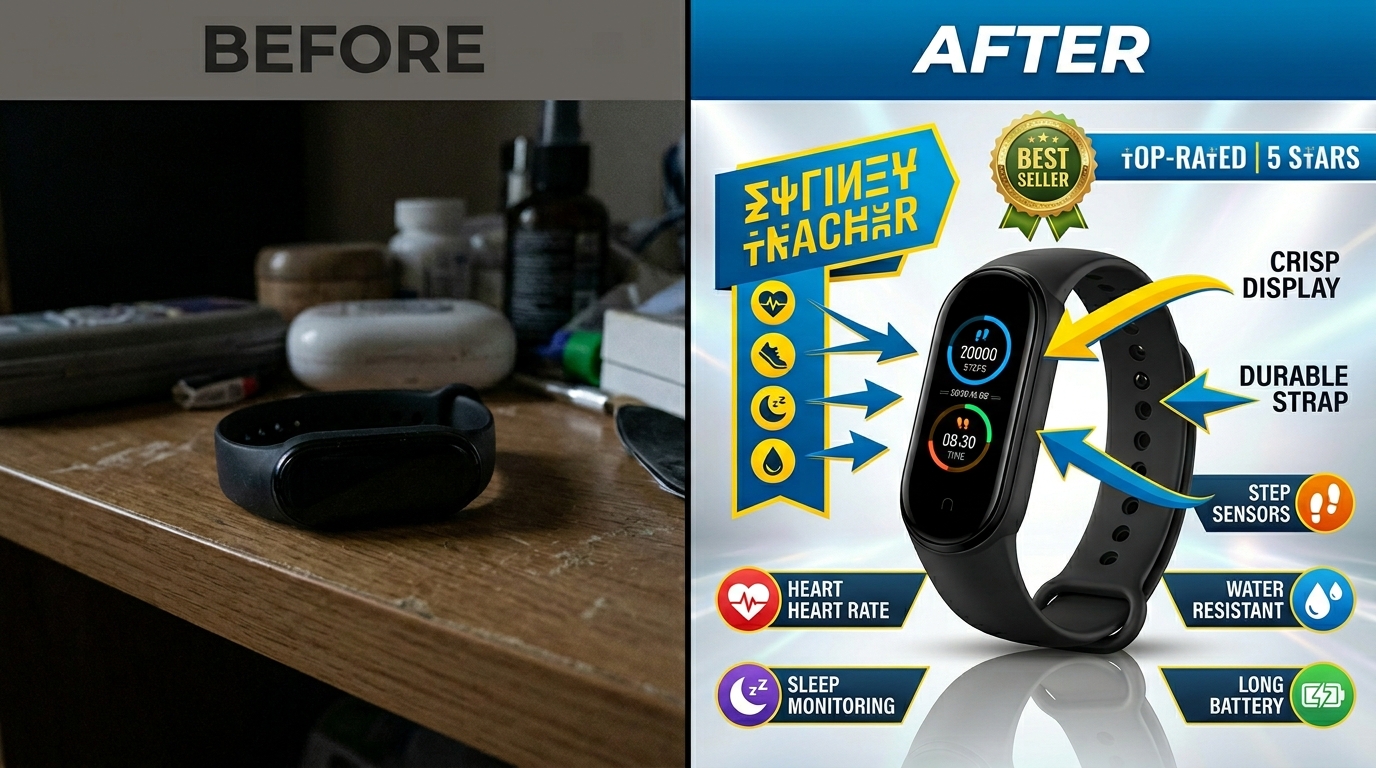
Post-processing changes good product photos into conversion-driving Amazon images. Focus on technical corrections rather than artistic enhancements. Amazon customers want accurate product representation, not creative photography.
Start with these essential adjustments in Adobe Lightroom or Photoshop:
- Exposure correction: Brighten underexposed images without clipping highlights
- White balance adjustment: Ensure accurate colors that match real product appearance
- Contrast optimization: Add subtle contrast to make products appear more dimensional
- Sharpening: Apply moderate sharpening for crisp product details
Avoid heavy editing that changes product appearance. Amazon’s policies prohibit misleading imagery, and customers return products that don’t match listing photos. Accurate representation builds trust and reduces return rates.
Background removal creates the clean white backgrounds Amazon main images require. Use Photoshop’s pen tool for precise selections, especially around complex product edges. Automated background removal tools often leave artifacts that look unprofessional in listings.
Color Correction and Consistency
Consistent color representation across your entire product line builds brand recognition and customer trust. Develop a standard editing workflow that produces similar color profiles for related products.
Use gray cards photographed with your product to set accurate white balance in post-processing. This ensures colors match the actual product customers receive, reducing returns and negative reviews related to color expectations.
Monitor calibration affects how your edited images appear to customers. Use a hardware monitor calibration tool to ensure your screen displays colors accurately. Uncalibrated monitors lead to color corrections that look wrong on customer devices.
Save custom presets for different product categories. Electronics might need cooler color temperatures, while beauty products benefit from warmer tones. Consistent color treatment across product categories improves overall brand presentation.
File Optimization and Upload Preparation
Optimize file sizes without sacrificing image quality for faster page loading and better user experience. Amazon’s algorithm considers page loading speed as a ranking factor, making file optimization important for organic visibility.
Export images at 2000 pixels on the longest side for optimal zoom functionality. This resolution enables Amazon’s image zoom feature while keeping file sizes manageable. Smaller images disable zoom and reduce customer confidence in product details.
Use these compression settings for optimal results:
- JPEG quality: 90-95% for photographic products
- Color space: sRGB for consistent display across devices
- Resolution: 72 PPI for web display
- Progressive encoding: Enables faster image loading on slow connections
Name your files systematically using SKUs and descriptive terms. Amazon’s backend systems process properly named files more efficiently, reducing upload errors and processing delays.
Quality Control and Testing Your Setup
Image Quality Assessment Standards
Objective quality standards prevent wasted time on subpar images that hurt conversion rates. Develop a checklist that covers technical requirements and visual impact factors before uploading images to Amazon.
Technical quality requirements include:
- Sharp focus across entire product at 100% magnification
- Even exposure with detail in highlights and shadows
- Accurate colors that match actual product appearance
- Clean white background with no visible texture or color cast
- Proper product sizing at 80-85% of frame area
Visual impact factors that drive conversions:
- Clear product differentiation from competitor listings
- Highlighted key features customers evaluate before purchase
- Professional appearance that builds brand trust
- Consistent lighting and composition across product line
Test your images by viewing them at thumbnail size on Amazon search results. Products that stand out in search results get more clicks and higher conversion rates.
A/B Testing Your Photography Results
Data-driven image optimization beats guesswork every time. A/B test different photography approaches to identify what drives better performance for your specific products and target audience.
Test these variables systematically:
- Lighting angles: Front-lit vs. side-lit products
- Background treatments: Pure white vs. subtle shadows
- Product angles: Straight-on vs. three-quarter views
- Composition: Tight framing vs. more negative space
Run tests for minimum 2-week periods to account for traffic variations and seasonal factors. Track CTR, conversion rate, and ACoS changes to measure real impact on business metrics.
Amazon’s Brand Analytics provides click and conversion data for testing image performance. Use this data to refine your photography approach and improve results over time.
Scaling Your DIY Photography Operation
Efficient workflows become critical as your product catalog grows. Standardize your photography process to maintain quality while increasing output speed.
Develop product-specific setup templates that document camera settings, lighting positions, and composition guidelines. This standardization allows consistent results even when photographing products months apart.
Batch photography sessions by product category to minimize setup changes. Photograph all supplements together, then all electronics, then all beauty products. This approach reduces setup time and maintains consistent lighting conditions within product categories.
Track time investment per product to understand when outsourcing becomes cost-effective. If your DIY Amazon product photography setup requires more than 30 minutes per product including editing, professional services might provide better ROI for high-volume sellers.
Consider upgrading equipment gradually as volume increases. Start with basic lighting, then add specialized equipment for challenging product types as your catalog expands into new categories.
Related Reading
Related Reading
Related Reading
Related Reading
Related Reading
Frequently Asked Questions
How much should I budget for a complete DIY Amazon product photography setup?
A functional setup costs $150-250 depending on camera choice. Budget $175 for lighting equipment, $50-75 for backdrop and surface materials, and $25-40 for tripod and accessories. Add $200-400 for a dedicated camera if your smartphone doesn’t deliver professional results. This investment pays for itself in 3-4 weeks through improved conversion rates.
Can I use natural window light instead of artificial lighting for product photography?
Natural light creates inconsistent results that make color matching between products impossible. Window light changes color temperature and intensity throughout the day, making standardized editing workflows ineffective. Artificial LED lighting provides the consistency needed for professional Amazon listings. Use window light as supplemental fill light only, never as your primary source.
What camera settings work best for small products like supplements or jewelry?
Use f/8-f/11 for adequate depth of field, ISO 100-200 for clean image quality, and manual focus on the product label or key feature. Shoot at your camera’s highest resolution for maximum detail capture. Small products need macro focusing capabilities or close-focusing lenses to fill the frame adequately while maintaining sharp focus across the entire product.
How do I know if my product images meet Amazon’s technical requirements?
Amazon requires minimum 1000 pixels on the longest side, pure white backgrounds for main images, and accurate product representation without misleading enhancements. Check image quality by viewing at 100% magnification for sharp focus and examining backgrounds for color casts or visible texture. Use Amazon’s image upload tool to verify technical compliance before listing activation.
Should I invest in expensive professional lighting or start with budget equipment?
Start with quality budget equipment that provides consistent results rather than expensive gear with features you don’t need. Two LED panels with softboxes deliver better results than one expensive strobe light. Focus your budget on even, controllable lighting rather than maximum power output. Upgrade individual components as your volume increases and you identify specific limitations in your current setup.