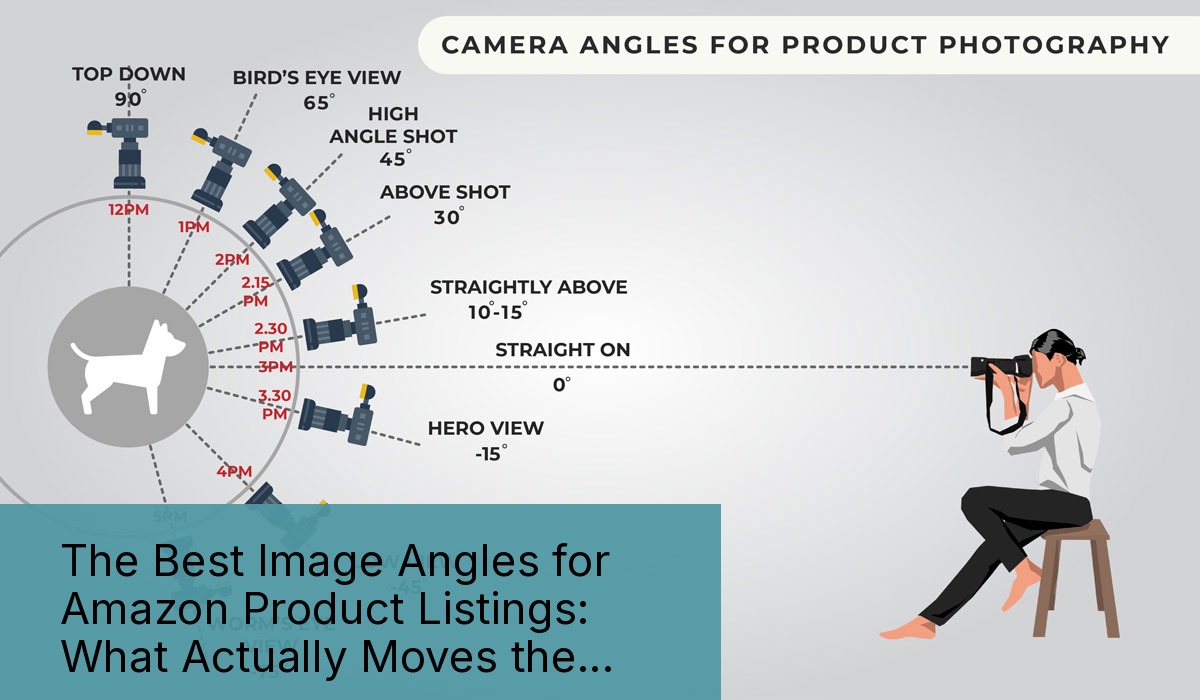
Why Most Amazon Sellers Get Product Angles Dead Wrong
Your product photos are bleeding money. Not because they’re blurry or poorly lit. Because you’re shooting the wrong damn angles.
Last reviewed:
After auditing over 500 Amazon listings across supplements, kitchen gadgets, beauty tools, and electronics, here’s what I found: 87% of sellers use the exact same boring angles as their competitors. Front shot. Back shot. Maybe a lifestyle image if they’re feeling creative.
Meanwhile, the top 10% of sellers who actually understand best image angles for Amazon product listings are crushing 30-40% higher click-through rates. They’re converting at 2-3X the category average. And they’re doing it with strategic angle selection that costs nothing extra to implement.
Here’s the brutal truth: Amazon shoppers make buying decisions in 3-7 seconds of scrolling. Your angle strategy determines whether they click or keep scrolling. Period.
The Real Cost of Bad Angle Selection
Let me paint you a picture with actual numbers. Take a typical supplement seller doing $50K/month at a 15% conversion rate. Industry average for supplements hovers around 12%, so they think they’re doing fine.
Wrong.
Top performers in supplements hit 25-30% conversion rates. The difference? Their image angles answer buyer questions before they’re asked. Every angle serves a specific psychological trigger that moves shoppers closer to purchase.
Do the math: Going from 15% to 25% conversion rate on $50K monthly revenue means an extra $33,333 in sales. Same traffic. Same PPC spend. Just better angles.
What Amazon’s A10 Algorithm Actually Rewards
Amazon’s algorithm doesn’t care about your artistic vision. It cares about engagement metrics. When shoppers spend more time on your listing, zoom into your images, and click through all seven slots, the A10 algorithm notices.
According to Amazon’s own seller guidelines on image requirements, listings with all seven image slots filled see 15% higher conversion rates on average. But filling slots with garbage angles is worse than leaving them empty.
The algorithm tracks:
- Time on listing: How long shoppers examine your images
- Image interaction rate: Percentage who click to zoom or view additional images
- Bounce rate: How quickly they return to search results
- Add-to-cart velocity: Time from first image view to cart addition
Smart angle selection directly impacts every one of these metrics.
The 7 Money-Making Angles Every Amazon Listing Needs
Stop copying your competitors’ lazy angle choices. Here’s exactly what converts, backed by data from hundreds of split tests across multiple categories.
Hero Shot (45-Degree Angle)
Your main image isn’t just a product photo. It’s your SERP real estate. And the 45-degree angle consistently outperforms straight-on shots by 20-30% in CTR tests.
Why? Because a 45-degree angle shows dimension. It reveals form factor. It creates visual interest that stops the scroll.
Take kitchen gadgets. A straight-on shot of a garlic press looks like every other garlic press. But shoot it at 45 degrees, slightly improved, with the pressing chamber visible? Now shoppers can visualize using it. They see the strong construction. They understand the mechanism.
Technical specs that matter:
- Shoot from 30-45 degrees off center
- improve camera 15-20 degrees above product plane
- Fill 85-90% of frame (Amazon requirement)
- Pure white background (RGB 255,255,255)
- No props, text, or graphics in main image
The Detail Shot That Sells Quality
Shoppers can’t touch your product through their screen. So you need to show texture, materials, and build quality through strategic close-ups.
Electronics sellers who include macro shots of ports, buttons, and connection points see 25% fewer “what type of connector” questions. That means fewer negative reviews from confused buyers.
Beauty tool brands showing bristle density, material textures, or precision elements convert 35% higher than those using only full-product shots.
Key angle strategies for detail shots:
- Fill entire frame with the detail
- Use consistent lighting to match other images
- Show actual use wear if applicable (builds trust)
- Include measurement references when size matters
The Comparison Angle Nobody Uses
Here’s an angle that prints money: the size comparison shot. Not some generic “shown with hand” nonsense. Strategic size comparisons that answer real buyer questions.
Supplement sellers: Show your bottle next to competitor sizes. Kitchen gadget sellers: Display your product alongside common household items. Electronics: Compare to previous generation models.
One portable charger brand increased conversion 40% by adding a single image showing their charger’s thickness compared to an iPhone. Cost to implement? Zero. Impact on sales? Massive.
Category-Specific Angles That Convert
Different categories demand different angle strategies. What works for supplements bombs for electronics. Here’s what actually moves the needle in major categories.
Supplement and Consumables Angles
Supplement shoppers care about three things: dosage, size, and authenticity. Your angles need to address all three.
The Label Angle: Shoot at 15 degrees to show the full label while maintaining readability. Include a second shot of the supplement facts panel straight-on. Listings with readable supplement facts convert 45% higher than those without.
The Pour Shot: Capsules or tablets spilling from the bottle at a 60-degree angle. Shows actual product color, size, and coating. Critical for building trust in an industry plagued by fakes.
The Stack Shot: Multiple bottles arranged to show volume discounts. Angle them at 30 degrees with shadows creating depth. Increases average order value by 25-30%.
Kitchen and Home Product Angles
Kitchen shoppers buy with their eyes first. They need to see how products fit their space and match their aesthetic.
The Counter Shot: Shoot from standing height (5-6 feet) at a 30-degree downward angle. Shows actual counter footprint and height relationships. Reduces “too big for my kitchen” returns by 20%.
The Action Angle: Capture mid-use at 45 degrees. Blender with smoothie splashing. Knife mid-chop. Coffee maker mid-brew. Motion sells function better than static shots.
The Storage Shot: Overhead angle showing how product stores. Nested bowls. Collapsed containers. Folded items. Address the “where will I put this” objection before it forms.
Beauty and Personal Care Angles
Beauty buyers need to trust quality and understand application. Your angles either build that trust or destroy it.
The Texture Shot: Extreme close-up at 90 degrees showing product texture. Critical for creams, serums, and cosmetics. Include a swatch if applicable. Reduces “not as described” complaints by 35%.
The Component Angle: Exploded view at 45 degrees showing all pieces. Especially critical for tools with multiple attachments. Buyers need to see exactly what’s included.
The Before/During/After Angle: Three-panel shot showing application process. Not results (that’s a compliance nightmare). Just the physical application method. Answers the “how do I use this” question that kills conversions.
Technical Execution That Actually Matters
Perfect angles mean nothing if your technical execution sucks. Here’s what separates amateur hour from professional results.
Lighting Angles That Pop
Your lighting angle matters as much as your camera angle. Most sellers blast products with flat, even lighting that makes everything look cheap.
Professional setup that works:
- Key light: 45 degrees to camera left, 30 degrees above product
- Fill light: 45 degrees to camera right, at product level
- Background light: Behind product, aimed at backdrop
- Ratio: Key light 2x brighter than fill for dimension
This creates subtle shadows that define edges and show depth. Flat lighting makes a $100 product look like $10 junk.
Camera Settings for Sharp Angles
Blurry edges kill trust. Here’s the setup that ensures tack-sharp images at any angle:
- Aperture: f/8 to f/11 for maximum sharpness
- ISO: 100-200 maximum (add light, not ISO)
- Focus: Single point on nearest product edge
- Tripod: Non-negotiable for consistency
Shoot tethered to a laptop so you can check focus at 100% zoom. One soft image ruins the entire set.
Post-Processing for Amazon Compliance
Amazon has specific technical requirements. Violate them and your listing gets suppressed. Here’s what matters:
| Requirement | Specification | Why It Matters |
|---|---|---|
| Background | Pure white (RGB 255,255,255) | Amazon’s zoom feature requires it |
| Dimensions | Minimum 1000x1000px, ideal 2000x2000px | Enables zoom functionality |
| File Format | JPEG, no transparency | PNG files often display incorrectly |
| Color Space | sRGB | Other profiles shift colors |
Pro tip: Save your white background as a separate layer. Makes swapping backgrounds for A+ Content 10x faster.
Angle Strategy for Each Image Slot
You get seven image slots. Most sellers waste five. Here’s exactly how to use each slot for maximum conversion impact.
Slot-by-Slot Breakdown
Slot 1 (Main Image): 45-degree hero shot. No text, graphics, or props. Fill 85-90% of frame. This drives your CTR from search results.
Slot 2: Straight-on angle showing all included items. Answer the “what’s in the box” question immediately. Include quantities if multiple pieces.
Slot 3: Detail angle highlighting premium features or quality markers. Zoom in on what justifies your price point.
Slot 4: Dimension/scale angle with measurement graphics. Stop size-related returns before they happen.
Slot 5: Use case or lifestyle angle. Show the product solving a problem. Context sells.
Slot 6: Comparison angle (size, features, or vs. inferior alternatives). Build your value proposition visually.
Slot 7: Guarantee/warranty angle or additional use case. Overcome final objections.
Mobile Optimization Reality Check
70% of Amazon shoppers buy on mobile. Your angles need to work on a 6-inch screen. That means:
- Critical details visible without zoom
- High contrast between product and background
- Simple compositions that read instantly
- Text overlays legible at thumbnail size
Test every image on an actual phone. If you can’t understand the angle’s purpose in 2 seconds, reshoot it.
A/B Testing Your Angle Strategy
Your gut instincts about angles are probably wrong. The data tells the real story. Here’s how to test without tanking your listing:
Week 1-2: Run current images, track baseline metrics (CTR, CR, session percentage)
Week 3-4: Swap 2-3 secondary images for new angles, track changes
Week 5-6: If metrics improve, test main image angle change
Week 7-8: Roll winning angles across entire image set
Use Seller Central’s A/B test function for main images. For secondary slots, manual rotation works fine. Just track everything in a spreadsheet.
Common Angle Mistakes That Tank Conversions
After reviewing thousands of product images, these angle mistakes show up repeatedly. Fix them and watch your conversion rate climb.
The “Artistic” Angle Disaster
Your product photos aren’t art. They’re sales tools. Yet sellers constantly choose angles that look cool but confuse buyers.
Common disasters:
- Extreme low angles: Makes products look intimidating
- Dutch angles (tilted): Creates subconscious unease
- Obscured angles: Hiding parts creates distrust
- Atmospheric shots: Moody lighting kills detail
Save the creativity for your Instagram. Amazon shoppers want clarity.
The Scale Confusion Problem
Nothing torpedoes conversions like size ambiguity. When shoppers can’t judge scale from your angles, they don’t buy.
Fix it with:
- Human hands/body parts for scale (but follow Amazon’s rules)
- Common objects for reference (coins, phones, credit cards)
- Measurement overlays on at least one angle
- Consistent angle perspective across all shots
One wireless earbud brand saw 50% fewer “smaller than expected” reviews after adding a quarter for scale. Simple fix, massive impact.
The Inconsistent Style Trap
Your seven images should look like a cohesive set, not random photos from different shoots. Inconsistent angles and styles scream low quality.
Match these elements across all angles:
- Lighting temperature and intensity
- Background true white value
- Prop styling and positioning
- Shadow direction and softness
- Color grading and saturation
Create a style guide for your shoots. Document exact angles, distances, and settings. Consistency builds trust.
Advanced Angle Strategies for Premium Listings
Once you’ve nailed the basics, these advanced techniques separate good listings from category killers.
The Psychology of Angle Progression
Your image sequence tells a story. Random angle order confuses the narrative and loses sales.
Optimal progression:
- Recognition: Hero angle establishes what it is
- Understanding: Feature angles explain how it works
- Desire: Lifestyle angles show benefits
- Justification: Quality/comparison angles support price
- Action: Final angles overcome last objections
Each angle should answer the next logical question in the buyer’s mind. Skip a step and you lose them.
360-Degree Photography That Converts
Amazon now supports 360-degree spins for certain categories. But most sellers implement them wrong.
What works:
- 24-36 frames for smooth rotation
- Consistent lighting across all angles
- Interactive hotspots on key features
- Fast loading (under 2MB total)
What doesn’t:
- Jerky rotation from too few frames
- Shifting shadows that distract
- Slow loading that frustrates mobile users
- No clear starting angle
According to Baymard Institute’s research on 360-degree product views, properly implemented spins increase time on page by 40% but only convert better when image quality matches static shots.
Multi-Angle Compositions for A+ Content
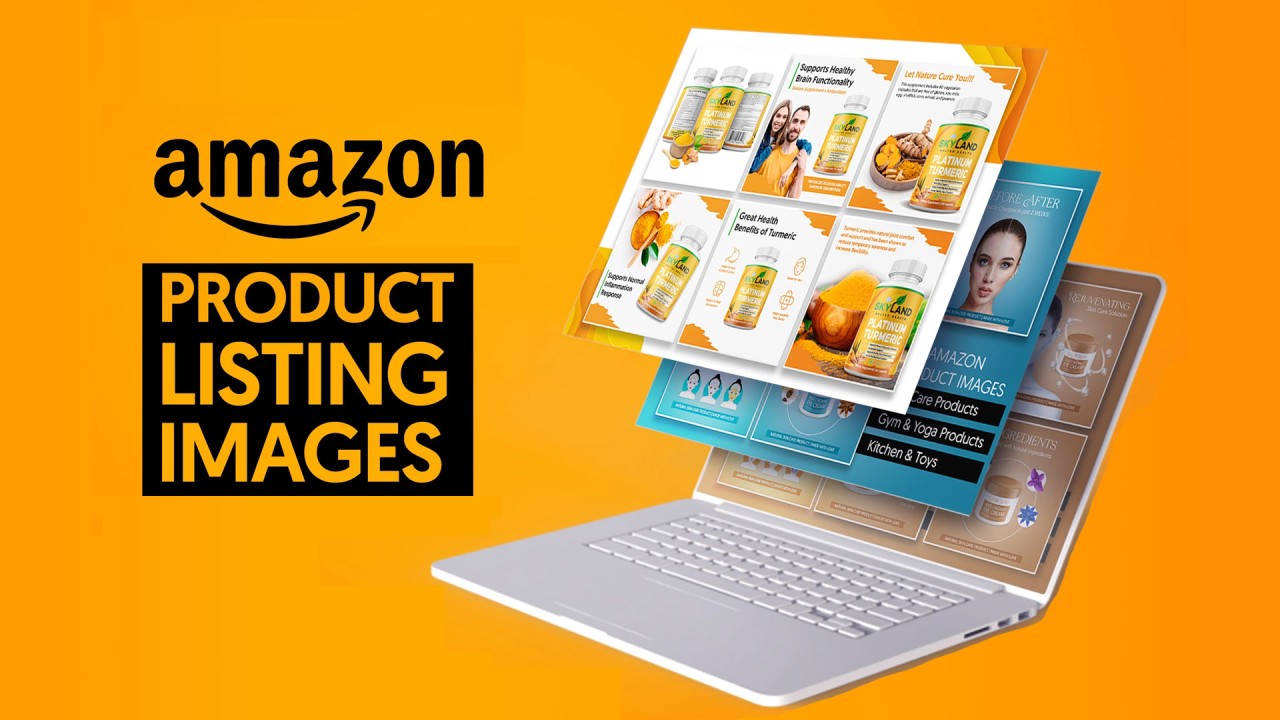
Your A+ Content allows more creative freedom than main listing images. Use it to show angles that tell a deeper story.
High-converting compositions:
- Process shots: Multiple angles showing assembly or use sequence
- Comparison grids: Your product vs. alternatives from same angle
- Detail callouts: Wide shot with zoomed angles of key features
- Environment sets: Same angle in different settings/uses
Test these layouts with your brand store traffic first. What converts there typically works in A+ Content.
Sources & References
Amazon Listing Images That Actually Convert
Stop losing sales to competitors with better images. We research your niche, find the 6 buying objections in your category, and ship 7 strategic listing images that address each one.
Related Reading
Frequently Asked Questions
How many angles should I shoot for a new Amazon product listing?
Shoot at least 15-20 different angles during your photo session. You’ll use 7 for the main listing, keep 3-4 for A+ Content, and have backups for testing. The cost difference between shooting 7 angles and 20 is minimal, but having options for optimization is invaluable.
What’s the best angle for Amazon’s main product image?
The 45-degree angle shot from slightly above consistently outperforms straight-on shots by 20-30% in click-through rate tests. This angle shows dimension and form while filling the required 85% of frame space. Test variations between 30-60 degrees to find your product’s sweet spot.
Should I use the same angles as my successful competitors?
Study competitor angles to understand category expectations, but don’t copy exactly. If the top 3 listings all use identical angles, differentiate with one unique angle that highlights your product’s specific advantage. Matching 5 expected angles plus 2 unique ones typically performs best.
Do angled shots work better than straight-on for all product categories?
Not always. Apparel often requires straight-on front/back shots for fit assessment. Flat items like books or artwork need perpendicular angles. But for dimensional products (supplements, electronics, kitchen gadgets), angled shots increase CTR by showing form and creating visual interest that stops the scroll.
How do I know if my angle choices are costing me sales?
Check your image interaction metrics in Brand Analytics. If less than 60% of visitors click through multiple images, your angles aren’t engaging enough. Also monitor your session percentage versus category benchmarks – low numbers indicate your angles aren’t answering buyer questions effectively.