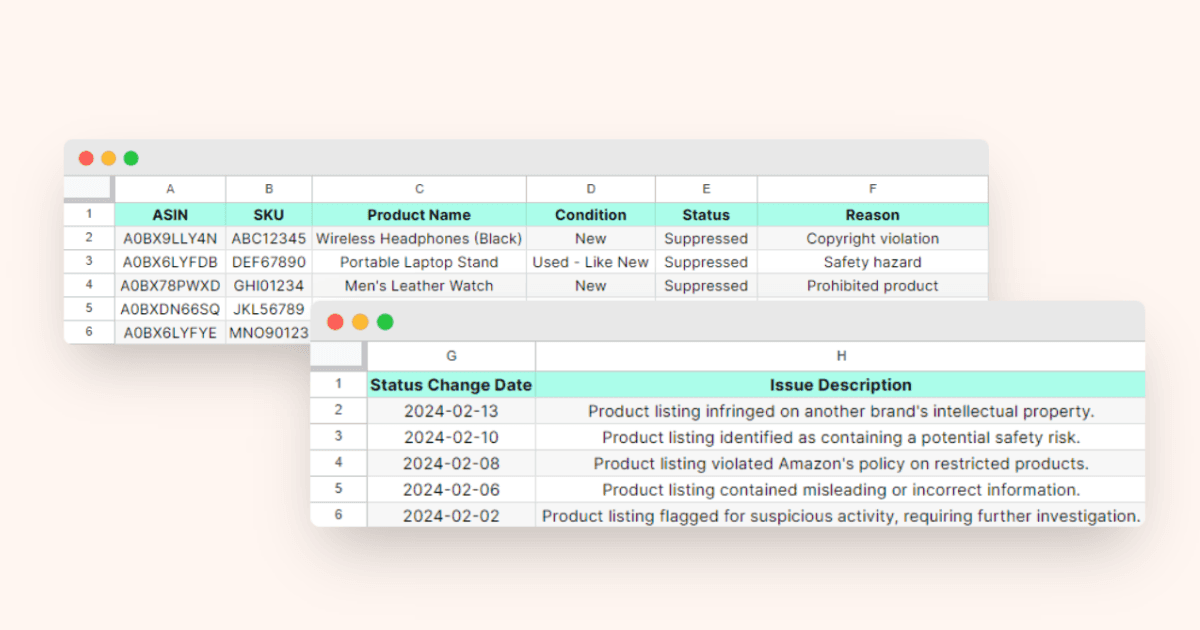
Your listing was crushing it yesterday. Today it’s dead in the water. No Buy Box. No sales. Just that gut-punch feeling when you realize Amazon suppressed your best-selling ASIN.
For more on this, see our calculate amazon listing guide.
Last reviewed:
I’ve seen sellers lose $50,000 in a single week from Amazon listing suppression causes and fixes they didn’t understand. The worst part? Most suppressions happen for stupid, preventable reasons that take 5 minutes to fix once you know what to look for.
Our amazon seller growth guide covers this in detail.
After helping 300+ sellers recover from suppressions, I’ve cataloged every single trigger I’ve encountered. Some are obvious. Some will make you want to throw your laptop out the window. All of them cost you money until you fix them.
Understanding Amazon’s Suppression System
What Listing Suppression Actually Means
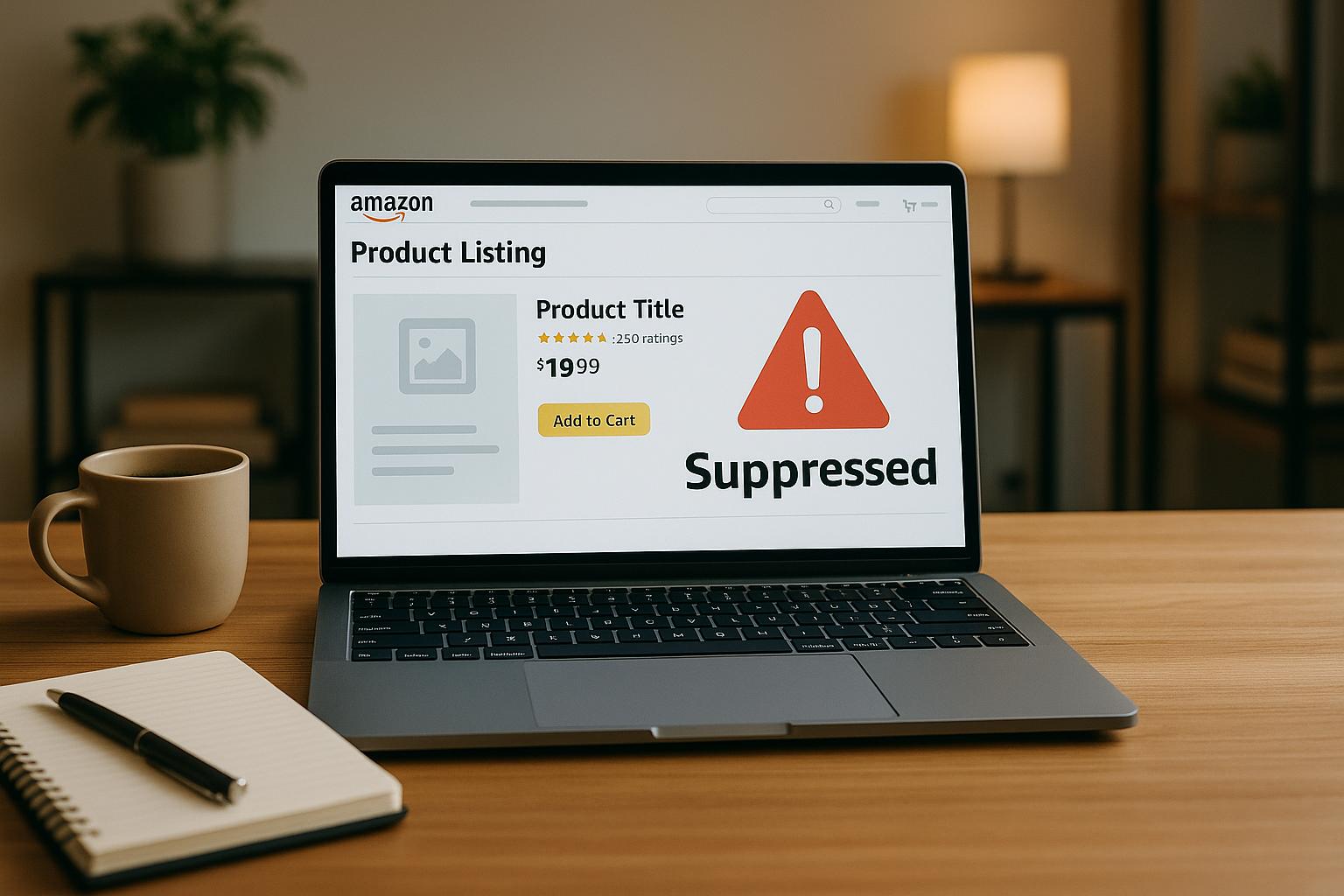
Suppression isn’t a suspension. Your account is fine. But your listing becomes invisible to customers. You keep your inventory, your reviews, your BSR rank. You just can’t sell anything.
Amazon’s A10 algorithm runs automated checks every 4-6 hours. When it finds a violation, it pulls your listing from search results. Sometimes instantly. Sometimes after a 24-hour grace period. Amazon’s listing quality dashboard shows you exactly which ASINs are suppressed and why.
For more on this, see our audit amazon listing guide.
The financial impact hits harder than most sellers realize. A suppressed listing with 100 daily sales at $30 average order value bleeds $3,000 per day. That’s $21,000 per week. Meanwhile, your PPC campaigns keep running, burning ad spend on a listing that can’t convert.
The Three Types of Suppression
Hard suppression removes your listing completely. Customers can’t find it through search, direct links, or even your storefront. This happens for major violations like restricted product claims or safety flags.
Soft suppression keeps your listing live but removes the Buy Box. Customers can still find your product, but they have to click through extra steps to purchase. Conversion rates tank by 70-90% during soft suppression.
Search suppression is the sneakiest. Your listing looks normal, Buy Box intact. But Amazon blocks it from appearing in search results for your main keywords. Sales slowly die while you wonder what happened. I’ve seen listings lose 85% of revenue from search suppression alone.
For more on this, see our increase amazon sales guide.
How to Check If You’re Suppressed
Stop guessing. Here’s the exact process to verify suppression:
- Open an incognito browser window (removes account bias)
- Search your exact ASIN on Amazon
- If the listing appears with “Currently unavailable” – you’re hard suppressed
- If it shows but no Buy Box appears – you’re soft suppressed
- Search your main keyword – if you’ve dropped from page 1 to nowhere, you’re search suppressed
Inside Seller Central, navigate to Inventory > Manage All Inventory. Look for the “Suppressed” column. Any listing marked here needs immediate attention. The “Issue” column tells you Amazon’s reason, though it’s often vague as hell.
Image-Related Suppression Causes
Main Image Violations That Kill Listings
Your main image drives 75% of clicks from search results. Amazon enforces strict requirements because low-quality images tank customer experience metrics. Here are the violations I see weekly:
Background violations: Amazon requires pure white (RGB 255,255,255) backgrounds. Even slight gray tints trigger suppression. I’ve seen $100K/month listings die because the photographer used “studio white” (RGB 245,245,245) instead of pure white.
Image proportion errors: Products must fill 85% of the image frame. Too small? Suppressed. Too much white space? Suppressed. Measure this precisely – eyeballing costs money.
Prohibited elements: Text overlays, logos, watermarks, or promotional badges on the main image = instant suppression. Save those for secondary images. Even subtle “New” or “Sale” text triggers the algorithm.
Quick fix process:
- Download your current main image
- Open in Photoshop or GIMP
- Use the eyedropper tool to verify pure white background
- Measure product dimensions vs frame size (must be 85%+)
- Remove ALL text, badges, or graphics
- Re-upload through Seller Central’s image manager
- Suppression typically lifts within 4-24 hours
Secondary Image Problems
Amazon’s getting stricter on secondary images. These triggers have exploded in 2024:
Lifestyle image misrepresentation: Showing your supplement next to medical equipment? Suppressed. Kitchen gadget photographed in a commercial restaurant? Suppressed. Amazon’s AI flags “misleading context” aggressively now.
Comparison charts gone wrong: Those “us vs them” comparison images work great for conversion. Until Amazon decides you’re making unsubstantiated claims. Stick to factual, measurable differences. Opinion-based comparisons trigger suppression.
Before/after images: Massive suppression trigger for beauty, health, and fitness categories. Unless you have clinical proof backing your claims, skip the transformation photos. Amazon considers them medical claims.
Technical Image Specifications
The boring technical stuff that breaks listings:
File format: JPEG only for product images. PNG works for A+ Content but triggers issues in main listings. Convert everything to JPEG with 100% quality setting.
Color space: sRGB required. Adobe RGB or ProPhoto RGB images display incorrectly and can trigger quality flags. Set your camera and editing software to sRGB before shooting.
Minimum dimensions: 1000px on the longest side for zoom function. But here’s what Amazon doesn’t tell you – images under 1600px get deprioritized in mobile search results. Upload at 2000px minimum for better mobile visibility.
| Image Slot | Min Size | Recommended Size | Max File Size |
|---|---|---|---|
| Main Image | 1000px | 2000px | 10MB |
| Secondary Images | 1000px | 1600px | 10MB |
| Swatch Images | 50px | 100px | 1MB |
| A+ Content | 970px wide | 970px wide | 1MB |
Title and Backend Keyword Suppressions
Title Violations That Trigger Instant Suppression
Your title is the first thing Amazon’s suppression bot checks. One wrong word and you’re dead. Here’s what kills listings in 2024:
Promotional language: Words like “sale”, “discount”, “limited time”, “best”, “#1”, or “free shipping” = suppression. Amazon considers these “time-sensitive” claims that violate listing permanence rules.
Trademark violations: Using competitor brand names or variations triggers automated brand protection. Even innocent uses like “compatible with iPhone” or “Yeti-style tumbler” can suppress your listing if the brand owner enrolled in Brand Registry.
Character limit abuse: Amazon says 200 characters max. But stuff your title with 199 characters of keyword spam and watch the suppression hit. Keep it under 150 characters with natural phrasing.
Title structure that stays live:
- Brand Name + Product Type + Key Feature + Size/Count
- No ALL CAPS except standard acronyms (USA, LED, BPA)
- No special characters beyond basic punctuation (, – &)
- No subjective claims (best, superior, premium)
- Stick to factual descriptors (waterproof, 12-pack, stainless steel)
Backend Search Term Mistakes
Backend keywords are invisible to customers but Amazon’s bots scan them aggressively. These mistakes trigger suppression:
Competitor brand stuffing: Adding “ninja foodi air fryer” to your generic air fryer backend = suppression. Amazon’s trademark detection improved massively in 2024. They catch misspellings and variations now too.
Prohibited terms: Medical claims, pesticide references, or regulatory terms in backend keywords suppress entire ASINs. Words like “FDA approved”, “kills germs”, or “cures” trigger health claim violations even when hidden in backend.
Foreign language spam: Stuffing Spanish, French, or Chinese keywords into your English listing’s backend triggers the spam filter. Match your backend language to your marketplace.
Bullet Point Red Flags
Bullet points seem safe but hide multiple suppression triggers:
Warranty claims without proof: Mentioning “lifetime warranty” or “100% money-back guarantee” requires supporting documentation in Seller Central. No docs = suppression.
Unverified certifications: Claiming “FDA registered”, “CE certified”, or “UL listed” without uploading certificates triggers compliance suppression. Amazon verifies these claims now.
HTML formatting: Using HTML tags, emojis, or special Unicode characters in bullets causes rendering errors. Stick to plain text with basic line breaks.
Safe bullet point formula:
- Start with feature, explain benefit
- Use numbers for specifications (dimensions, capacity, count)
- Avoid subjective quality claims
- Include what’s in the box
- End with use cases or compatibility
Category and Compliance Suppressions
Category Restriction Violations
Amazon adds new category restrictions monthly. Missing one update costs thousands in lost sales. Current hot zones for suppression:
Supplements category: Requires pre-approval for most subcategories now. Listing vitamins, proteins, or herbal supplements without category approval = instant suppression. Apply through Seller Central > Inventory > Add Products > Request Approval.
Beauty and personal care: New ingredient restrictions hit quarterly. Amazon’s restricted products list updates constantly. That face cream with retinol that sold fine last month? Might be restricted now.
Electronics temperature claims: Claiming any temperature resistance (waterproof, heat-resistant, freeze-proof) without certification triggers safety suppression. Upload test reports or remove claims.
Category approval checklist:
- Verify current category restrictions in Seller Central weekly
- Screenshot your approval confirmations (Amazon loses them)
- Set calendar reminders for annual re-approvals
- Join category-specific seller forums for restriction updates
- Never assume grandfathered listings stay compliant
Safety and Compliance Flags
Safety suppressions hit hardest and last longest. Amazon doesn’t mess around here:
Missing safety warnings: Products requiring Prop 65 warnings, choking hazard labels, or age restrictions get suppressed without proper documentation. California’s requirements apply to all US sales now.
Battery compliance: Any product with batteries needs UN38.3 test reports and SDS sheets uploaded. Missing documents = suppression within 30 days of listing. Lithium batteries face strictest enforcement.
Children’s product regulations: Anything marketed to kids under 12 needs CPC certificates, tracking labels, and lead testing. Amazon’s AI flags products based on images and keywords, not just category selection.
Compliance document requirements:
| Product Type | Required Documents | Update Frequency |
|---|---|---|
| Lithium batteries | UN38.3, SDS | Annual |
| Children’s products | CPC, test reports | Per batch |
| Supplements | COA, GMP cert | Quarterly |
| Electronics | FCC, CE, RoHS | Per model |
Brand Registry Conflicts
Brand Registry gives power to brand owners but creates new suppression risks:
ASIN contribution errors: Adding your product as a variation to another brand’s ASIN = suppression. Even if they share the same manufacturer. Create separate ASINs for your brand.
Brand name mismatches: Your Brand Registry name must match EXACTLY on all listings. “Mike’s Widgets” vs “Mikes Widgets” (no apostrophe) triggers brand conflict suppression.
Unauthorized reseller complaints: Other sellers reporting you for selling “their” brand triggers investigation. Document your supply chain before listing any product you didn’t manufacture.
Pricing and Inventory Suppressions
Pricing Error Triggers
Amazon’s pricing algorithm protects customers from “errors” that might be your actual strategy:
High price suppression: Price 50% above category average = potential suppression. Amazon thinks you fat-fingered the price. Happened to a client selling premium Japanese knives at $400 when competitors sold Chinese ones at $40.
Low price errors: Price 70% below average triggers “pricing error” suppression. Amazon assumes you meant $49.99, not $4.99. Build price up gradually over 7-10 days to avoid flags.
Currency confusion: Accidentally pricing in wrong currency devastates international sellers. $100 USD entered as 100 GBP makes your product cost $130. Instant suppression for overpricing.
Pricing strategy that avoids suppression:
- Research category pricing distribution first
- Start within 20% of median price
- Adjust by maximum 15% daily
- Document premium features justifying higher prices
- Use automated repricing carefully – set min/max bounds
Inventory and Shipping Suppressions
Running out of stock doesn’t suppress you. But these inventory issues do:
Stranded inventory flags: FBA inventory sitting unfulfillable for 90+ days triggers “poor inventory health” suppression. Fix stranded inventory weekly or Amazon assumes you abandoned the ASIN.
Shipping template conflicts: Offering Prime shipping on hazmat products = suppression. Offering ground-only shipping on non-hazmat = customer experience flag. Match shipping templates to product requirements.
Multi-channel fulfillment errors: Fulfilling FBA orders yourself during stockouts violates terms. Amazon tracks shipping speeds and carrier scans. Three late shipments = listing suppression.
Buy Box Suppression Factors
Lost Buy Box doesn’t always mean suppression, but these factors guarantee it:
Seller performance metrics: ODR over 1%, late shipment over 4%, or cancellation rate over 2.5% = Buy Box suppression on all ASINs. Fix account health first.
Pricing parity violations: Selling cheaper on your website triggers fair pricing suppression. Amazon’s bots scrape major sites daily. Keep prices within 5% across all channels.
Inventory availability lies: Marking items “in stock” when you dropship with 14-day lead times = suppression. Set honest handling times or lose Buy Box permanently.
Buy Box recovery process:
- Fix underlying metric issues first
- Submit POA if requested (keep it under 500 words)
- Wait full 72 hours before follow-up
- Don’t create new ASINs – fixes the symptom, not the problem
- Monitor Account Health dashboard daily during recovery
Quick Fix Protocols for Common Suppressions

The 15-Minute Suppression Audit
When suppression hits, speed matters. Run this exact audit:
Minute 1-3: Identify suppression type
- Check listing status in Seller Central
- Search ASIN in incognito mode
- Screenshot everything for documentation
Minute 4-8: Check obvious violations
- Main image background (must be pure white RGB 255,255,255)
- Title length and prohibited words
- Price compared to category average
- Category approval status
Minute 9-12: Review recent changes
- What did you edit in the last 48 hours?
- Did Amazon send any policy update emails?
- Check competitor listings – are they suppressed too?
Minute 13-15: Implement quick fixes
- Revert recent changes through listing history
- Fix identified violations immediately
- Submit listing for review if option appears
Emergency Response Templates
When Seller Support demands explanations, use these proven templates:
For image suppressions:
“We’ve identified the image compliance issue and replaced [specific image] with a compliant version meeting Amazon’s requirements. The new image features pure white background (RGB 255,255,255) and product fills 87% of frame. No text or promotional elements remain.”
For keyword violations:
“We’ve removed all trademark references and prohibited terms from our backend keywords and title. The listing now contains only generic descriptors relevant to our product. We’ve implemented a review process to prevent future violations.”
For safety compliance:
“We’ve uploaded required [specific document type] dated [date] from [testing agency]. Our compliance team now maintains a document expiration calendar to ensure all certifications remain current. The product meets all applicable safety standards.”
Tools That Speed Recovery
Stop wasting time with manual checks. These tools accelerate suppression recovery:
Seller Central bulk editor: Fix multiple ASINs simultaneously. Download your inventory file, make corrections in Excel, re-upload. Beats editing ASINs individually.
Chrome extensions for quick checks:
- ColorZilla – Verify exact RGB values of backgrounds
- Page Ruler – Measure image dimensions precisely
- Keepa – Track when suppression started via price history gaps
Documentation systems: Screenshot every listing before making changes. Use Google Drive folders organized by ASIN. When suppression hits, you can revert to exact previous version instead of guessing what changed.
Prevention Strategies to Avoid Future Suppressions
Building a Suppression-Proof Listing Process
Prevention beats fixing suppression every time. Here’s the system that’s kept my clients suppression-free:
Pre-launch compliance checklist: Before any listing goes live, verify every element against current policies. Amazon updates rules weekly – your month-old checklist is already outdated. Check Amazon’s seller policy updates page every Monday morning.
Image validation workflow:
- Shoot all product photos in sRGB color space
- Edit on calibrated monitors only
- Export main images at exactly 2000x2000px
- Verify pure white background with eyedropper tool
- Run through Amazon’s image requirements validator before upload
Keyword research without risk: Use Amazon’s own auto-complete and “Customers also searched for” data. Third-party tools suggest competitor brands and restricted terms that trigger suppression. Stick to Amazon’s native data sources.
Documentation requirements for every ASIN:
| Document Type | When Required | Storage Location | Update Schedule |
|---|---|---|---|
| Original images | Always | Cloud backup | Never delete |
| Compliance certs | Category-specific | Seller Central | Before expiration |
| Supply invoices | Brand protection | Local + cloud | Each purchase |
| Listing history | Always | Excel tracker | Each edit |
Monitoring Systems That Catch Issues Early
Suppression usually gives warning signs before hitting. Watch these metrics:
Search ranking drops: If you’ve held position 3-5 for your main keyword then suddenly vanish, search suppression is coming. Daily rank tracking catches this 24-48 hours before full suppression.
Conversion rate decline: CVR dropping 20%+ without price or competitor changes signals soft suppression. Amazon reduces your visibility gradually before hard suppression.
Buy Box percentage falls: Losing Buy Box share despite competitive pricing means Amazon’s testing suppression. Check your Buy Box percentage hourly during business hours.
Set up these exact alerts:
- Email notification for any listing status change
- Daily BSR tracking to spot ranking anomalies
- Hourly Buy Box monitoring for top 20% of ASINs
- Weekly policy update email summaries
- Competitor suppression alerts (they often hit everyone)
Team Training to Prevent Human Error
Most suppressions come from well-meaning team members who don’t understand the rules. Fix this with proper training:
VA training requirements: Anyone touching your listings needs 4 hours minimum training on Amazon policies. Create screenshot guides showing exactly what’s allowed. Test them weekly with real examples.
Approval workflows save listings: Require manager approval for all title changes, any main image updates, and backend keyword edits. Yes, it slows things down. It also prevents $50K suppression mistakes.
Mistake post-mortems: When suppression hits, document exactly what happened and why. Share with entire team. The same mistake hitting twice means your process failed.
Standard operating procedures that work:
- Screenshot before and after any listing change
- Test changes on lowest-volume ASIN first
- Wait 24 hours before rolling out to other ASINs
- Keep detailed change logs with dates and reasons
- Review Amazon policy updates as a team monthly
Sources & References
Related Reading
- Amazon Listing Image Requirements 2026: A Complete Compliance…
- How Many Images for Amazon Listing: The Complete 2024 Strategy Guide
- Amazon Image Optimization for Mobile: The Complete FBA Seller’s…
Frequently Asked Questions
How long does it take Amazon to lift a suppression after fixing the issue?
Most suppressions lift within 4-24 hours after fixing the violation. Image-related suppressions typically resolve fastest (4-6 hours), while compliance suppressions can take 3-5 business days. If your listing isn’t restored after 48 hours, the original issue wasn’t fully resolved or there’s a secondary violation.
Can I create a new ASIN to bypass a suppressed listing?
Creating duplicate ASINs violates Amazon’s terms and leads to account-level penalties. Fix the original listing instead. Amazon’s system links duplicate products through image recognition and GTIN matching – your new ASIN will likely face immediate suppression plus potential account suspension for policy violation.
Why did my best-selling listing get suppressed with no changes made?
Amazon updates policies constantly and applies them retroactively. Your listing might have been compliant when created but violates new rules. Check Amazon’s policy update page for recent changes in your category. Common scenarios include new restricted ingredients in supplements or updated image requirements rolling out category by category.
Should I contact Seller Support immediately when suppressed?
First run the 15-minute audit to identify obvious issues. Fix what you can before contacting support. Opening a case with “my listing is suppressed, please help” wastes time. Instead, open cases with specific information: “Fixed main image background from RGB 245,245,245 to pure white 255,255,255 per image requirements. Please review for reinstatement.”
What’s the difference between suppression and stranded inventory?
Suppression blocks customers from buying your product due to listing violations. Stranded inventory means your FBA units exist but can’t be sold due to listing issues, missing information, or fulfillment problems. Suppressed listings often create stranded inventory, but you can have stranded inventory without suppression. Check both issues separately in Seller Central.
Leave a Reply