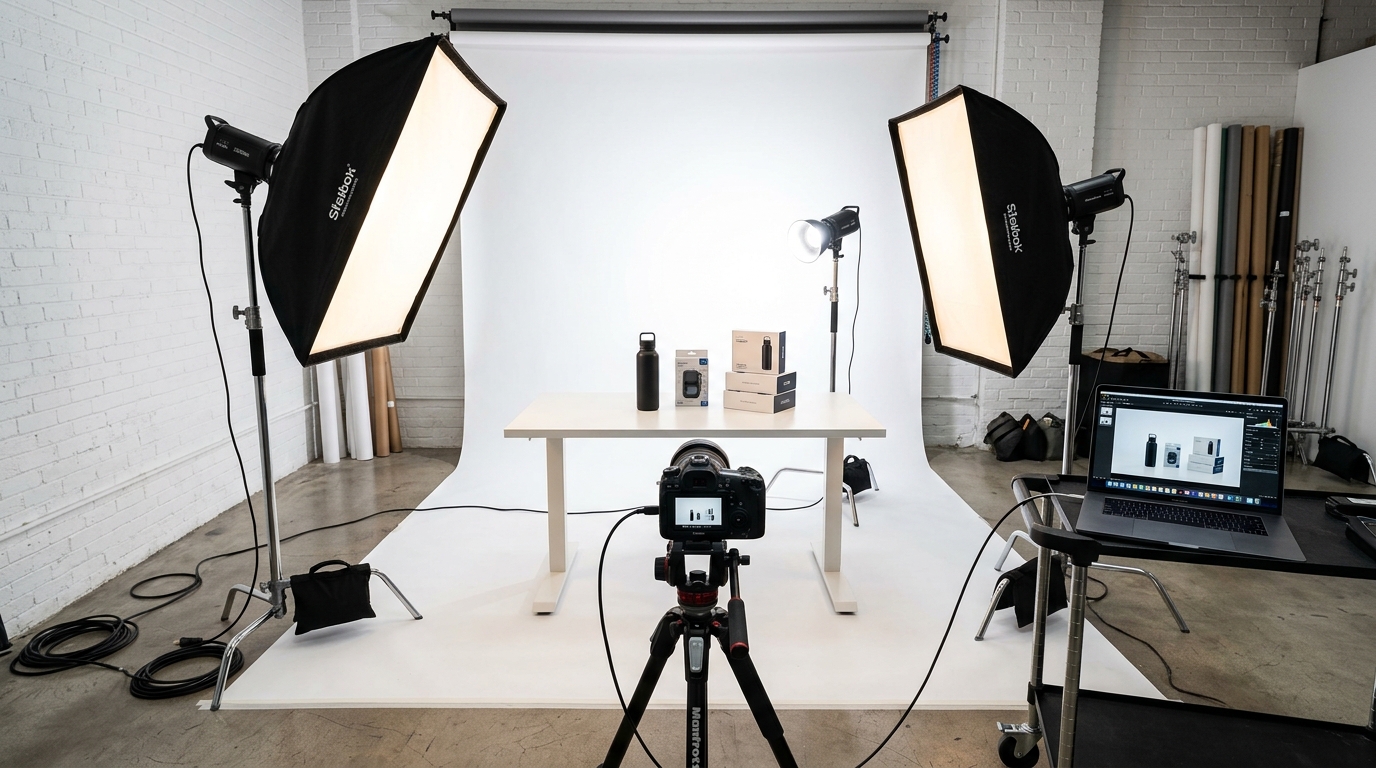
Your Amazon listings are dying because your product photography lighting looks like garbage. Sellers who fix their lighting see 23-40% higher click-through rates and 15-25% better conversion rates. That’s the difference between a $50,000 monthly product and a $150,000 monthly product.
Most FBA sellers think lighting is just “making it bright enough.” Wrong. Product photography lighting for Amazon is about controlling shadows, eliminating hotspots, and creating consistent color temperature across all seven image slots. The A10 algorithm rewards listings with professional imagery, and professional imagery starts with proper lighting setup.
This guide covers the exact lighting setups that convert browsers into buyers. No theory. No fluff. Just the lighting techniques that drive revenue.
Understanding Amazon’s Lighting Requirements
Amazon doesn’t publish lighting specs, but their image requirements tell you everything you need to know about what works. Main images need pure white backgrounds (RGB 255, 255, 255), products must fill 85% of the frame, and shadow details must be visible without being distracting.
Amazon Main Image Best Practices 2 covers this in more detail.
Main Image Lighting Standards
Your main image determines whether customers click on your listing in search results. Bad lighting kills CTR before customers even read your title. Amazon’s algorithm tracks click-through rates as a ranking factor, so poor lighting literally hurts your organic visibility.
The main image requires even, shadowless lighting with accurate color representation. Your product needs to look identical to what customers receive. Color variance creates negative reviews and return rates that destroy your BSR over time.
How Many Images For Amazon Listing covers this in more detail.
Professional main images use key light ratios of 2:1 or 3:1 (main light to fill light). This creates just enough dimension to show product details without creating harsh shadows that distract from the product itself. Your white background must be evenly lit to avoid gray spots or color casts that make your listing look amateur.
Secondary Image Lighting Flexibility
Images 2-7 give you more creative freedom, but consistency matters for brand perception. Customers notice when your lighting quality drops from image 1 to image 2. Maintain the same color temperature and shadow quality across all images.
Lifestyle images need environmental lighting that matches the use case. Kitchen products should use warm, inviting lighting. Tech products work better with cool, clean lighting that suggests precision and quality.
Your secondary images should follow Amazon main image best practices for technical consistency while adding emotional appeal through strategic lighting choices.
A+ Content Lighting Considerations
A+ Content images appear larger than standard listing images, which means lighting flaws become more obvious. Uneven lighting, color casts, and poor shadow control look worse at higher resolution.
Use consistent lighting setups across all A+ Content modules. Customers notice when image quality varies within the same listing. Poor lighting consistency makes your brand look unprofessional and hurts conversion rates.
A+ Content performs best when lighting supports the narrative. Feature callouts need bright, even lighting. Lifestyle scenes need atmospheric lighting that matches the product’s intended use environment.
Essential Lighting Equipment for Amazon Product Photography
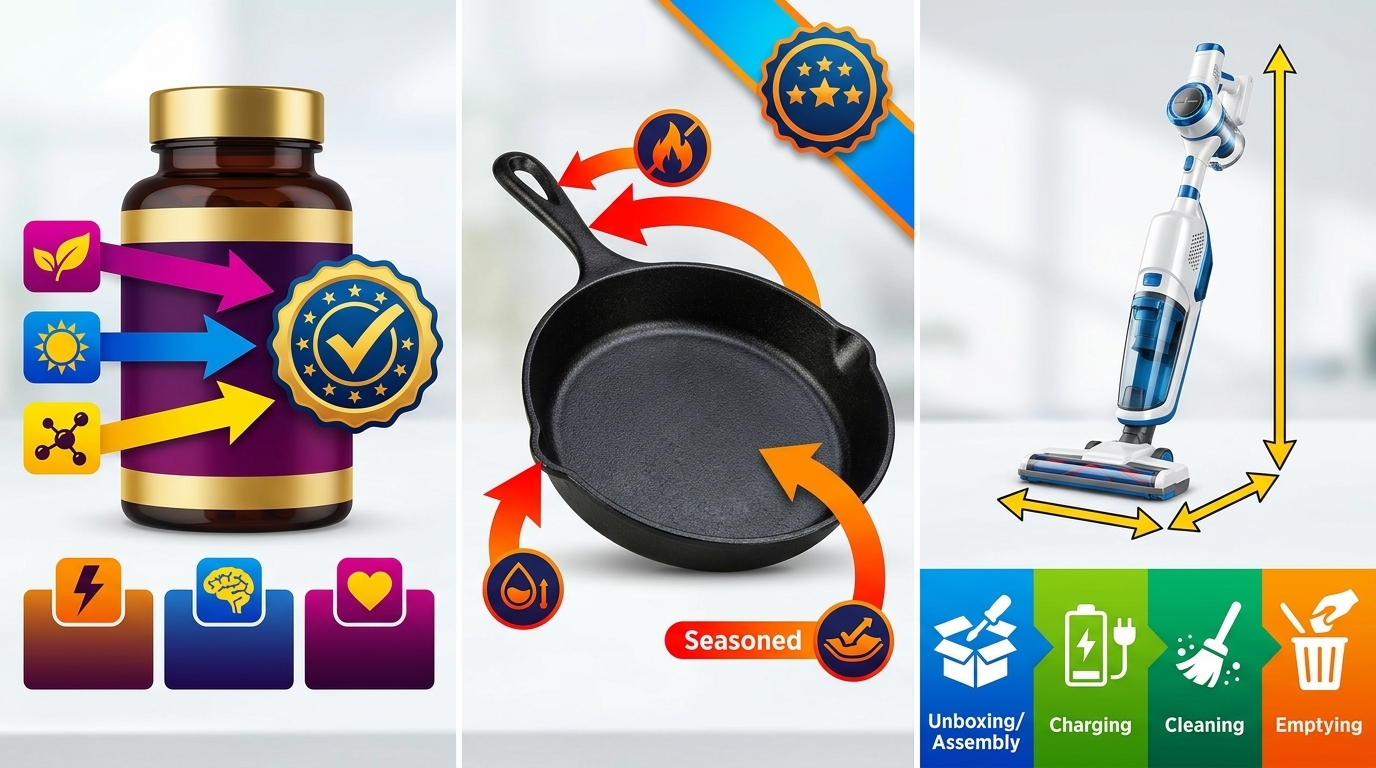
The right equipment eliminates guesswork and produces consistent results. Professional lighting doesn’t require $10,000 budgets, but it does require understanding which tools actually matter for Amazon’s image requirements.
LED Panel Systems vs. Strobe Lights
LED panels win for Amazon product photography. They provide constant light output, accurate color temperature, and instant results without test shots. Strobes require more technical knowledge and create workflow inefficiencies for high-volume product shoots.
Quality LED panels cost $150-$400 each and last 50,000+ hours. You need minimum 95+ CRI (Color Rendering Index) for accurate color representation. Lower CRI values create color casts that make products look different than reality.
Panel size matters for light quality. 12×12 inch panels work for products under 8 inches. Larger products need 18×24 inch panels or larger to create even light distribution. Small panels create harsh shadows and uneven lighting that screams amateur.
Adjustable color temperature (3200K-5600K) lets you match different shooting environments. Amazon listings look best with 5000K-5500K color temperature for clean, neutral white balance that displays accurately across different devices.
Softboxes and Light Modifiers
Bare LED panels create harsh, unflattering light that highlights every product flaw. Softboxes diffuse light to create the smooth, even illumination that makes products look premium.
Rectangular softboxes work better than round ones for Amazon products. Rectangle softboxes create natural-looking catchlights in reflective surfaces and provide more even light distribution across the product surface.
Size your softboxes appropriately. The softbox should be at least as large as your product for proper light coverage. Small softboxes on large products create obvious lighting patterns that look unprofessional.
Honeycomb grids control light spill and prevent background contamination. Use grids when shooting products with reflective surfaces or when you need precise light control for complex product shapes.
Background and Reflector Setup
Seamless white background paper eliminates the horizon line and creates Amazon’s required pure white background. Roll paper costs $30-$50 and handles dozens of product shoots before replacement.
V-flats (large white foam core panels) serve as both background and fill light source. They’re cheaper than additional lights and provide soft, even fill that eliminates harsh shadows without creating multiple shadow patterns.
Reflectors control shadow depth and add fill light where needed. Silver reflectors add punch and contrast. White reflectors provide soft, natural fill. Gold reflectors add warmth but can create unrealistic color casts for most Amazon products.
Step-by-Step Lighting Setup Process

Consistent lighting requires systematic setup. Random light placement creates random results. Follow this process for repeatable, professional lighting every time.
Positioning Your Main Light Source
Start with your key light at 45 degrees to the product and 45 degrees above the product surface. This angle provides good dimensional lighting while maintaining detail in shadow areas.
Distance matters as much as angle. Place your main light 3-4 feet from small products, 5-6 feet from larger products. Closer distances create harsh shadows and uneven light falloff. Further distances require more powerful lights and create flat, dimensionless lighting.
Power settings depend on your camera ISO and aperture settings. Start with lights at 50% power and adjust up or down based on your camera’s light meter. Consistent power settings between shoots create consistent results.
Test your main light position by looking at shadow placement. Shadows should fall naturally away from the camera position without obscuring important product details. Harsh shadows or no shadows both signal incorrect main light positioning.
Adding Fill Light to Control Shadows
Fill light controls shadow depth without eliminating shadows completely. Position fill light opposite your main light at the same height. This creates balanced lighting that maintains product dimension.
Fill light should be 50-70% the power of your main light. Equal power creates flat lighting with no dimension. Too little fill creates harsh shadows that hide product details.
Reflectors often work better than additional lights for fill. Large white reflectors provide soft, even fill without creating competing shadow patterns. Additional lights can create multiple shadows that look unnatural.
Check your shadows after adding fill light. You should see one primary shadow with soft, detailed shadow areas. Multiple sharp shadows or completely shadowless products both indicate poor fill light setup.
Background Lighting Techniques
Background lights ensure pure white backgrounds without affecting product lighting. Position background lights behind and to the sides of your product. Never aim background lights directly at your product.
Background light power should be 1-2 stops brighter than your product lighting. This ensures the background renders as pure white (RGB 255, 255, 255) in your final images. Under-powered background lights create gray backgrounds that violate Amazon listing image requirements.
Watch for background light spill onto your product. Light spill creates blown highlights and unnatural rim lighting. Use barn doors, flags, or careful light positioning to control spill.
Gradient backgrounds indicate uneven background lighting. Your background should be consistently white from edge to edge. Hot spots and dark areas make your listing look unprofessional and can cause image rejection.
Lighting Techniques for Different Product Types
Different products require different lighting approaches. Reflective surfaces, textured materials, and transparent products each present unique lighting challenges that require specific solutions.
Reflective and Metallic Products
Reflective products are lighting nightmares without proper technique. They reflect everything in the room, including you, your camera, and your lights. Control reflections by controlling what the product can see.
Large softboxes positioned close to reflective products create attractive, controlled reflections. The reflection should look intentional, not accidental. Position softboxes to create reflections that enhance the product shape rather than distract from it.
Use cards and flags to block unwanted reflections. Black cards create defined edges on reflective surfaces. White cards provide gentle fill reflections. Position cards where the product would reflect them to control the reflection patterns.
Polarizing filters eliminate unwanted reflections from glass and polished surfaces. Circular polarizers cost $50-$150 and eliminate glare while maintaining color saturation. Essential for products with glass displays, chrome details, or glossy finishes.
Textured and Fabric Products
Texture requires directional lighting to create the shadows that define surface details. Side lighting at shallow angles brings out texture better than front lighting. Position your main light 60-80 degrees to the side for maximum texture emphasis.
Multiple light sources can flatten texture details. Use one main light for texture definition and minimal fill to maintain shadow details. Over-filled lighting eliminates the shadows that make texture visible.
Fabric products need lighting that shows weave patterns and material quality. Harder light sources work better than heavily diffused light for showing fabric texture. Use smaller softboxes or beauty dishes instead of large umbrella modifiers.
Color accuracy becomes critical with fabric and textured products. Customers return items that don’t match the online photos. Use proper white balance and color-accurate monitors to ensure texture colors match reality.
Transparent and Glass Products
Glass products require edge lighting to define their shape. Backlit glass shows transparency and creates attractive edge details. Position lights behind and to the sides of glass products.
Avoid front lighting on transparent products. Front lights create confusing reflections and fail to show the transparency that customers expect. Edge lighting and backlighting define glass shape better than front illumination.
Control background brightness carefully with glass products. Too bright backgrounds overpower the product. Too dark backgrounds make transparency invisible. Background should be 1 stop brighter than neutral gray for optimal glass definition.
Multiple glass objects require careful light positioning to avoid conflicting reflections. Each piece of glass reflects light differently. Simplify lighting setups with multiple transparent products to maintain clarity and avoid confusion.
Common Lighting Mistakes That Kill Conversions
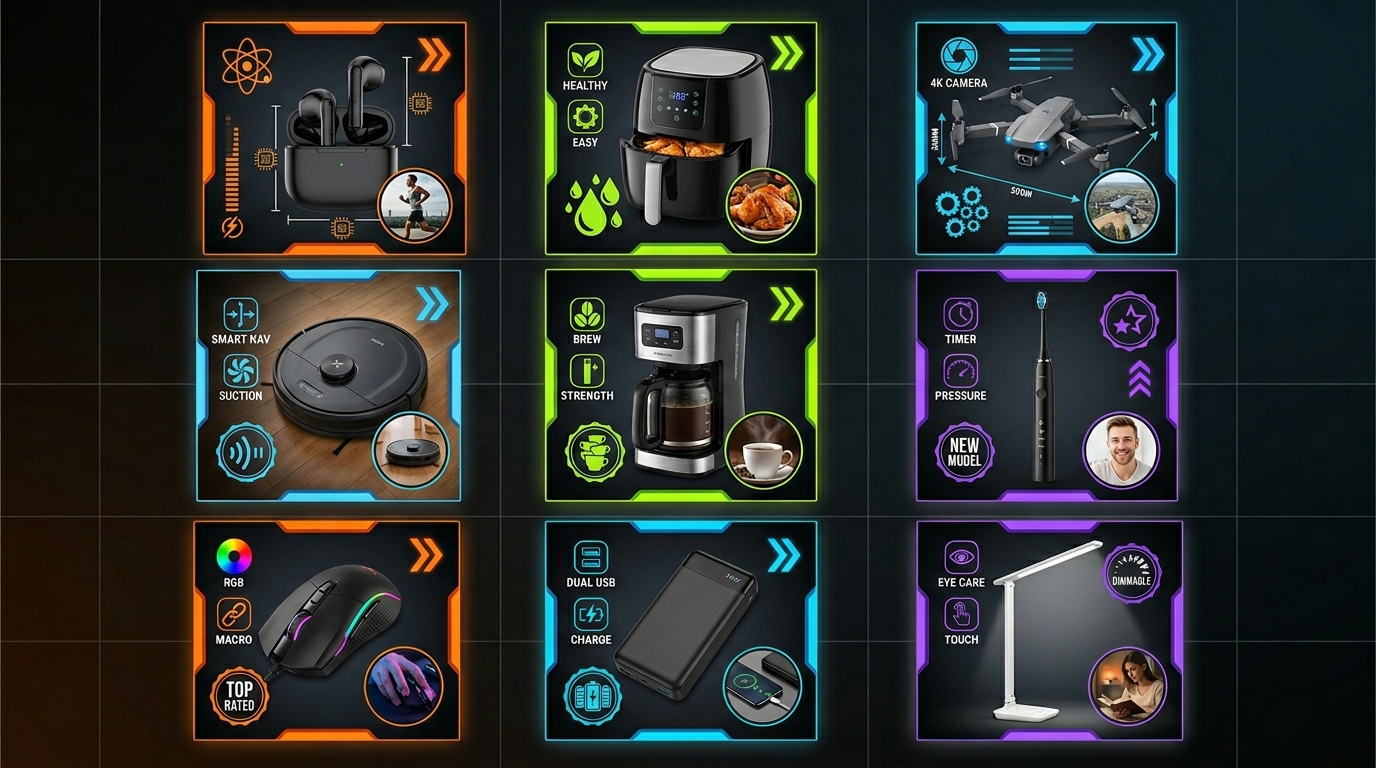
Specific lighting errors destroy conversion rates and CTR. These mistakes are common, fixable, and costing you money every day they remain in your listings.
Harsh Shadows and Poor Fill Light
Harsh shadows hide product details customers need to see. If shadow areas are pure black with no detail, you’re losing sales. Customers can’t buy what they can’t see clearly.
Single light setups almost always create harsh shadows. Amazon products need fill light to maintain detail in shadow areas. Add reflectors or additional lights to bring up shadow detail without eliminating shadows completely.
Multiple hard shadows indicate too many light sources or poor light positioning. One main shadow with soft fill shadows looks natural. Multiple competing shadows look confusing and unprofessional.
Shadow direction should make visual sense. Shadows falling toward the camera or in random directions look unnatural. Shadows should fall naturally away from the main light source in a consistent direction across all images.
Color Temperature Inconsistencies
Mixed color temperatures make your products look amateurish. Daylight (5000K-5500K) from windows mixed with tungsten (3200K) from household lights creates yellow/blue color casts that make products look different than reality.
Fluorescent lights create green color casts that are difficult to correct in post-production. Use LED panels with accurate color temperature instead of relying on existing room lighting.
Color temperature must remain consistent across all seven image slots. Customers notice when image 1 looks cool and blue while image 2 looks warm and yellow. Inconsistent color temperature hurts brand perception and suggests poor quality control.
Monitor calibration affects color accuracy as much as lighting. Uncalibrated monitors can display colors 20-30% differently than customer screens. Invest in monitor calibration hardware to ensure accurate color representation.
Overexposure and Blown Highlights
Blown highlights lose product detail permanently. White text on white backgrounds disappears. Metallic finishes look flat and cheap. Protect highlights by using graduated lighting instead of overpowering single lights.
Background overexposure is different from product overexposure. Backgrounds should be pure white, but products should retain detail in light areas. Use separate lights for background and product to control exposure independently.
Histogram monitoring prevents overexposure during shooting. RGB histograms show clipping in individual color channels that composite histograms miss. Red channel clipping is especially common with warm-colored products.
Overexposure from light positioning creates uneven results. Lights too close to products create hot spots and uneven exposure. Maintain proper light distance for even illumination across the entire product surface.
Advanced Lighting Control and Fine-Tuning
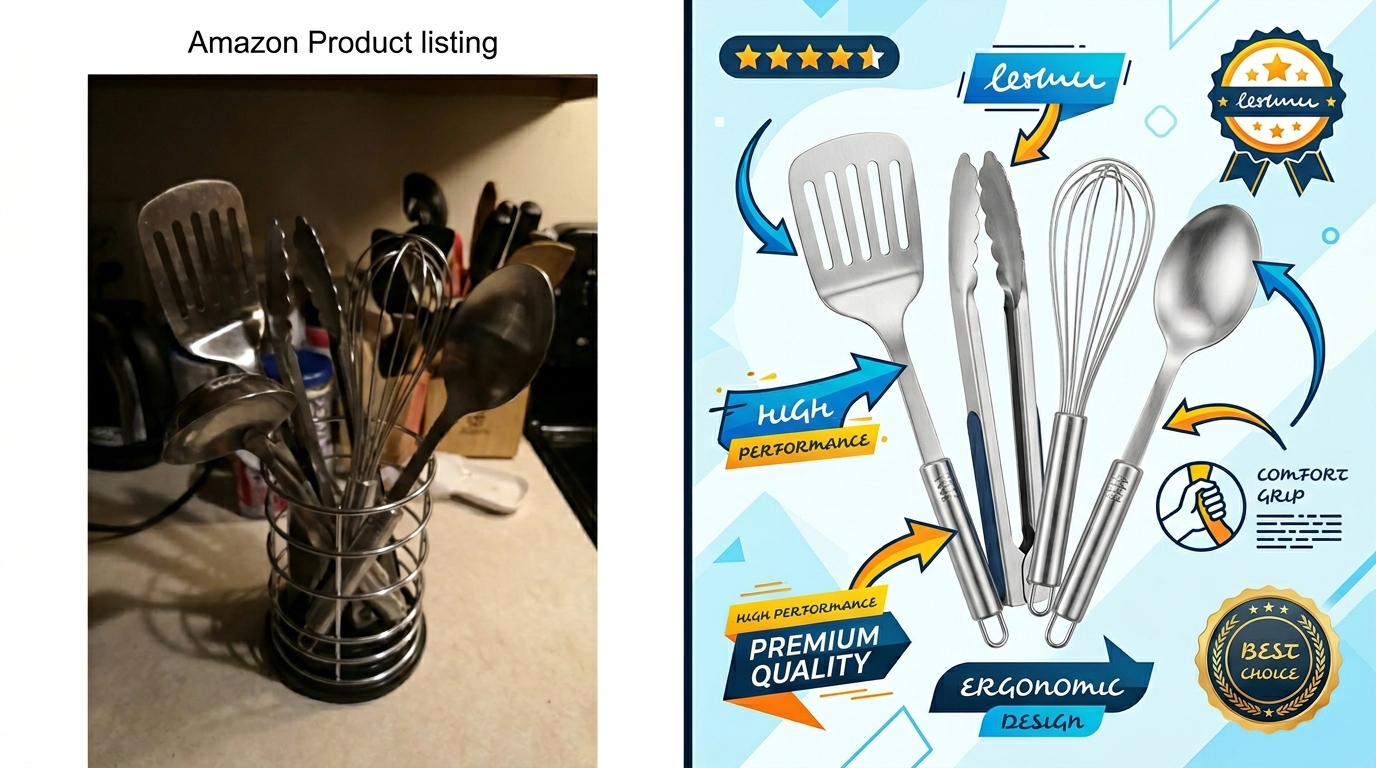
Professional results require attention to details that separate good images from great images. These advanced techniques create the lighting quality that justifies premium pricing and builds brand authority.
Light Ratios and Contrast Control
Light ratios control the mood and dimensionality of your product images. 2:1 ratios (main light twice as bright as fill) create gentle dimensionality perfect for beauty and lifestyle products. 4:1 ratios create dramatic contrast suitable for tech and industrial products.
Measure light ratios with a light meter or camera’s spot meter. Take readings from the highlight side and shadow side of your product. Adjust fill light power to achieve your target ratio consistently.
Contrast affects conversion rates differently by product category. Amazon lifestyle images that convert often use lower contrast ratios to maintain detail across the entire image. Technical products benefit from higher contrast that emphasizes precision and quality.
Monitor your light ratios across different product angles. Ratios should remain consistent whether shooting front views, side views, or detail shots. Inconsistent ratios make your image series look disjointed and unprofessional.
Color Temperature Fine-Tuning
Exact color temperature control requires understanding how different temperatures affect product perception. 5000K provides neutral, accurate color representation. 5500K adds slight coolness that suggests precision. 4800K adds warmth that feels more approachable.
Product categories have optimal color temperature ranges. Food products benefit from warmer temperatures (4500K-5000K) that enhance appetite appeal. Electronics look best at cooler temperatures (5200K-5600K) that suggest technological sophistication.
Mixed product shoots require consistent color temperature choices. If you’re shooting multiple products for the same brand, maintain the same color temperature across all products. Color temperature becomes part of your brand’s visual identity.
Custom white balance eliminates color casts more effectively than post-production correction. Set custom white balance using a gray card under your actual shooting lights. This ensures accurate color representation from the start rather than trying to fix it later.
Specialty Lighting for Product Details
Detail shots require different lighting than overall product shots. Macro lighting needs to be closer, softer, and more controlled to show fine details without creating harsh shadows or overexposure.
Ring lights work well for detail shots of small products or product features. They provide shadowless lighting that shows fine details clearly. Ring lights should supplement, not replace, main lighting setups.
Focus stacking for extreme detail shots requires consistent lighting across multiple exposures. Any variation in light output between shots creates uneven exposure in the final stacked image. Use LED panels instead of strobes for focus stacking work.
Feature callout lighting should emphasize the specific detail without over-lighting surrounding areas. Use barn doors, snoots, or flags to control light spill and keep attention focused on the important product feature.
Measuring Lighting Quality and ROI
Objective measurement separates professional lighting from amateur guesswork. Track specific metrics to quantify lighting improvements and their impact on sales performance.
Technical Quality Metrics
Histogram analysis shows lighting quality objectively. Properly lit Amazon products show full tonal range without clipping in highlights or shadows. RGB histograms should show smooth distribution across all three color channels.
Color accuracy measurement requires standardized targets. X-Rite ColorChecker cards provide 24 standardized color patches for measuring color accuracy under your lighting setup. Professional setups achieve Delta E values under 3 for accurate color representation.
Shadow detail measurement determines fill light effectiveness. Shadow areas should retain detail down to 5-10% gray values. Pure black shadows indicate insufficient fill lighting that hides product details from customers.
White balance accuracy affects customer perception of product quality. Neutral grays should measure RGB 128, 128, 128 under proper lighting. Color casts in neutral areas suggest lighting problems that hurt conversion rates.
Conversion Rate Impact Analysis
A/B testing lighting changes quantifies ROI from photography improvements. Test new images against existing images using Amazon’s A/B testing tools or by monitoring conversion rates before and after image updates.
CTR improvements from better lighting typically range from 15-40% for main image updates. Calculate the revenue impact by multiplying CTR improvement by your average conversion rate and AOV. A 25% CTR increase on a $50 AOV product with 2% conversion rate equals significant monthly revenue gains.
Review velocity often improves with better lighting because products match customer expectations. Accurate color representation and clear detail shots reduce return rates and increase positive review percentages.
PPC performance improves with better product images. Higher CTR from improved main images reduces ACoS and improves ad relevance scores. Better images can reduce PPC costs by 10-30% while maintaining the same conversion volume.
Long-Term Brand Building Through Consistent Lighting
Brand recognition develops through consistent visual presentation across all products. Standardized lighting setups create visual consistency that builds customer trust and brand authority.
Premium pricing becomes sustainable with professional image quality. Customers pay more for products that look professionally made and marketed. Professional lighting supports 10-20% price premiums over competitors with amateur photography.
Competitive advantage from image quality compounds over time. Professional photography raises the bar for your entire product category. Competitors must invest in better images to compete, giving you first-mover advantage in visual quality.
Brand authority metrics improve with consistent professional imagery. Optimizing the number of images for Amazon listings works better when all images maintain the same professional lighting quality across the entire product catalog.
Related Reading
Related Reading
Related Reading
Frequently Asked Questions
What’s the minimum lighting budget for professional Amazon product photography?
Budget $800-$1200 for a basic professional lighting setup that handles most product categories. This includes two LED panels with softboxes, background setup, and reflectors. This investment typically pays for itself within 2-3 months through improved conversion rates. Cheaper setups produce inconsistent results that waste time and hurt sales.
How do I know if my product photography lighting is actually working?
Track your main image CTR and overall listing conversion rate before and after lighting improvements. Professional lighting typically increases CTR by 15-40% and conversion rates by 10-25%. Use Amazon’s business reports to monitor these metrics monthly. Also watch for reduced customer questions about product appearance and fewer returns due to product mismatch.
Can I use natural window light for Amazon product photography?
Natural light works but creates consistency problems for high-volume sellers. Window light changes color temperature and intensity throughout the day, making it impossible to maintain consistent results across multiple products. Use LED panels for repeatable, professional results that work regardless of weather or time of day.
What color temperature works best for Amazon main images?
5000K-5500K provides the most accurate color representation for Amazon listings. This color temperature looks neutral on most customer devices and doesn’t create warm or cool color casts that make products look different than reality. Consistency matters more than exact temperature, so pick one temperature and use it for all products.
How do I fix harsh shadows without making my images look flat?
Add fill light at 50-70% the power of your main light, positioned opposite the main light source. Use reflectors instead of additional hard lights to avoid creating multiple shadow patterns. Proper fill lighting maintains shadows for dimensionality while revealing detail in shadow areas. Test different fill ratios until shadow areas show product details clearly without eliminating all shadows.
Leave a Reply