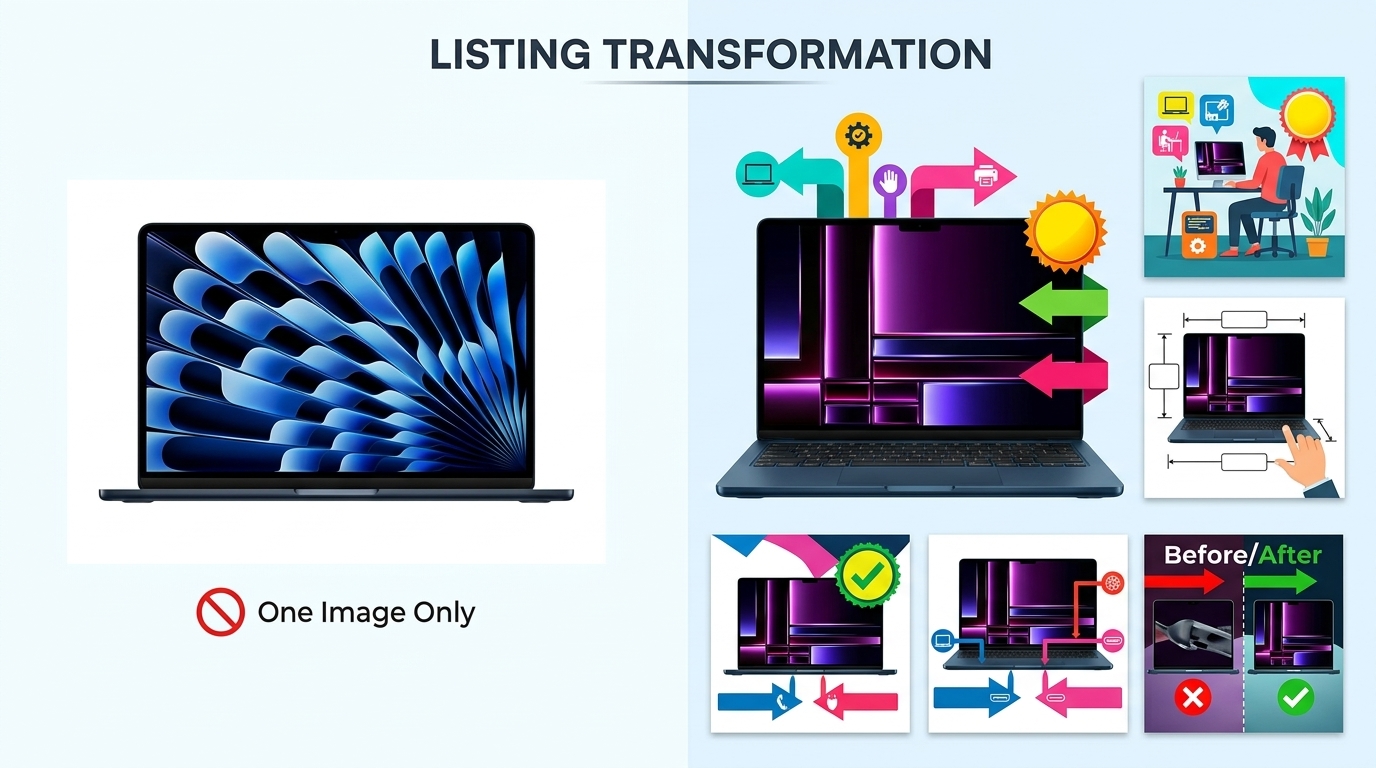
Your flat lay photography is costing you sales. I see it every day — sellers dropping $3,000 on inventory, then shooting their products on a wrinkled bedsheet with their iPhone 6. Your competitors are eating your lunch because their flat lay product photography for ecommerce actually shows buyers what they’re getting.
For more on this, see our product photography budget guide. For more on this, see our diy amazon product guide. For more on this, see our shoot cosmetics product guide. For more on this, see our product photography lighting guide.
Last reviewed:
Here’s the math: A proper flat lay setup runs you $200-500. That same investment increases your conversion rate from 8% to 12%. On 1,000 sessions per month at a $30 AOV, that’s an extra $1,200 in revenue. Every. Single. Month.
I’ve shot over 10,000 flat lays for Amazon sellers. From supplements arranged on marble to tech accessories on concrete — the principles stay the same. This guide breaks down exactly how to shoot flat lays that make buyers click “Add to Cart” instead of scrolling to your competition.
Essential Equipment for Professional Flat Lay Photography
Camera and Lens Requirements
Stop asking if your phone camera is “good enough.” It’s not. Not for serious ecommerce. You need a real camera with manual controls. Period.
Minimum specs that actually matter:
- 24+ megapixels — Amazon’s zoom feature exposes every flaw in low-res images
- Full manual mode — Auto settings give you inconsistent results across your catalog
- RAW file capability — JPEGs throw away data you need for color correction
- Tethering support — See your shots on a big screen while shooting
Best entry-level options: Canon EOS Rebel T7i ($700), Nikon D5600 ($600), Sony a6100 ($750). Any of these blow away the newest iPhone for product work.
For lenses, you want a 50mm or 85mm prime. Why? Zero distortion. Your products look exactly like they do in real life. Wide-angle lenses make products look warped. Telephoto lenses compress depth weirdly. A used 50mm f/1.8 runs $125 and outperforms any zoom lens under $1,000 for flat lays.
Lighting Setup That Actually Works
Natural light is free. It’s also unpredictable garbage for consistent product shots. One cloud rolls by and your white balance shifts 500K. Your editing time triples trying to match images shot at different times.
Here’s what works:
- Two softbox lights minimum — 24″ x 24″ boxes with 5500K daylight bulbs
- C-stands or light stands — Weighted bases that won’t tip when you bump them
- White foam boards — 30″ x 40″ boards for fill light (cheaper than a third softbox)
- Light meter or grey card — Consistent exposure across every shot
Budget setup that delivers: Neewer 700W softbox kit ($150) plus two foam boards from Office Depot ($20). Position lights at 45-degree angles to your flat lay surface, 3 feet away. Boom — shadowless, even lighting that makes products pop.
Skip the ring lights. They’re for beauty vloggers, not product photography. The circular catchlights look amateur on flat surfaces.
Backgrounds and Surfaces
Your background sells the lifestyle. Kitchen gadgets on barn wood say “farmhouse chic.” Supplements on white marble scream “premium wellness.” Tech on matte black signals “professional grade.”
Surfaces that convert:
- White seamless paper — $30 for a 53″ roll, works for everything
- Replica surfaces from Replica Surfaces — $40-80 each, look like real marble/wood/concrete
- Actual materials from Home Depot — Marble tiles ($5-15), wood planks ($20-40)
- Colored card stock — $2-5 per sheet for bright lifestyle shots
Pro tip: Buy 3-5 surfaces and rotate them. Shooting 20 SKUs on the same white background looks lazy. Varying surfaces keeps shoppers engaged as they scroll your catalog.
Composition Techniques for Converting Browsers to Buyers

The Rule of Odds and Visual Hierarchy
Human brains process odd numbers faster than even numbers. Three products. Five accessories. Seven color swatches. Never two or four — it creates visual tension that makes viewers uncomfortable.
Nielsen Norman Group’s eye-tracking research shows users scan images in an F-pattern. Place your hero product in the upper left. Supporting items flow right and down. Most important features stay in that golden F-zone.
Size creates hierarchy. Your main product takes up 40-50% of frame. Secondary items get 20-30%. Props and lifestyle elements fill the remaining space. Break this rule and buyers get confused about what you’re actually selling.
Real example: Supplement bottle flat lay. Bottle in upper left at 45% of frame. Three capsules scattered center-right. Fresh ingredients (lemon, ginger, turmeric) in bottom third. Eye flows naturally from product to benefits to ingredients.
Props That Sell vs Props That Distract
Good props reinforce your product’s use case. Bad props confuse buyers and tank conversion rates.
Props that work:
- Ingredients for consumables — Show what’s inside supplements, teas, protein powders
- Complementary products — Phone case with earbuds, cutting board with knife
- Texture elements — Fabric swatches for fashion, leaves for natural products
- Size references — Coins, hands, common objects for scale
Props that kill sales:
- Random flowers — Unless you’re selling flowers
- Coffee cups in every shot — Lazy lifestyle signaling
- Competing brands — Why advertise for others?
- Seasonal items — Christmas props in July listings look stupid
Test your props: Show the image to someone for 3 seconds. Ask what they remember. If they mention the props before your product, reshoot.
Negative Space and Breathing Room
Cramming every inch with products and props screams “amateur.” Professional flat lay product photography for ecommerce uses negative space strategically.
The 60/40 rule: 60% of your frame shows products and props. 40% stays empty. This breathing room makes products feel premium, not cluttered.
Where to place negative space:
- Around hero product — 2-3 inches minimum clearance
- Between product groups — Clear separation prevents visual merging
- Frame edges — Never crop tight to product edges
Exception: Bundle shots. When showing everything included, you can push to 70/30. But maintain clear groupings with micro-spaces between items.
Step-by-Step Flat Lay Photography Process
Pre-Shoot Preparation
Half your flat lay success happens before you touch the camera. Rushed prep work shows in the final images.
24 hours before:
- Clean every product with microfiber cloth and rubbing alcohol
- Remove all stickers, tags, protective films
- Check for damage — scratches, dents, loose threads
- Gather and clean all props
Morning of shoot:
- Charge all camera batteries (keep 3 minimum)
- Format memory cards (32GB minimum per 100 products)
- Clean camera sensor with rocket blower
- Set up and test tethering to laptop
1 hour before:
- Turn on all lights, let bulbs warm up for consistent color
- Sweep/vacuum shooting area (dust shows at high resolution)
- Layout backgrounds in shooting order
- Pre-arrange products by category
This prep routine saves 3-4 hours of shooting time per 50 products. Do it right or do it twice.
Camera Settings and Technical Setup
Forget auto mode exists. These manual settings deliver consistent results across hundreds of shots:
Base settings for flat lays:
- Aperture: f/8 to f/11 (sharpest range for most lenses)
- ISO: 100-200 (minimum noise, maximum quality)
- Shutter speed: 1/125 or faster (prevents camera shake)
- White balance: 5500K or custom grey card reading
- File format: RAW + JPEG (RAW for editing, JPEG for quick review)
Camera position matters. Mount your camera directly above the flat lay surface. No angle. No tilt. Perfect 90-degree down angle. Use a horizontal tripod arm or C-stand with boom arm. Manfrotto 131D ($200) or Impact Grip Arm Kit ($150) both work.
Minimum shooting height: 3 feet above products. This prevents wide-angle distortion even with a 50mm lens. Mark your tripod legs with tape once you find the sweet spot.
Focus technique: Single-point autofocus on the hero product. For groups, focus 1/3 into the scene depth. Everything stays sharp at f/8 or smaller.
Shooting Workflow and Consistency
Consistency across your catalog trumps individual “artistic” shots. Build a repeatable workflow:
Per product workflow (5-7 minutes):
- Place hero product according to your composition plan
- Add secondary items and props
- Check spacing with live view zoom
- Shoot test frame, check histogram for blown highlights
- Adjust product angles for best logo/label visibility
- Shoot 3-5 frames with micro adjustments
- Remove products, reset for next shot
Batch similar products together. All supplements, then all accessories, then all textiles. Your brain stays in the same creative mode. Switching categories constantly slows you down 40%.
Name files while shooting: SKU_FlatLay_01, SKU_FlatLay_02. Don’t rely on camera numbering. You’ll waste hours matching images to products later.
Quality control during shoot: Review every 10th image at 100% zoom. Check sharpness, dust, alignment. Catching problems early beats discovering them in post.
Post-Processing for Maximum Impact
Color Correction and White Balance
Raw files look flat. That’s the point. You’ve captured maximum data to sculpt in post. Here’s the processing order that works:
Step 1: Global corrections (2 minutes per image)
- White balance: Match to grey card shot or adjust until whites are pure white
- Exposure: +0.3 to +0.7 stops typically (flat lays tend to underexpose)
- Highlights: -50 to -100 to recover product detail
- Shadows: +20 to +40 to open up dark areas
- Whites/Blacks: Adjust until histogram touches both edges without clipping
Step 2: Color grading (1 minute per image)
- Vibrance: +15 to +25 (more natural than saturation)
- Saturation: +5 to +10 maximum
- HSL adjustments: Target specific colors (make reds pop, neutralize unwanted casts)
Create presets for each product category. Supplements get warmer tones (+100K). Electronics stay neutral. Fashion can push cooler (-100K). Apply preset, then fine-tune.
Reality check: Baymard Institute’s study on product returns found 22% of returns happen because product color didn’t match images. Accurate color beats artistic color every time.
Background Cleanup and Refinement
Even “perfect” white backgrounds aren’t perfect. Every flat lay needs cleanup:
Essential cleanup tasks:
- Dust spot removal (healing brush for every speck)
- Background whitening (push to 255,255,255 for true white)
- Edge cleanup (remove shadows at product borders)
- Prop alignment (straighten anything that shifted during shoot)
Photoshop actions speed this up. Record your cleanup process once, apply to hundreds of images. 30 seconds per image vs 5 minutes manual.
Background replacement technique for non-white backgrounds: Pen tool around all products, save selection, drop in new background. Keeps natural shadows while changing surface. Works great for A/B testing different lifestyle contexts.
Image Optimization for Ecommerce Platforms
Pretty images that load slowly kill conversion rates. Google’s research shows 53% of users abandon sites that take over 3 seconds to load. Your images need to look great AND load fast.
Amazon optimization specs:
- Minimum: 1000 x 1000 pixels (enables zoom)
- Optimal: 2000 x 2000 pixels (sharp on all devices)
- Format: JPEG at 85% quality (best size/quality ratio)
- File size: Under 1MB per image (faster loading)
- Color profile: sRGB (anything else displays wrong)
Batch processing workflow: Export from RAW processor at 2500px, then use Photoshop’s “Save for Web” at 85% quality. This two-step process maintains quality while minimizing file size.
File naming for SEO: product-name-flat-lay-angle.jpg. Not IMG_1234.jpg. Search engines and customers both appreciate descriptive names.
Common Flat Lay Mistakes and Fixes
Lighting Errors That Kill Sales
Bad lighting ruins more flat lays than any other factor. Here are the mistakes I see daily:
Mistake 1: Mixed color temperatures
Your softbox pumps out 5500K daylight. The overhead fluorescent adds 4000K warm white. Result? Products look yellow on one side, blue on the other.
Fix: Turn off all room lights. Use only your photography lights. Period.
Mistake 2: Harsh shadows
One light source = harsh shadows. Shadows hide product details and look unprofessional.
Fix: Two lights minimum, plus white foam boards for fill. Shadows should be soft suggestions, not black holes.
Mistake 3: Uneven exposure
Center of frame bright, edges dark. Makes products look like they’re in a spotlight.
Fix: Pull lights back to 4-5 feet. Use larger softboxes (36″ instead of 24″). Add a third light aimed at background.
Composition Problems
Even great products look terrible with poor composition:
Problem: Everything centered
Dead-center composition looks static and boring. Zero visual energy.
Solution: Rule of thirds. Place hero product on intersection points. Create diagonal lines with supporting elements.
Problem: Scale confusion
No size reference = customers can’t judge actual product dimensions.
Solution: Include a common object for scale. Coins for small items. Hands for medium products. Standard props buyers recognize.
Problem: Competing focal points
Too many products at equal visual weight. Buyer’s eye bounces around without landing.
Solution: Clear hierarchy. Hero product 2x larger than secondary items. Use depth (overlap) to show importance.
Post-Processing Disasters
Overediting screams “amateur” louder than bad lighting:
Sin 1: Nuclear white backgrounds
Blowing out the background until products float in void. Loses all sense of surface and depth.
Fix: Keep backgrounds at 245-250 RGB. Pure white for Amazon, but maintain subtle shadows for depth.
Sin 2: Instagram filters on product photos
VSCO might work for your food blog. It’s death for ecommerce. Filters shift colors unpredictably.
Fix: Manual color grading only. Control every adjustment. Save presets for consistency.
Sin 3: Over-sharpening
Cranking sharpness until products glow with halos. Looks radioactive, not professional.
Fix: Sharpen at 100% zoom. Amount: 80-120, Radius: 0.8-1.2, Threshold: 0-2. Subtle enhancement, not assault.
Advanced Techniques for Stand-Out Listings
Lifestyle Integration Without Losing Focus
Pure white backgrounds convert. But lifestyle flat lays build brand. Here’s how to balance both:
The 80/20 rule for flat lay product photography for ecommerce: 80% of frame stays clean and product-focused. 20% adds lifestyle context. This ratio maintains clarity while building aspiration.
Lifestyle elements that enhance (not distract):
- Morning routine setup for supplements (coffee mug, journal, not full breakfast spread)
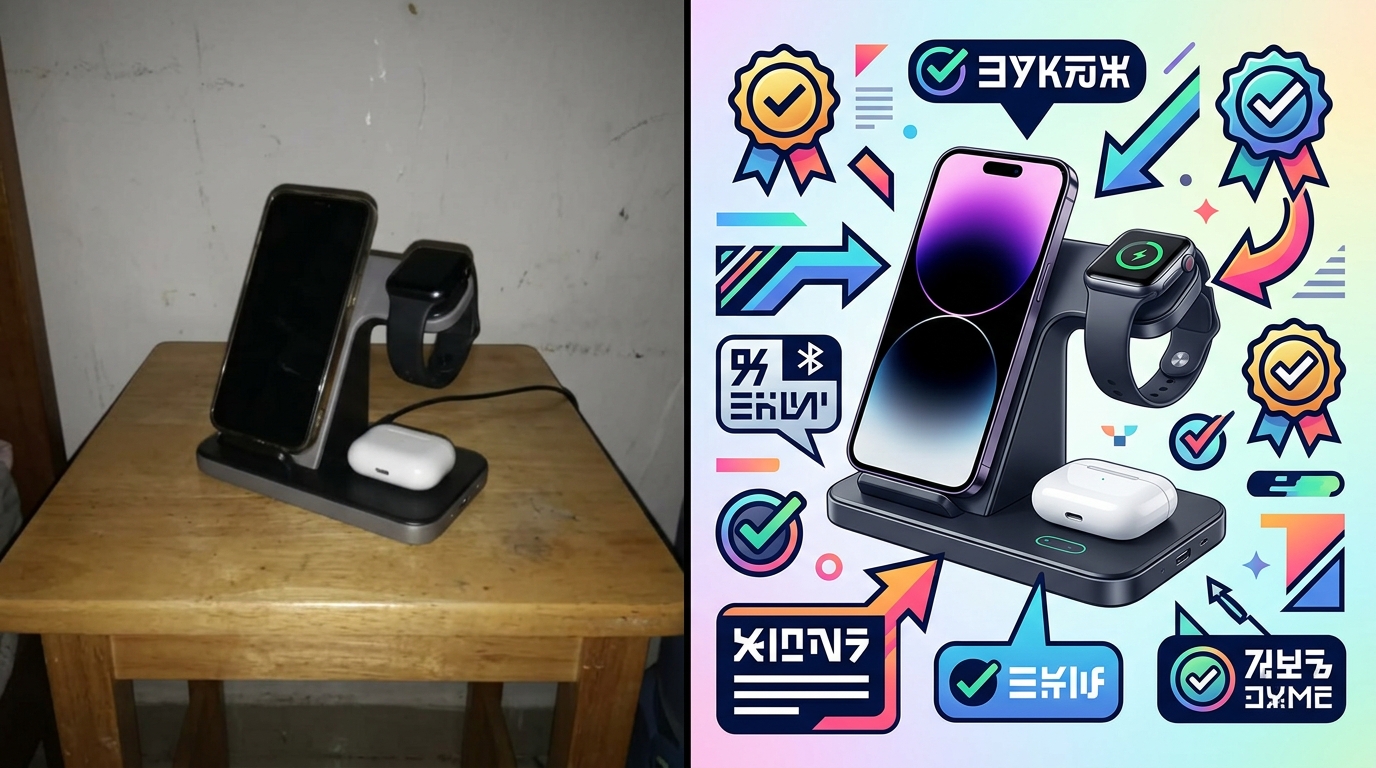
- Workspace corner for tech accessories (keyboard edge, not entire desk)
- Fabric swatches for fashion items (texture reference, not full outfit)
- Ingredient highlights for beauty/food (one sprig of lavender, not a garden)
Test your lifestyle integration: Remove all lifestyle elements in Photoshop. If the image still clearly communicates product benefits, your lifestyle elements pass. If it looks empty or confusing, you relied too heavily on props.
Pro technique: Shoot two versions. Clean product-only for main image. Lifestyle-rich for A+ Content and social media. Same lighting, same angle, different prop density.
Multi-Product and Bundle Compositions
Bundles should increase AOV. Bad bundle photography decreases conversion. The difference? Visual hierarchy and logical grouping.
Bundle composition rules:
- Primary product takes 40% of frame — Usually the highest-value item
- Group by category — All bottles together, all accessories together
- Consistent angles — All labels facing same direction
- Clear separation — 1-2 inches between items minimum
- Size progression — Large to small, left to right (matches reading pattern)
Overlap technique for large bundles: Front items at 100% visibility. Back items show 70-80%. Creates depth without hiding products. Stack vertically before overlapping horizontally.
Bundle naming visible in image: “INCLUDES:” text overlay listing everything. Buyers shouldn’t guess what’s included. Spell it out.
Seasonal and Trend-Aware Styling
Static flat lays all year = stale brand. But reshooting every season wastes money. Smart approach: Modular compositions.
Base + Seasonal layer system:
- Shoot hero product on neutral background
- Save layered PSD with product masked
- Swap backgrounds and props seasonally
- 5 minutes per update vs 30 minutes full reshoot
Seasonal elements that convert:
- Spring: Fresh flowers, pastel props, bright surfaces
- Summer: Tropical leaves, sandy textures, bold colors
- Fall: Warm woods, autumn leaves, cozy textiles
- Winter: Evergreen sprigs, metallic accents, rich textures
- Holidays: Subtle themed props (pine cone, not full Christmas tree)
Track performance by season. Some products convert better with seasonal styling. Others perform best with evergreen imagery. Let data guide your seasonal strategy.
Measuring Success and Optimization
Key Metrics for Flat Lay Performance
Pretty pictures mean nothing if they don’t move product. Track these metrics religiously:
Click-through rate (CTR) from search:
Flat lay main images should hit 3-5% CTR minimum. Under 2%? Your images blend into the crowd. Test more aggressive compositions.
Conversion rate by image type:
A/B test flat lays against straight product shots. Most lifestyle categories see 15-30% conversion lift with flat lays. Technical products might perform better with isolated shots.
Time on page:
Good flat lays increase time on page 20-40%. Buyers study the details. Bad flat lays cause immediate bounces.
Image interaction rate:
Track how many visitors use Amazon’s zoom feature. Under 20%? Your flat lays lack interesting details. Over 50%? You’re nailing it.
Pull these metrics weekly. One month of data tells you nothing. Three months shows trends. Six months guides strategy.
A/B Testing Strategies
Stop guessing what works. Test everything:
Elements to test in flat lay product photography for ecommerce:
- Background color/texture — White vs marble vs wood
- Prop density — Minimal vs lifestyle-rich
- Product angles — Straight-on vs 15-degree rotation
- Number of items — Single hero vs multiple variants
- Human elements — Hands/models vs product only
Testing protocol: Run each test for minimum 1,000 impressions or 14 days. Statistical significance matters. Early results lie.
Use Amazon’s Manage Your Experiments for main images. For gallery images, rotate weekly and track in Seller Central analytics. Document everything in a spreadsheet.
Winner implementation: Don’t just update the tested listing. Roll out winning elements across your entire catalog. One good test can lift portfolio-wide conversion 10-20%.
Continuous Improvement Process
Your competitors aren’t standing still. Neither should your imagery:
Monthly improvement cycle:
- Audit worst performers — Bottom 20% by conversion rate
- Identify common problems — Usually lighting or composition
- Reshoot with fixes — Test improvements immediately
- Document what worked — Build your playbook
- Apply to new products — Start strong instead of fixing later
Competitive analysis quarterly: Screenshot top 10 competitors’ hero images. What are they doing that you’re not? Don’t copy — improve on their approach.
Customer feedback goldmine: Read your reviews and questions. “Couldn’t see the texture” = add detail shots. “Smaller than expected” = better scale references. Let buyers tell you what’s missing.
Investment tracking: Calculate photography ROI quarterly. (Additional revenue from improved conversion) / (Photography costs) = ROI multiple. Aim for 10x minimum. 20-30x is achievable with optimized flat lays.
Sources & References
Related Reading
- Product Photography on a Budget: How to Shoot Amazon-Ready Images…
- Amazon Product Photography Equipment List: What You Actually Need…
- Amazon Product Photography Pricing Breakdown: What Actually Drives…
Frequently Asked Questions
What’s the best camera height for flat lay product photography?
Mount your camera 3-4 feet above your products for distortion-free flat lays. This height works perfectly with a 50mm lens to capture products without edge warping. Mark your tripod position with tape once you find the sweet spot — consistency across shots matters more than perfect height.
How many products should I include in a single flat lay composition?
Use odd numbers for visual appeal — typically 3, 5, or 7 items total. Your hero product should occupy 40-50% of the frame, with supporting items progressively smaller. For bundles, you can push to 9-11 items, but maintain clear visual hierarchy so buyers immediately understand what’s most important.
Should I use natural light or artificial lighting for ecommerce flat lays?
Artificial lighting wins every time for consistent ecommerce results. Natural light changes constantly — a passing cloud shifts your color temperature 500K and ruins batch consistency. Two 5500K softboxes give you identical lighting whether you’re shooting at 6 AM or midnight, processing 10 products or 100.
What file size and dimensions work best for Amazon flat lay images?
Export at 2000 x 2000 pixels minimum, JPEG format at 85% quality, keeping files under 1MB. This sweet spot enables Amazon’s zoom feature while loading fast on mobile. Always use sRGB color profile — other profiles display incorrectly and make products look off-color.
How much should I invest in props for flat lay photography?
Budget $200-300 for a versatile prop collection that covers multiple product categories. Buy 3-5 backdrop surfaces ($150), basic lifestyle props like fabric swatches and greenery ($50), and size reference items ($20). Quality props pay for themselves in reduced reshoot time — one wrinkled fabric can ruin 50 product shots.
Leave a Reply