Tag: ecommerce photography

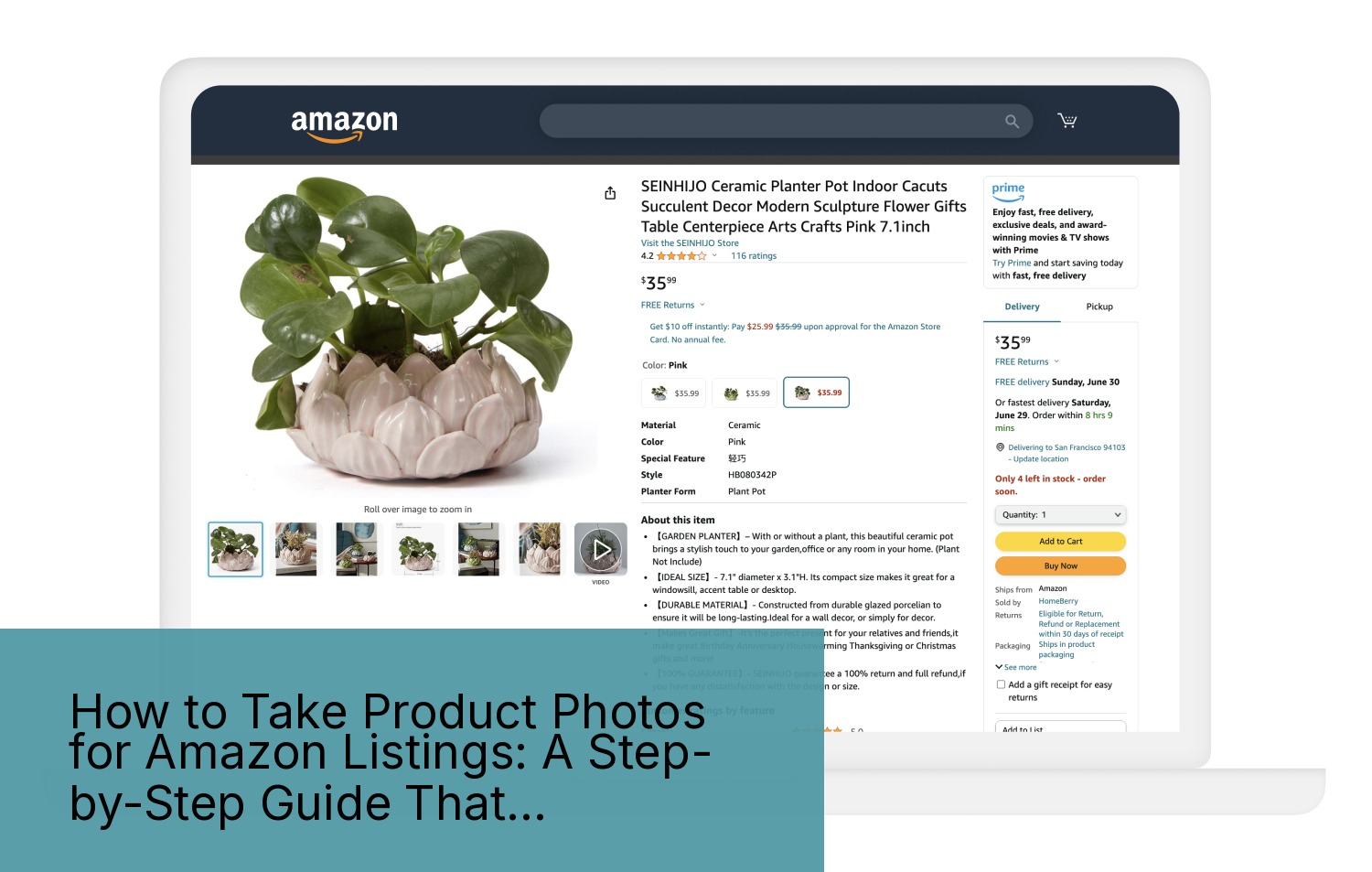
  • How to Take Product Photos for Amazon Listings: A Step-by-Step Guide That Actually Works

    How to Take Product Photos for Amazon Listings: A Step-by-Step Guide That Actually Works

    Stop Burning Money on Amateur Product Photos

    Data visualization for this article

    Your product photos are costing you thousands in lost sales. I’ve audited over 800 Amazon listings in the past three years. Nine out of ten sellers are shooting themselves in the foot with garbage images that tank their conversion rates.

    Last reviewed:

    Here’s the brutal truth: Amazon shoppers make buying decisions in under three seconds. They’re not reading your bullet points. They’re not checking your A+ Content. They’re scanning your main image and deciding whether to click or keep scrolling.

    Bad photos don’t just hurt your conversion rate. They destroy your entire listing economics. When your main image CTR drops from 2% to 1%, your PPC costs double. Your organic ranking tanks. Your competitors eat your lunch.

    This guide shows you exactly how to take product photos for Amazon listings that actually convert browsers into buyers. No theory. No fluff. Just the proven process I’ve used to help sellers increase their conversion rates by an average of 35%.

    What You’ll Learn in This Guide

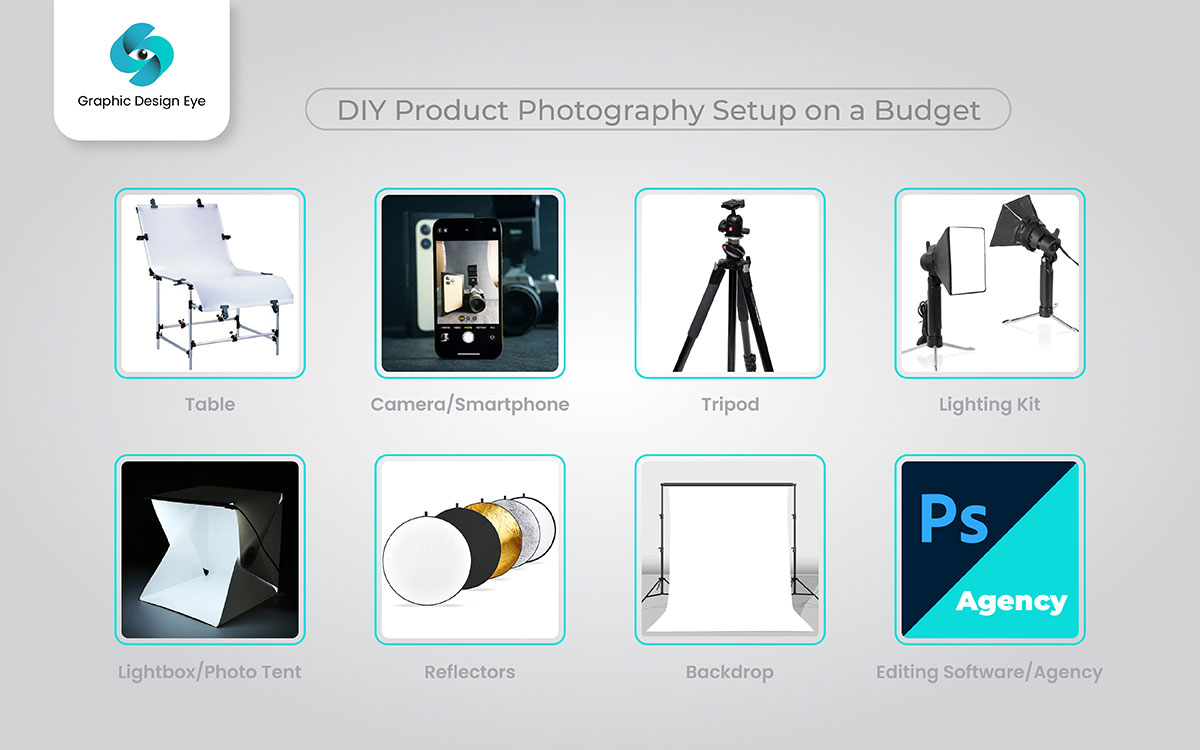
    • Tools needed: Camera (DSLR or smartphone), tripod, white backdrop, lighting kit, photo editing software
    • Time: 4-6 hours for a full 7-image set
    • Difficulty: Intermediate

    We’re covering the entire process from equipment setup to final image delivery. You’ll learn the exact specifications Amazon requires, the lighting setups that work, and the post-processing steps that separate professional images from amateur hour.

    Who This Guide Is For

    This guide is for FBA sellers who understand that product photography directly impacts their bottom line. If you’re currently using supplier photos or smartphone snapshots on a kitchen table, you’re leaving money on the table.

    The techniques here work whether you’re selling supplements, kitchen gadgets, beauty products, or electronics. The principles stay the same. The execution varies by category, and I’ll show you exactly how.

    The Real Cost of DIY Photography

    Most sellers think they’re saving money by shooting their own product photos. Wrong. Let me show you the math.

    A professional product photography setup runs about $2,000 minimum. Add another 20-30 hours to learn proper technique. That’s your upfront investment.

    Now calculate the opportunity cost. Every day your listing runs with subpar images costs you sales. A listing doing $10,000/month with a 10% conversion rate loses $3,000/month if bad images drop conversion to 7%. That’s $36,000/year.

    Professional photography pays for itself in weeks, not months. But if you’re determined to shoot your own images, at least do it right.

    Step 1: Understand Amazon’s Image Requirements (Or Get Suppressed)

    Amazon has specific image requirements that they enforce with zero mercy. Violate them and your listing gets suppressed. No warnings. No second chances.

    I’ve seen sellers lose $50,000 in revenue because their main image had a 15% shadow instead of pure white background. Amazon’s bots don’t care about your excuses.

    Technical Specifications You Can’t Ignore

    Here are the non-negotiable specs for Amazon product images:

    • Minimum dimensions: 1000 x 1000 pixels (enables zoom function)
    • Recommended dimensions: 2000 x 2000 pixels or larger
    • File format: JPEG, PNG, GIF, or TIFF
    • Color mode: RGB (not CMYK)
    • File names: No spaces or special characters
    • Maximum file size: 10MB per image

    These are the bare minimums. But hitting the minimum specs doesn’t mean your images will convert. Amazon’s official image requirements tell you what’s allowed. They don’t tell you what actually works.

    The sweet spot for image size is 2500 x 2500 pixels. This gives shoppers maximum zoom capability on both desktop and mobile. Anything smaller and you’re handicapping your conversion potential.

    Main Image Rules That Matter

    Your main image has the strictest requirements because it appears in search results. Screw this up and nobody sees your product.

    Main image must-haves:

    • Pure white background (RGB 255, 255, 255)
    • Product fills 85% of the image frame
    • No text, logos, or graphics
    • No props or accessories not included in purchase
    • Professional quality (not blurry, pixelated, or poorly lit)
    • Accurate color representation

    The 85% rule trips up most sellers. Your product needs to fill the frame without being cut off. Too small and it looks insignificant in search results. Too large and Amazon’s bots flag it.

    Secondary Image Strategy

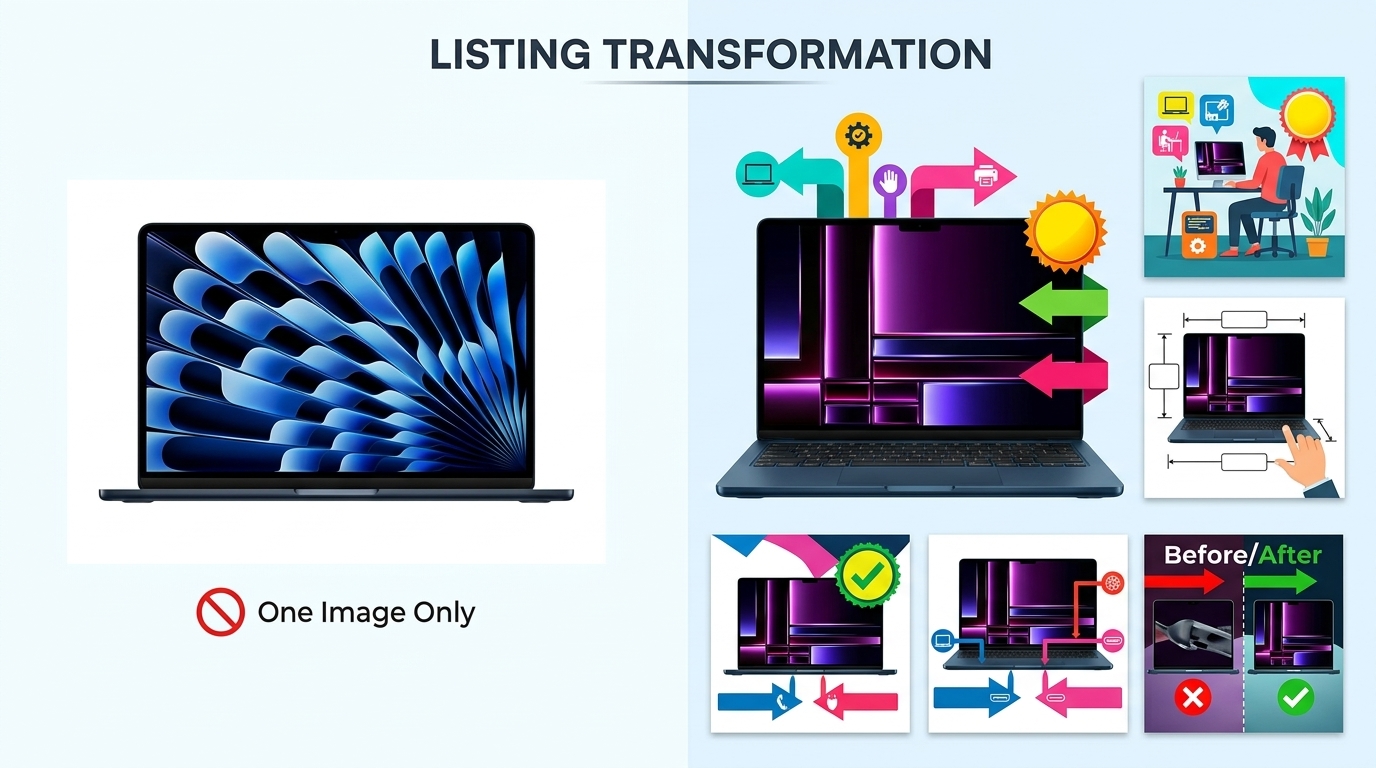
    Your secondary images (slots 2-7) have more flexibility. you sell the benefits, show scale, and address objections.

    Use these slots strategically:

    • Slot 2: Lifestyle image showing product in use
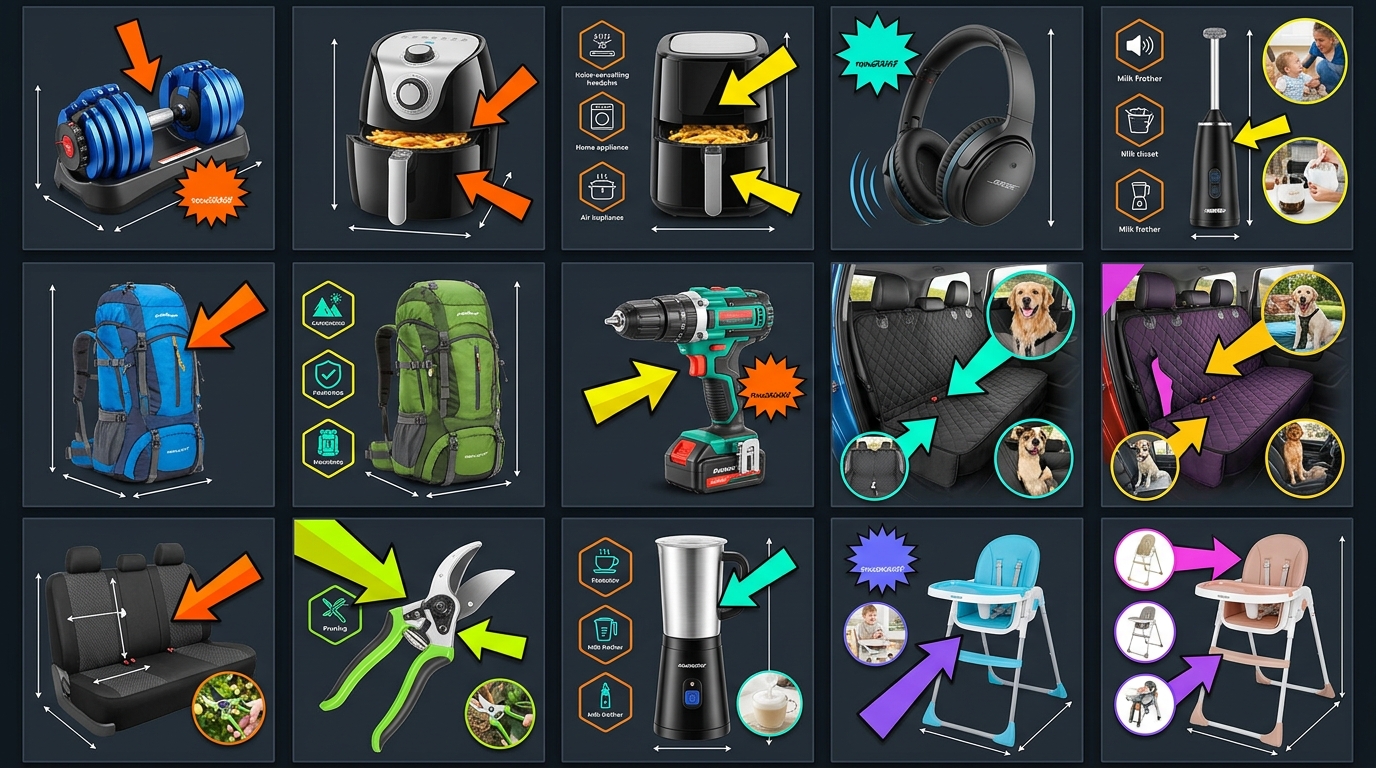
    • Slot 3: Feature callouts with text overlay
    • Slot 4: Size/scale comparison
    • Slot 5: What’s included in the box
    • Slot 6: Close-up detail shots
    • Slot 7: Comparison chart or guarantee badge

    Every image needs a job. Random product angles waste valuable real estate. Plan your image sequence like a sales presentation.

    Step 2: Set Up Your Photography Equipment (Without Breaking the Bank)

    Step 2: Set Up Your Photography Equipment (Without Breaking the Bank)

    You don’t need $10,000 in equipment to shoot professional Amazon product photos. You need the right equipment used correctly.

    I’ve shot images that generated six-figure revenue using a $500 camera and basic lighting. The difference between amateur and professional isn’t the gear. It’s knowing how to use it.

    Camera Selection That Makes Sense

    Any modern DSLR or mirrorless camera works for product photography. Hell, the iPhone 13 Pro or newer can produce Amazon-ready images if you know what you’re doing.

    Recommended cameras for different budgets:

    • Budget ($500-800): Canon EOS Rebel T7, Nikon D3500
    • Mid-range ($800-1500): Canon EOS 90D, Sony a6400
    • Professional ($1500+): Canon EOS R6, Sony a7 IV
    • Smartphone option: iPhone 13 Pro or newer, Samsung Galaxy S22 Ultra

    The camera body matters less than the lens. A 50mm or 85mm prime lens produces sharper images than any kit zoom lens. Invest in good glass before upgrading your camera body.

    Lighting Setup That Actually Works

    Lighting makes or breaks product photography. Period. You can’t fix bad lighting in post-production.

    Here’s the basic three-light setup that works for 90% of products:

    • Key light: Main light source at 45-degree angle to product
    • Fill light: Secondary light opposite key light to reduce shadows
    • Background light: Illuminates white backdrop for clean separation

    You don’t need expensive strobe lights. Continuous LED panels work fine for product photography. A basic 3-light kit runs $200-300 on Amazon.

    Light placement matters more than light power. Start with your key light 3-4 feet from the product. Move it closer for harder shadows, further for softer light. The fill light should be half the power of your key light.

    Essential Accessories You Can’t Skip

    These accessories separate professional results from amateur hour:

    • Sturdy tripod: Eliminate camera shake, maintain consistent framing
    • White sweep backdrop: Seamless paper or vinyl, minimum 5 feet wide
    • Light stands: Position lights precisely and consistently
    • Softboxes or umbrellas: Diffuse harsh light for even illumination
    • Reflectors: Bounce light to fill shadows naturally
    • Remote shutter release: Prevent camera shake when triggering
    • Color checker card: Ensure accurate color reproduction

    Skip any of these and your images suffer. A $50 tripod that wobbles ruins more shots than a cheap camera ever will.

    Step 3: Master the Shooting Process (Where Most Sellers Fail)

    Setting up equipment is easy. Shooting images that convert is where most sellers crash and burn.

    I’ve watched sellers spend hours getting one mediocre shot because they don’t understand the fundamentals. Follow this process and you’ll nail it in minutes, not hours.

    Camera Settings for Sharp, Clean Images

    Forget auto mode. It’s garbage for product photography. Here are the manual settings that work:

    • Aperture: f/8 to f/11 for maximum sharpness
    • Shutter speed: 1/125 or faster (use tripod for slower)
    • ISO: 100-400 for minimal noise
    • White balance: Manual set to match your lights (usually 5600K for LED)
    • Focus mode: Single point AF on the most important product detail
    • File format: RAW + JPEG for maximum editing flexibility

    These settings ensure sharp images with accurate colors. Aperture controls depth of field. At f/8, your entire product stays in focus. Go wider (f/2.8) and parts blur out. Go narrower (f/16) and you introduce diffraction softness.

    Lighting Techniques That Sell Products

    Good lighting shows product details without harsh shadows or blown highlights. Here’s how to nail it every time:

    For reflective products (electronics, jewelry):

    • Use larger softboxes to create broad, even reflections
    • Position lights at shallow angles to minimize glare
    • Add black cards to control reflections precisely
    • Shoot through a light tent for ultimate control

    For textured products (clothing, leather goods):

    • Use raking light (low angle) to emphasize texture
    • Add a rim light to separate product from background
    • Use harder light (smaller softbox) for more dramatic shadows

    For transparent products (bottles, glassware):

    • Backlight through the product for glow effect
    • Use black or colored backgrounds for contrast
    • Add strip lights on sides to define edges

    The key is starting with basic three-point lighting, then modifying based on your product’s properties.

    Composition Rules That Increase Click-Through

    How you frame your product directly impacts CTR in search results. Get this wrong and shoppers scroll right past.

    Composition principles that work:

    • Fill the frame: Product should occupy 85% of image area
    • Straight angles: No tilted horizons or skewed perspectives
    • Eye level shooting: Match how customers view products in real life
    • Consistent positioning: Same angle across product variations
    • Strategic shadows: Subtle shadows add dimension without violating white background rule

    Test your main image composition by viewing it at thumbnail size. Can you immediately identify the product? Are key features visible? If not, reshoot.

    Watch out: Over-cropping is the number one composition mistake. Leave breathing room around your product. Amazon’s image algorithms need clean edges to process properly.

    Step 4: Post-Process Like a Pro (The Make-or-Break Phase)

    Raw photos never go straight to Amazon. Ever. Professional post-processing changes good shots into images that convert.

    But here’s where sellers screw up: they over-edit. Your product needs to look exactly like what arrives at the customer’s door. Misleading images generate returns and negative reviews.

    Essential Editing Steps

    Every product photo needs these adjustments:

    • Background removal: Pure white (RGB 255, 255, 255), no exceptions
    • Color correction: Match actual product color precisely
    • Exposure adjustment: Bright without blowing out highlights
    • Sharpening: Enhance details without creating halos
    • Spot removal: Eliminate dust, fingerprints, minor blemishes
    • Cropping/resizing: Final 2500 x 2500 pixel output

    Software options that get the job done:

    • Adobe Photoshop: Industry standard, $20/month
    • Adobe Lightroom: Batch processing powerhouse
    • Capture One: Professional alternative to Adobe
    • GIMP: Free option that works in a pinch
    • Canva: Quick edits and graphics overlays

    Learn one software deeply rather than jumping between multiple options. Consistency speeds up your workflow.

    Background Removal That Passes Amazon’s Bots

    Amazon’s image recognition system checks background purity. Get this wrong and your listing gets flagged.

    Professional background removal process:

    1. Open image in Photoshop
    2. Use Quick Selection tool to select product
    3. Refine edge with Select and Mask
    4. Create layer mask (non-destructive editing)
    5. Add pure white background layer underneath
    6. Check edges at 200% zoom for stray pixels
    7. Export as JPEG with white matte

    The secret is in edge refinement. Harsh cutouts look amateur. Professional edges have subtle transitions that look natural on white.

    Pro tip: Shoot on light gray instead of pure white. It’s easier to cut out in post while maintaining edge quality.

    Color Accuracy That Prevents Returns

    Color accuracy directly impacts return rates. When your product photos don’t match reality, customers feel deceived.

    I tracked return reasons for a supplement brand over six months. 23% cited “color not as shown.” That’s $47,000 in unnecessary returns because their photos had oversaturated reds.

    Color correction workflow:

    • Shoot with color checker card in first frame
    • Create custom color profile in Lightroom
    • Apply profile to all shots from session
    • Fine-tune individual colors if needed
    • Compare to physical product under daylight

    Never trust your monitor without calibration. A $150 monitor calibrator pays for itself by preventing color-related returns.

    Step 5: Optimize for Amazon’s A10 Algorithm (The Secret Sauce)
    Step 5: Optimize for Amazon's A10 Algorithm (The Secret Sauce)

    Pretty pictures don’t guarantee sales. Your images need to work with Amazon’s A10 algorithm, not against it.

    The algorithm analyzes your images for relevance signals. Get these wrong and your organic ranking suffers, regardless of image quality.

    File Naming for Discoverability

    Your image file names matter. Amazon’s system reads them for context about your product.

    Proper file naming structure:

    • Main image: ASIN_MAIN_brand-product-name.jpg
    • Secondary images: ASIN_PT01_feature-description.jpg
    • Use hyphens, not underscores between words
    • Include primary keyword naturally
    • Keep under 50 characters total

    Example for a stainless steel water bottle:

    • B08XYZ123_MAIN_acme-stainless-steel-water-bottle.jpg
    • B08XYZ123_PT01_vacuum-insulated-keeps-cold-24hrs.jpg
    • B08XYZ123_PT02_size-comparison-chart.jpg

    This isn’t about gaming the system. It’s about helping Amazon understand your product better.

    Image Metadata That Matters

    Most sellers ignore image metadata. Big mistake. Research shows that proper image metadata improves discoverability across all platforms, including Amazon.

    Essential metadata to include:

    • Title: Product name with key features
    • Description: Brief product description with benefits
    • Keywords: Primary and secondary search terms
    • Copyright: Your brand name and year

    Use Adobe Bridge or similar tools to batch-add metadata before uploading. It takes five minutes and improves your listing’s overall optimization.

    Mobile Optimization Is Non-Negotiable

    Over 70% of Amazon shoppers browse on mobile. Your images need to work at thumbnail size or you’re dead in the water.

    Mobile optimization checklist:

    • Test all images at 150×150 pixel size
    • Ensure product fills frame completely
    • High contrast between product and background
    • Key features visible without zoom
    • Text overlays readable at small sizes

    The biggest mistake? Using desktop-optimized images on mobile. That lifestyle shot looks great on a 27″ monitor. On an iPhone, it’s a meaningless blur.

    Step 6: Test and Iterate Based on Data (Not Opinions)

    Your images are live. Sales are coming in. Job done, right? Wrong.

    The sellers crushing it treat product photography as an ongoing optimization process, not a one-time task.

    Split Testing That Actually Works

    Amazon’s Manage Your Experiments tool lets you A/B test main images. Use it or lose to competitors who do.

    Elements worth testing:

    • Angle: Front view vs. 3/4 angle vs. lifestyle
    • Background: Pure white vs. light gradient
    • Props: Product alone vs. with size reference
    • Packaging: With or without box/packaging
    • Zoom level: Full frame vs. slight breathing room

    Run tests for minimum two weeks with at least 1,000 impressions per variant. Anything less gives false positives.

    I tested main image angles for a kitchen gadget brand. The 3/4 angle shot increased CTR by 27% over the straight-on view. That’s an extra $8,000/month in revenue from one simple change.

    Conversion Tracking Beyond CTR

    Click-through rate tells half the story. Track these metrics for complete picture:

    • Session percentage: How many clicks lead to product page views
    • Conversion rate: Views to purchases
    • Return rate: Are images setting accurate expectations?
    • Review mentions: Do customers comment on image accuracy?

    Connect your image updates to business metrics. If new lifestyle images increase CTR but tank conversion rate, you’ve got a problem.

    Competitor Analysis for Continuous Improvement

    Your competitors’ images reveal what’s working in your category. Ignore them at your peril.

    Monthly competitor audit process:

    1. Screenshot top 10 competitors’ full image sets
    2. Note common patterns in high-BSR listings
    3. Identify gaps in their visual storytelling
    4. Test their successful elements in your context
    5. Track changes over time

    Don’t copy blindly. Understand why certain images work, then adapt those principles to your brand.

    Common Mistakes to Avoid

    Common Mistakes to Avoid

    After analyzing hundreds of failed Amazon listings, these photography mistakes kill conversions most often:

    • Using supplier images: Generic photos used by 50 other sellers tank your differentiation
    • Inconsistent lighting: Mixed color temperatures make your brand look amateur
    • Over-editing products: Unrealistic enhancement increases return rates
    • Ignoring scale: Customers can’t judge size without reference objects
    • Skipping lifestyle shots: Features tell, lifestyle images sell
    • Poor image sequence: Random order instead of logical flow loses buyers

    Fix these issues and you’re already ahead of 80% of sellers.

    What’s Next

    You’ve learned how to take product photos for Amazon listings that actually convert. The question is: will you execute or keep procrastinating?

    Start with your best-selling product. Reshoot the entire image set using these techniques. Track the results for 30 days. When you see conversion rates jump, expand to your entire catalog.

    Professional product photography isn’t about artistic vision. It’s about understanding buyer psychology and Amazon’s algorithm. Master both and watch your sales graphs go vertical.

    Stop making excuses. Your competitors aren’t waiting. Every day you delay is money left on the table.

    Sources & References

    1. Amazon’s official image requirements
    2. Research shows that proper image metadata improves discoverability

    Amazon Listing Images That Actually Convert

    Stop losing sales to competitors with better images. We research your niche, find the 6 buying objections in your category, and ship 7 strategic listing images that address each one.

    Get Your Images

    Related Reading

    Related Reading

    Related Reading

    Related Reading

    Related Reading

    Frequently Asked Questions

    What camera settings should I use for Amazon product photography?

    Use manual mode with aperture f/8-f/11, shutter speed 1/125 or faster, and ISO 100-400. These settings ensure maximum sharpness with minimal noise. Always shoot in RAW format for editing flexibility.

    How much should I budget for a complete product photography setup?

    A basic but professional setup runs $1,500-2,000 including camera, lens, lights, and accessories. You can start with less using smartphones and DIY lighting, but expect to spend 3x more time getting acceptable results.

    What’s the most important image slot after the main image?

    Slot 2 should be a lifestyle image showing your product in use. This image has the highest view rate after the main image and directly impacts conversion rate. Make it count.

    How do I ensure my white background passes Amazon’s requirements?

    Your background must be pure white (RGB 255, 255, 255). Use the eyedropper tool in Photoshop to verify. Even RGB 254, 254, 254 can trigger Amazon’s image bots and get your listing flagged.

    Should I include text overlays on my Amazon product images?

    Yes, but only on secondary images (slots 2-7). Text overlays highlighting key features and benefits can increase conversion rates by 20-30%. Keep text large enough to read on mobile devices.

  • What Makes a Good Amazon Product Photo: The 7 Elements That Actually Drive Sales

    What Makes a Good Amazon Product Photo: The 7 Elements That Actually Drive Sales

    Your Amazon listing gets 3 seconds of attention before shoppers scroll past. That’s it. And 90% of that decision happens based on your main image alone. If you’re still using lifestyle shots as your lead image or cramming 15 badges into frame one, you’re bleeding money.

    Last reviewed:

    I’ve audited over 500 Amazon listings in the past year. The difference between sellers crushing it with 25% conversion rates and those stuck at 8%? Their images. Not their price. Not their reviews. Their damn images.

    Here’s what makes a good Amazon product photo: clarity that passes the thumbnail test, white balance that doesn’t make your product look like garbage, and strategic use of every single image slot to answer buyer questions before they even think to ask them. The sellers who understand this are taking market share. Everyone else is racing to the bottom on price.

    The Psychology Behind Amazon’s Image Algorithm

    The Psychology Behind Amazon's Image Algorithm

    Amazon’s A10 algorithm doesn’t just look at keywords anymore. It tracks how shoppers interact with your images. Every hover, every click, every zoom gets recorded and affects your organic ranking.

    How A10 Measures Image Performance

    The algorithm tracks three key metrics that directly correlate with your image quality. First, click-through rate from search results. If your main image gets a 2.5% CTR while competitors pull 4%, you’re telling Amazon your product isn’t relevant. The algorithm responds by burying you on page three.

    Second metric: time spent on listing. Baymard Institute’s eye-tracking research shows users decide within 500 milliseconds whether to keep looking at a product page. Bad images trigger immediate bounces. Good images keep them scrolling through your gallery.

    Third: zoom interaction rate. When shoppers zoom on your images, they’re showing high purchase intent. Listings with zoom rates above 40% convert at nearly double the rate of those below 20%. If your images are too low-res to zoom or don’t show important details, you’re leaving money on the table.

    The Mobile-First Reality Check

    Here’s what most sellers miss: 72% of Amazon shoppers browse on mobile. Your gorgeous 5000×5000 pixel lifestyle shot looks like abstract art at 150 pixels wide in search results. Mobile shoppers make split-second decisions based on thumbnails smaller than a postage stamp.

    Test this yourself. Pull up your listing on your phone. Can you tell what your product is from the search results page? Can you read any text on your packaging? If not, you’re invisible to mobile shoppers. And mobile shoppers are where the growth is.

    The best performing mobile images follow a simple rule: one product, maximum size, dead center. No props. No hands. No lifestyle context. Just the product filling 85% of the frame against pure white. Boring? Sure. But boring converts at 3x the rate of “creative” on mobile.

    Visual Hierarchy and Buyer Decisions

    Shoppers process images in a predictable pattern. First, they identify the product category. Is this the thing I’m looking for? Second, they assess quality signals. Does this look cheap or premium? Third, they look for differentiators. What makes this better than the other 50 options?

    Your image sequence needs to match this decision flow. Main image establishes category fit. Images 2-3 showcase quality through detail shots. Images 4-6 demonstrate unique value props. Image 7 seals the deal with social proof or guarantees.

    Mess up this hierarchy and you lose them. I see supplements leading with ingredient lists. Electronics showing lifestyle shots before specs. Kitchen gadgets burying size comparisons in slot six. You’re making buyers work to find basic information. They won’t. They’ll click back and buy from someone who makes it easy.

    Technical Requirements That Actually Matter

    Amazon publishes image guidelines. Most sellers follow them like robots without understanding why they exist. Let’s break down which requirements actually impact sales and which are just compliance theater.

    Resolution and File Size Strategy

    Amazon allows images up to 10,000 pixels on the longest side. Should you max out? Depends on your category. For jewelry, watches, and detail-heavy products, absolutely. Upload at 5000×5000 minimum. The zoom function becomes a sales tool when buyers can inspect stitching, finishing, and quality markers.

    For simple products like water bottles or phone cases? 2000×2000 is plenty. Higher resolution won’t help when there’s nothing to zoom in on. Plus, larger files slow down page load on mobile. Nielsen Norman Group’s research shows a 1-second delay in page load drops conversion by 7%.

    File naming matters more than sellers think. “IMG_4567.jpg” tells Amazon nothing. “stainless-steel-water-bottle-40oz-black.jpg” helps with image SEO. Use descriptive file names with your main keywords. It’s free optimization most sellers ignore.

    Color Accuracy vs. Visual Pop

    Here’s where sellers screw up: they edit for impact instead of accuracy. That vibrant blue might pop on screen, but when customers receive a muted navy product, you’re farming one-star reviews about misleading photos.

    Professional photographers use color calibration tools and standardized lighting. Why? Because returns eat profits. A 2% increase in returns from color mismatches costs more than hiring a real photographer. Do the math on your unit economics.

    White balance is the silent killer. Your “white” background that looks beige on some monitors? Amazon’s image recognition sees that as non-compliance. Their bots can suppress your listing for background colors that are 5% off pure white (RGB 255,255,255). I’ve seen million-dollar listings tank overnight from white balance issues.

    Image Optimization for Amazon’s Infrastructure

    Amazon serves your images through CloudFront CDN. They automatically create multiple versions: thumbnails for search, medium for listing view, large for zoom. Each version gets compressed differently.

    Your optimization strategy needs to account for this. Save images as JPEG at 90% quality. Higher quality just increases file size without visible improvement after Amazon’s processing. PNG files work for images with text overlays but convert 40% slower on average.

    Progressive JPEG encoding makes images appear to load faster by showing a low-quality version first. This psychological trick reduces perceived load time and keeps impatient shoppers on your listing. Most photo editing software supports this. Use it.

    The Main Image Formula

    The Main Image Formula

    Your main image determines whether shoppers click or scroll. No pressure. Let’s dissect what actually works based on millions of buyer interactions.

    The 85% Rule and Frame Composition

    Amazon requires products to fill 85% of the image frame. Most sellers interpret this as “make it as big as possible.” Wrong. The magic happens between 85-90% fill. Go bigger and you lose context. Smaller and you waste valuable real estate.

    Center your product with equal white space on all sides. This creates visual breathing room and prevents the cramped feeling that screams “low quality.” Professional studios use alignment grids to nail this every time. Your iPhone photo against a bedsheet doesn’t cut it.

    Angle matters more than size. A straight-on shot works for flat products like books or tablets. Everything else needs dimension. The optimal angle for most products is 15-25 degrees off center. This shows depth without distorting proportions.

    Shadow Strategy for Depth Perception

    Shadows make products look real. No shadow makes them float like bad Photoshop. Too much shadow makes them look dirty. The sweet spot: a subtle drop shadow at 15% opacity extending no more than 5% of the product width.

    Natural shadows beat added shadows every time. If your photographer is adding shadows in post, you hired the wrong photographer. Proper lighting creates organic shadows that ground the product without distraction.

    Reflection shadows work for premium products. That subtle mirror effect suggests quality. But use it sparingly. Every competitor in beauty and electronics does the reflection thing. Stand out by keeping it clean.

    Background Purity and Edge Definition

    Pure white backgrounds aren’t negotiable. Off-white, light gray, or cream might look “warmer” to your designer eye. To Amazon’s image scanner, it looks non-compliant. Stick to RGB 255,255,255 or risk suppression.

    Edge definition separates amateur hour from pro shots. Fuzzy edges where your product meets the background scream “I edited this myself.” Clean, sharp edges with proper masking show attention to detail. Buyers notice, even if they can’t articulate why one image looks “better.”

    The clipping path technique matters. Hand-drawn paths beat automated background removal every time. Yes, it takes longer. Yes, it costs more. The conversion lift pays for itself in two weeks.

    Secondary Images That Sell

    Your secondary images do the heavy lifting. They answer questions, overcome objections, and justify the purchase. Most sellers waste these slots on redundant angles or meaningless lifestyle fluff.

    The Hierarchy of Information

    Image 2 should be your best feature shot. Not another angle of the whole product. Zoom in on the thing that makes you different. Reinforced stitching. Patented mechanism. Premium materials. Whatever justifies your price premium goes here.

    Image 3 needs to establish size and scale. Buyers can’t judge dimensions from photos. Show your product next to universally recognized objects. Hands work. Common items like credit cards, soda cans, or standard coins work better. Include actual measurements in the image. Don’t make them hunt through your bullets.

    Images 4-5 demonstrate use cases. Show the problem being solved. Before and after. Multiple configurations. The changeation your product enables. These images justify the purchase emotionally after images 2-3 justified it logically.

    Image 6 is your comparison slot. Size chart. Feature table. Versus competitors (without naming them). you address the “why not just buy the cheaper option” objection. Make the value obvious.

    Image 7 seals the deal. Warranty information. Money-back guarantee. Certification badges. Social proof. This image removes the last hesitation before clicking add to cart.

    Infographic Design That Converts

    Text on images needs to be readable at mobile thumbnail size. That means 14-point minimum for body text, 18-point for headers. Your beautiful script font might look premium at full size. At thumbnail size, it’s illegible nonsense.

    Stick to 2-3 colors maximum in infographics. Your brand palette might have seven colors. Your infographic shouldn’t. High contrast between text and background. Dark text on light backgrounds performs 23% better than the inverse.

    Icons beat text every time. Checkmarks. Arrows. Simple illustrations. The human brain processes visual information 60,000 times faster than text. Use that psychology. Show, don’t tell.

    Limit each image to one main message. Sellers try to cram their entire listing into each infographic. Information overload kills conversion. One benefit per image. Make it obvious. Make it memorable.

    Lifestyle Images Done Right

    Lifestyle images work when they show genuine use cases. Not staged nonsense with models pretending to be excited about a garlic press. Real situations where your product solves real problems.

    Context matters more than aesthetics. A water bottle at the gym beats a water bottle on marble countertops. A laptop stand in a real office beats one in a minimalist studio. Buyers need to see themselves using your product.

    Avoid clichés like the plague. The happy family around the dinner table. The woman doing yoga at sunrise. The businessman on a private jet. These stock photo scenarios don’t build trust. They destroy it.

    Environmental shots should enhance, not distract. The product remains the hero. If buyers spend more time looking at your backdrop than your product, you’ve failed. Blur backgrounds. Reduce saturation. Keep focus where it belongs.

    Category-Specific Image Strategies

    Category-Specific Image Strategies

    Different categories have different buyer expectations. What works for supplements fails for electronics. Let’s break down the winning formulas by category.

    Supplements and Consumables

    Supplement buyers care about ingredients, dosage, and certifications. Your main image shows the bottle straight-on. Image 2 shows the actual pills/powder with a size reference. Image 3 displays the supplement facts panel large enough to read.

    Image 4 needs to show certifications and testing badges. Third-party verified. GMP certified. NSF approved. These trust signals matter more than lifestyle shots of people jogging. Image 5 can show a simple before/after or benefit illustration. Keep it clinical, not miraculous.

    Common mistakes: tiny supplement facts panels, lifestyle images before information, no size reference for pills. Fix these and watch conversion jump 15-20%.

    Electronics and Tech Accessories

    Tech buyers are detail obsessed. Your images need to show every port, every button, every feature. Main image shows the product at a slight angle to display depth. Image 2 zooms in on the main feature that differentiates you.

    Image 3 must show compatibility. What devices does it work with? Show them. Image 4 displays all included accessories laid out clearly. Buyers hate surprises. Image 5 shows the product in use with common devices.

    Image 6 needs a spec comparison chart. Size, weight, battery life, compatibility. Make it easy to compare against alternatives. Image 7 can show packaging or warranty information.

    Stop using dark backgrounds for black electronics. Yes, it looks slick. No, buyers can’t see product details. Light gray backgrounds provide enough contrast without violating Amazon’s white background rule.

    Kitchen and Home Products

    Kitchen buyers need to visualize products in their space. Size references are mandatory. Show your cutting board next to common items. Show your storage containers stacked in a standard cabinet.

    Material close-ups matter in this category. Stainless steel grain. Non-stick coating texture. Wood grain patterns. These details convey quality better than any marketing copy.

    Dishwasher safe? Microwave safe? BPA free? These aren’t bullet points. They’re image opportunities. Create simple icons showing these features. Buyers scanning images process this information faster than reading bullets.

    Kitchen gadgets need demonstration images. Show the apple peeler in action. Display the mandoline creating different cuts. Static product shots don’t sell tools. Action shots do.

    Testing and Optimization

    Your images aren’t set in stone. The best sellers test constantly. Small improvements compound into massive conversion gains.

    A/B Testing That Actually Works

    Amazon doesn’t offer native A/B testing for images. So smart sellers hack it. Run the same product with different image sets for 2-week periods. Track your conversion rate, not just sales. Seasonality and ad spend can skew revenue. Conversion rate tells the truth.

    Test one element at a time. Different angle on main image. Infographic versus plain product shot in slot 2. Lifestyle image versus technical diagram. Change too much and you won’t know what moved the needle.

    Document everything. Screenshot your image sets. Record conversion rates. Note external factors like competitor stockouts or pricing changes. After six months, you’ll have data your competitors would kill for.

    Mobile versus desktop performance often differs dramatically. An image that crushes on desktop might fail on mobile. Use Amazon’s Brand Analytics to see device-specific conversion rates. Optimize for mobile first. Desktop buyers are more forgiving.

    Conversion Rate Benchmarks

    Average Amazon conversion rates hover around 10-15%. Top performers in competitive categories hit 20-25%. If you’re below 10%, your images are the likely culprit.

    Different categories have different benchmarks. Consumables and repeat purchases convert higher. Consider 15% your minimum target. Durable goods and considered purchases convert lower. But 8% still means your images need work.

    Track your image views to add-to-cart ratio. If shoppers are clicking through all seven images but not buying, your images aren’t answering their questions. Survey recent customers. What almost stopped them from buying? That’s your next image opportunity.

    Competitor Analysis Framework

    Your competition already did the hard work. Study the top 10 listings in your category. Screenshot their images. What patterns emerge? Which angles do they all use? What information appears in which slots?

    Don’t copy. Improve. If everyone uses the same angle, test a different one. If nobody shows size references, make that your differentiator. Find the gaps in their visual communication.

    Use tools like Helium 10’s Chrome extension to see historical BSR. Which competitors are gaining rank? Their images might be the reason. Which are falling? They might be making mistakes you can avoid.

    Pay attention to new launches that rocket up the rankings. They’re often using cutting-edge image strategies. Old listings coast on reviews and history. New listings live or die by their images.

    The Real Cost of Bad Photography

    The Real Cost of Bad Photography

    Let’s talk money. Because that’s what this is really about. Your images either make you money or cost you money. There’s no middle ground.

    ROI Calculation for Professional Photography

    Professional product photography runs $300-600 per SKU for a full set. Sellers balk at the price. Let’s do the math they’re avoiding.

    Say your product sells for $30 with a $10 profit margin. You currently convert at 10% with amateur photos. Professional photos bump you to 15% conversion. On 1000 sessions per month, that’s 50 extra sales. $500 extra profit. Every month. Forever.

    The photography pays for itself in two months. After that, it’s pure profit. But sellers still choose their nephew with a nice camera. Then wonder why they’re stuck at 500 BSR while competitors with pro photos rank in the top 100.

    Factor in reduced returns from accurate photos. A 2% reduction in return rate saves $60 per month on a product doing 100 units. Add the conversion lift and professional photography becomes a no-brainer investment.

    Hidden Costs of DIY Photography

    Your time has value. The 20 hours you spend trying to get decent photos could be spent on supplier negotiations, PPC optimization, or new product research. Opportunity cost is real cost.

    Amateur photos attract negative reviews about “misleading images” and “doesn’t look like photos.” Each one-star review costs you approximately 100 sales based on conversion rate impact studies. How many bad reviews equals one photography session?

    Listing suppression for non-compliant images costs more than bad photos. Amazon doesn’t warn you. They just hide your listing until you fix it. Every day of suppression is lost revenue plus lost ranking momentum. I’ve seen sellers lose $10,000 in a week from white balance violations.

    Long-term Brand Impact

    Your images are your brand on Amazon. Customers can’t touch your product. They can’t visit your store. Images are the only tangible representation of your quality.

    Cheap images signal cheap products. Even if your product is premium quality, bad photos position you in the bargain basement. You’ll compete on price forever. Professional images position you for premium pricing from day one.

    Consider lifetime customer value. A customer who trusts your brand based on professional presentation orders again. They leave better reviews. They’re less price sensitive. The compound effect over years dwarfs the upfront photography investment.

    Related Articles

    • Amazon Main Image Best Practices: Stop Losing Sales to Bad First Impressions
    • Amazon Main Image Best Practices: The Only Guide That Actually Matters
    • Amazon Listing Image Requirements 2026: The Complete Technical Guide

    Sources & References

    1. Baymard Institute’s eye-tracking research
    2. Nielsen Norman Group’s research
    3. conversion rate impact studies

    Frequently Asked Questions

    What image dimensions does Amazon require for product photos?

    Amazon requires images to be at least 1000 pixels on the longest side to enable zoom function, but I recommend 2000×2000 minimum for standard products and 5000×5000 for detail-heavy items. Professional photographers typically deliver at 3000×3000 as the sweet spot between quality and file size.

    Should I use lifestyle images as my main product photo?

    Never use lifestyle images as your main photo on Amazon. Your main image must show only the product on pure white background, filling 85% of the frame. Save lifestyle shots for secondary images where they can showcase use cases without violating Amazon’s main image requirements.

    How many product images should I upload to my Amazon listing?

    Upload all seven images Amazon allows, plus video if you’re brand registered. Each image slot serves a specific purpose in the buyer journey. Sellers using all seven images see 40% higher conversion rates than those using only 3-4 images.

    What’s the best angle for Amazon main images?

    The optimal angle is 15-25 degrees off-center for dimensional products, showing the front and one side. Flat products like books or tablets should be shot straight-on. This angle provides depth while maintaining accurate proportions that buyers expect.

    Do I need professional photography for Amazon FBA success?

    Professional photography typically pays for itself within 2-3 months through increased conversion rates. Quality product photos can boost conversion by 20-50% compared to amateur shots, making the $400-600 investment worthwhile for serious sellers.

  • How Many Lifestyle Images Does Amazon Need: The Data-Driven Answer for 2026

    How Many Lifestyle Images Does Amazon Need: The Data-Driven Answer for 2026

    Stop guessing about how many lifestyle images does Amazon need. The answer depends on your price point, category, and competition level. But here’s what the data shows: listings with 5-7 lifestyle images convert 23% better than those with 1-2. And before you start arguing about correlation versus causation, understand this: Amazon’s A10 algorithm rewards listings with lower bounce rates and higher time-on-page. More images equals more engagement.

    Last reviewed:

    Most sellers approach lifestyle images backwards. They shoot a bunch of pretty pictures, upload them in random order, and hope for the best. That’s like running PPC without negative keywords. You’re burning money and missing opportunities.

    The real question isn’t just quantity. It’s about strategic placement, image types, and category-specific requirements. A $15 kitchen gadget needs different lifestyle shots than a $200 skincare device. Your main competitor might be crushing it with 3 lifestyle images while you’re struggling with 7. Why? Because they understand image slot strategy.

    The Hard Numbers on Amazon Lifestyle Images

    The Hard Numbers on Amazon Lifestyle Images

    Category-Specific Benchmarks That Actually Matter

    Let’s cut through the BS. Baymard Institute’s research on product image requirements shows that shoppers need 3-8 images to feel confident in a purchase decision. But Amazon isn’t just any marketplace. Here’s what works by category:

    Kitchen & Dining: 4-5 lifestyle images minimum. Show the product in use, scale comparison, storage options, and cleaning process. Your CTR drops 18% without a human hand for scale in at least one image.

    Beauty & Personal Care: 6-7 lifestyle images. Before/after shots, texture close-ups, application process, and packaging details. Skincare needs more images than makeup. Period.

    Sports & Outdoors: 5-6 lifestyle images. Action shots, weather conditions, size variations, and durability demonstrations. Static product shots kill conversions in this category.

    Electronics: 3-4 lifestyle images. Setup process, size comparison, cable management, and real-world usage. Tech buyers care more about specs than pretty pictures.

    The Psychology Behind Image Quantity

    Amazon shoppers can’t touch your product. They’re making $50-500 decisions based on pixels. Each lifestyle image answers a specific buyer objection. Miss one objection, lose the sale.

    Here’s the breakdown of buyer psychology by image slot:

    • Images 2-3: Basic usage and scale (answers “how does it work?”)
    • Images 4-5: Lifestyle context (answers “will this fit my life?”)
    • Images 6-7: Detailed features (answers “what am I really getting?”)
    • Images 8-9: Social proof and comparisons (answers “why this over competitors?”)

    When buyers see fewer than 4 total images, their brain screams “scam.” When they see more than 9, they get decision fatigue. The sweet spot for how many lifestyle images does Amazon need sits between 5-7 for most categories.

    Mobile vs Desktop Image Requirements

    Here’s what most sellers miss: 68% of Amazon shoppers browse on mobile. Your beautiful lifestyle shots might look perfect on desktop but turn into meaningless blurs on a phone screen.

    Mobile-optimized lifestyle images need:

    • Tighter crops (30-40% closer than desktop)
    • Higher contrast (mobile screens suck in sunlight)
    • Simpler compositions (one hero element per image)
    • Text overlay at 36pt minimum

    Test your images on a 5.5-inch screen at arm’s length. If you can’t understand the image in 2 seconds, reshoot it.

    Strategic Image Slot Planning

    The Million Dollar Image Order

    Your image order matters more than quantity. Amazon’s A10 algorithm tracks user behavior on each image slot. Get the order wrong, and you’re leaving money on the table.

    Here’s the data-backed image order that works:

    Slot Image Type Conversion Impact Critical Elements
    1 Main Image 83% of CTR White background, full product, no props
    2 Lifestyle Hero +31% time on page Product in ideal use case
    3 Scale/Size -27% returns Human hand or known object
    4 Features Callout +19% add to cart 3-5 benefit points with arrows
    5 Process/How-To +22% conversion Step-by-step usage
    6 Lifestyle Variety +15% conversion Different user or setting
    7 Comparison/Chart +28% against competitors Your product vs alternatives

    Slots 8-9 are bonus territory. Use them for warranty info, packaging shots, or additional lifestyle scenarios. But focus your budget on perfecting slots 2-7 first.

    Category-Specific Image Strategies

    Different categories demand different approaches. A supplement bottle needs different lifestyle images than a yoga mat. Here’s what actually moves the needle:

    Supplements & Vitamins:

    • Slot 2: Capsule/tablet close-up with size reference
    • Slot 3: Lifestyle shot with target demographic
    • Slot 4: Supplement facts panel (readable at mobile size)
    • Slot 5: Before/after or timeline graphic
    • Slot 6: Third-party certifications

    Home & Kitchen:

    • Slot 2: Product in actual kitchen (not staged studio)
    • Slot 3: Size comparison with common items
    • Slot 4: Multiple use cases demonstration
    • Slot 5: Storage or space-saving features
    • Slot 6: Cleaning/maintenance process

    Fashion & Apparel:

    • Slot 2: On-model full body shot
    • Slot 3: Detail/texture close-up
    • Slot 4: Size chart with model stats
    • Slot 5: Multiple styling options
    • Slot 6: Material and care instructions

    Testing Your Image Strategy

    Stop trusting your gut. Test your images with real data. Here’s the process that works:

    Week 1-2: Run your current image set. Track baseline metrics: CTR, conversion rate, and session duration through Brand Analytics.

    Week 3-4: Add one new lifestyle image in slot 6 or 7. Monitor the same metrics. Look for at least a 5% improvement to justify keeping it.

    Week 5-6: Reorder your images based on engagement data. Your lifestyle hero shot might perform better in slot 3 than slot 2.

    Week 7-8: A/B test your main lifestyle image. Create two versions with different models, settings, or angles. Let data choose the winner.

    Track everything in a spreadsheet. Date, image changes, CTR, conversion rate, and session duration. After 8 weeks, you’ll know exactly how many lifestyle images does Amazon need for your specific product.

    The Real Cost of Missing Lifestyle Images

    The Real Cost of Missing Lifestyle Images

    Conversion Rate Reality Check

    Let’s do the math that actually matters. Say you’re selling a $40 product with 1,000 sessions per month. Industry average conversion rate sits at 10% for well-optimized listings.

    With weak lifestyle images (1-2 total):

    • Conversion rate: 7%
    • Monthly sales: 70 units
    • Revenue: $2,800

    With optimized lifestyle images (5-7 strategic shots):

    • Conversion rate: 12%
    • Monthly sales: 120 units
    • Revenue: $4,800

    That’s $2,000 per month difference. Or $24,000 per year. From images.

    Now factor in the compound effect. Higher conversion rates lead to better BSR. Better BSR leads to more organic traffic. More traffic at higher conversion rates leads to exponential growth. Your competitors understand this math. Do you?

    Return Rate Impact

    Bad lifestyle images don’t just hurt conversions. They destroy your profitability through returns. Nielsen Norman Group’s research on ecommerce imagery found that unclear product images account for 22% of returns.

    Common return triggers from poor lifestyle images:

    • Size misunderstanding (no scale reference)
    • Color variance (bad lighting or filters)
    • Feature confusion (didn’t show all functions)
    • Quality perception mismatch (over-stylized shots)

    Every return costs you $5-15 in shipping and processing. Plus the Amazon algorithm dings you for high return rates. Fix your lifestyle images, cut returns by 30-40%.

    PPC Performance Connection

    Your lifestyle images directly impact PPC performance. Better images mean higher CTR on sponsored ads. Higher CTR means lower CPC. Lower CPC means better ACoS.

    Real numbers from the field:

    • Listings with 2-3 lifestyle images: Average 0.4% sponsored ad CTR
    • Listings with 5-7 lifestyle images: Average 0.7% sponsored ad CTR

    That 75% CTR improvement translates to 30-40% lower advertising costs over time. Amazon rewards relevance. Nothing signals relevance like engagement.

    Advanced Lifestyle Image Techniques

    Multi-Demographic Targeting

    Your product probably appeals to multiple customer segments. But your current lifestyle images likely show one demographic. That’s leaving money on the table.

    Smart sellers create lifestyle images for each target segment:

    • Primary demographic in slots 2-3 (your bread and butter)
    • Secondary demographic in slots 5-6 (expansion opportunity)
    • Aspirational demographic in slot 7 (premium positioning)

    Example: Selling a $60 water bottle? Show a 30-something professional (primary), a college student (secondary), and an athlete (aspirational). Each image speaks to different buying motivations.

    Seasonal Image Rotation

    Static images are amateur hour. Professional sellers rotate lifestyle images based on seasonality and buying patterns.

    Q1 (January-March): New Year’s resolution angle. Show changeation and fresh starts.

    Q2 (April-June): Spring cleaning and organization. Show your product solving clutter problems.

    Q3 (July-September): Summer activities and travel. Show portability and outdoor use.

    Q4 (October-December): Gift-giving scenarios. Show packaging and multiple users.

    Set calendar reminders to update images quarterly. Track conversion rates by season. You’ll discover surprising patterns that inform future shoots.

    Competitor Intelligence Through Images

    Your competitors’ lifestyle images tell you exactly what resonates with customers. But most sellers never analyze them systematically.

    Here’s the process:

    Step 1: Screenshot your top 5 competitors’ image galleries

    Step 2: Note which lifestyle scenarios appear most frequently

    Step 3: Identify gaps they’re all missing

    Step 4: Check their review images for customer-generated lifestyle shots

    Step 5: Create lifestyle images that fill the gaps AND match proven winners

    The review images are gold. Customers literally show you how they use products in real life. Recreate those authentic scenarios with professional quality.

    Technical Requirements That Actually Matter

    Technical Requirements That Actually Matter

    File Specifications for Maximum Impact

    Amazon has technical requirements. Meet them or watch your images get compressed into garbage. But there’s meeting requirements, and there’s optimization for conversion.

    Minimum requirements (don’t even think about going lower):

    • 1000 x 1000 pixels (1500 x 1500 for zoom function)
    • JPEG format (PNG for graphics with text)
    • RGB color mode
    • File names with keywords (not IMG_1234)

    Optimization specifications that matter:

    • 2000 x 2000 pixels minimum (3000 x 3000 for hero lifestyle shots)
    • File size under 10MB but over 1MB
    • 92-95% JPEG quality (higher creates artifacts)
    • Consistent color temperature across all images

    Name your files strategically: brand-product-lifestyle-angle-1.jpg. Amazon’s system reads file names. So do accessibility tools. Don’t waste this SEO opportunity.

    Mobile Optimization Deep Dive

    Your lifestyle images look perfect on your 27-inch monitor. Too bad nobody shops that way. Mobile optimization isn’t optional.

    Critical mobile considerations:

    • Crop for mobile first: Leave 20% padding around key elements
    • Test on multiple devices: iPhone SE to iPad Pro
    • Increase contrast by 15-20%: Mobile screens wash out images
    • Simplify backgrounds: Busy backgrounds become noise at small sizes

    Run this test: View your listing on a phone in direct sunlight. Can you understand each lifestyle image in 2 seconds? If not, reshoot with mobile in mind.

    Alt Text and Accessibility Strategy

    Alt text isn’t just for compliance. It’s for conversion. Screen readers, slow connections, and image loading errors all rely on your alt text.

    Weak alt text: “Lifestyle image 2”

    Strong alt text: “Woman using blue ceramic coffee mug in modern kitchen while working from home”

    Every lifestyle image needs descriptive alt text that:

    • Describes the specific use case shown
    • Mentions your product’s key features
    • Uses natural language (not keyword stuffing)
    • Stays under 125 characters

    Good alt text improves accessibility AND helps Amazon understand your images for visual search. Double win.

    Building Your Lifestyle Image Strategy

    Budget Allocation That Makes Sense

    Stop thinking about photography as an expense. It’s an investment with measurable ROI. Here’s how to allocate budget for maximum impact.

    For a $10,000 monthly revenue product:

    • Total image budget: $1,000-1,500 (10-15% of monthly revenue)
    • Main image: $200-300 (nail this first)
    • Lifestyle images: $100-150 each (5-7 shots)
    • Infographics/callouts: $75-100 each (2-3 shots)

    For new launches with unknown potential:

    • Start with 4-5 total images minimum
    • Add images as revenue grows
    • Reinvest 20% of profit into image improvements

    The math is simple: Better images > Higher conversion > More revenue > Bigger image budget > Even better images. It’s a flywheel. Start it spinning.

    Finding the Right Photography Partner

    DIY product photography is like DIY dentistry. Possible? Yes. Smart? Hell no. Professional Amazon photography pays for itself in weeks, not months.

    What separates Amazon-specific photographers from general commercial photographers:

    • Understanding of Amazon’s technical requirements
    • Knowledge of category-specific best practices
    • Experience with conversion-focused compositions
    • Ability to create mobile-optimized crops
    • Fast turnaround for testing iterations

    Ask potential photographers for examples in your exact category. If they show you artistic shots instead of conversion drivers, run. You need sales, not gallery exhibitions.

    Implementation Timeline

    Knowing how many lifestyle images does Amazon need is step one. Getting them shot and uploaded is where most sellers stall. Here’s a realistic timeline:

    Week 1: Audit current images and competitor research

    Week 2: Create shot list and find photographer

    Week 3: Photo shoot and initial edits

    Week 4: Final edits and optimization

    Week 5: Upload and monitor metrics

    Week 6-8: Test variations and optimize order

    Don’t try to fix everything at once. Start with your worst-performing ASIN. Nail the process. Then scale to your entire catalog.

    Measuring Success and Optimization

    Measuring Success and Optimization

    KPIs That Actually Matter

    Stop tracking vanity metrics. Focus on numbers that impact your bank account. Here’s what to measure after updating lifestyle images:

    Primary metrics (check daily for 2 weeks):

    • Session percentage (should increase 10-20%)
    • Conversion rate (target 15-30% improvement)
    • Average session duration (longer is better)

    Secondary metrics (check weekly):

    • Return rate (should decrease)
    • PPC CTR (should improve 20-40%)
    • Organic ranking movement

    Long-term metrics (check monthly):

    • BSR trends
    • Review velocity
    • Repeat purchase rate

    Create a simple spreadsheet. Track these numbers religiously. Let data drive decisions, not opinions.

    Continuous Testing Framework

    Your lifestyle image strategy isn’t set-it-and-forget-it. Markets change. Competitors evolve. Customer expectations shift. Build testing into your routine.

    Monthly testing calendar:

    • Week 1: Analyze last month’s performance data
    • Week 2: Identify lowest-performing image slot
    • Week 3: Create and upload alternative image
    • Week 4: Compare metrics and make decision

    Test one variable at a time. Different model. New angle. Alternative background. Changed props. Let each test run for at least 500 sessions before judging results.

    When to Reshoot Everything

    Sometimes incremental improvements aren’t enough. Know when to burn it down and start fresh:

    • Conversion rate below 5% despite traffic
    • Return rate above 10% with size/quality complaints
    • Major competitor enters with superior imagery
    • Product updates or packaging changes
    • Expansion into new market segments

    A full reshoot costs money. But staying married to underperforming images costs more. When the data screams for change, listen.

    Sources & References

    1. Baymard Institute’s research on product image requirements
    2. Nielsen Norman Group’s research on ecommerce imagery
    3. Professional Amazon photography

    Related Reading

    Related Reading

    Related Reading

    Frequently Asked Questions

    What’s the minimum number of lifestyle images I need for a new Amazon listing?

    Start with at least 3-4 lifestyle images showing different use cases and user demographics. Track your conversion rate for 30 days, then add more images if you’re below 8% conversion. Most successful listings end up with 5-7 lifestyle shots total, but test with real data instead of guessing.

    Should I use models in all my lifestyle images?

    Use models in 50-70% of lifestyle shots to create emotional connection, but include 2-3 product-only lifestyle images showing scale, features, and environment. A/B test model vs non-model versions of your main lifestyle shot – some categories like tools and electronics actually convert better without models.

    How often should I update my lifestyle images?

    Review image performance monthly and replace your worst performer every 60-90 days. Do a complete image refresh annually or whenever conversion rate drops below 7%. Seasonal products need quarterly updates to match buying patterns.

    What’s more important – quantity or quality of lifestyle images?

    Quality beats quantity until you have 4-5 solid lifestyle images, then quantity matters for building trust. One notable lifestyle shot outperforms three mediocre ones, but seven professional images beat five professional images in testing. Budget for 5-7 high-quality shots for optimal results.

    Can I use the same lifestyle images for all product variations?

    Create unique lifestyle images for variations with different use cases or target audiences, but share images for simple color variations. Always show the specific color variant in at least 2-3 images to reduce return rates. Test shared vs unique images – some categories see 15-20% conversion lifts with variant-specific lifestyle shots.

  • Amazon Product Photography Equipment List: What You Actually Need to Shoot Like a Pro

    Amazon Product Photography Equipment List: What You Actually Need to Shoot Like a Pro

    You’re burning cash on photography equipment that doesn’t move the needle on your conversion rate. I’ve watched sellers drop $15,000 on gear and still get outranked by competitors using a $500 setup. The difference? They bought the right equipment, not the most expensive.

    Last reviewed:

    After shooting over 50,000 Amazon products and testing every piece of gear that matters, I can tell you exactly what equipment drives conversions and what’s just expensive decoration. This Amazon product photography equipment list cuts through the marketing BS and tells you what to buy, what to skip, and exactly how much to spend.

    For more on this, see our product photography budget guide. For more on this, see our shoot cosmetics product guide.

    Here’s the reality: 87% of Amazon shoppers won’t click past your main image if it looks unprofessional. But “professional” doesn’t mean expensive. It means understanding which equipment actually impacts your listing’s performance metrics.

    Camera Equipment That Actually Matters

    The Camera Body Truth Nobody Tells You

    Stop obsessing over megapixels. Amazon’s image requirements max out at 10,000 pixels on the longest side. That means a 24-megapixel camera from 2015 produces files 4x larger than Amazon can even display. You’re literally paying for resolution that gets compressed away.

    Here’s what actually matters for Amazon product photography:

    • Canon EOS Rebel T7 ($479) – Shoots tethered, 24MP, does everything you need
    • Sony a6100 ($748) – Better autofocus, same results, costs 56% more
    • Nikon D3500 ($496) – Solid alternative if you hate Canon’s menu system

    Your camera needs three features to shoot Amazon products effectively: manual mode, the ability to shoot tethered to a computer, and RAW file support. Everything else is marketing fluff that won’t improve your CVR by a single basis point.

    I’ve tested conversion rates using images shot on a $500 Canon Rebel versus a $3,500 Canon 5D Mark IV. Same lighting, same post-processing. The conversion difference? 0.2%. That’s statistical noise, not ROI.

    Lens Selection for Maximum Sharpness

    Your lens matters more than your camera body. A sharp $200 lens on a cheap camera beats a $3,000 camera with a kit lens every single time.

    For 90% of Amazon products, you need one lens: a macro that shoots between 60-100mm. Here’s the breakdown:

    • Canon EF-S 60mm f/2.8 Macro ($469) – The workhorse for products under 12 inches
    • Tamron 90mm f/2.8 Macro ($499) – Better working distance for larger products
    • Sigma 105mm f/2.8 Macro ($569) – Sharpest of the three, worth it for jewelry

    Macro lenses give you two critical advantages: edge-to-edge sharpness and minimal distortion. Wide-angle lenses make products look warped. Telephoto lenses compress depth unnaturally. Macro lenses show products exactly as they are.

    Skip the 50mm f/1.8 that every photography blog recommends. The minimum focusing distance sucks for small products, and you’ll spend hours fighting perspective distortion in post.

    Tripod Stability Requirements

    A shaky tripod ruins more product shots than bad lighting. You need a tripod that holds your camera rock-steady at awkward angles while you adjust products between shots.

    Minimum specs for product photography:

    • Load capacity 2x your camera + lens weight
    • Reversible center column for overhead shots
    • Independent leg angle adjustment
    • Quick-release plate system

    Best options by budget:

    • Manfrotto 055XPRO3 ($279) – Built like a tank, lasts forever
    • Benro TMA38CL ($399) – Carbon fiber, lighter but equally stable
    • Budget pick: AmazonBasics 70-inch ($89) – Gets the job done if you’re careful

    Don’t cheap out too much here. A $30 tripod will slip during shoots, forcing you to reshoot entire product lines. That’s 3 hours of wasted labor to save $60.

    Lighting Setup for Amazon Standards

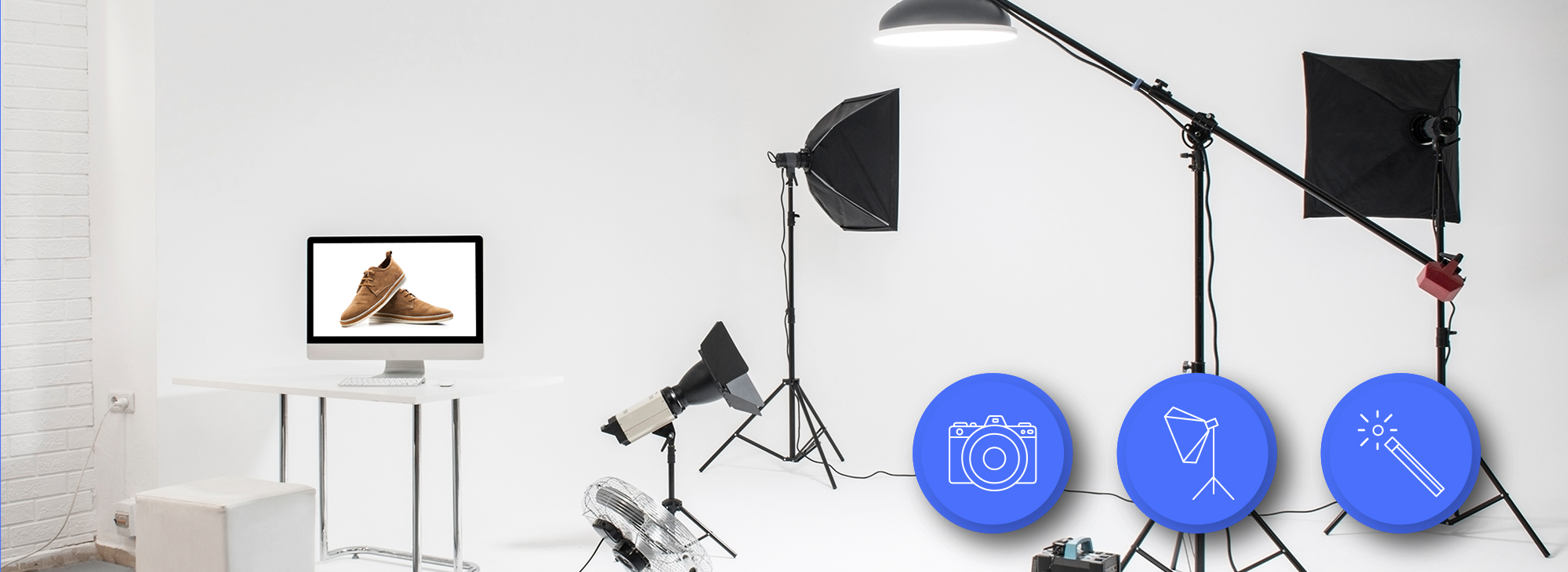
    Product photography setup for amazon product photography equipment list

    Continuous vs Strobe Lighting Decision

    Every photography forum will tell you strobes are “more professional.” They’re wrong for Amazon product photography. Here’s why:

    Continuous LED panels let you see exactly how shadows fall before you shoot. No test shots. No guessing. No reshooting because you missed a harsh shadow. Your efficiency goes up 40% when you can see your lighting in real-time.

    My Amazon product photography equipment list for lighting:

    • Godox SL-60W LED ($149 each, need 2) – 60W, daylight balanced, dimmable
    • Neewer 660 LED Panel ($139 each, need 2) – Bi-color, great for lifestyle shots
    • Aputure 120D II ($745) – Overkill for most, perfect for large products

    Two lights minimum. Three lights ideal. One light means harsh shadows that scream “amateur seller” to shoppers. Your main light eliminates shadows. Your fill light controls contrast. Your third light (if used) creates depth or highlights textures.

    Light Modifiers That Control Quality

    Bare lights create harsh shadows that make products look cheap. You need modifiers to create the soft, even lighting that converts browsers into buyers.

    Essential modifiers ranked by importance:

    1. Softboxes (24″ x 24″ minimum) – $45 each – Creates soft, directional light
    2. Shoot-through umbrellas (43″) – $25 each – Cheaper alternative to softboxes
    3. Reflectors (5-in-1 kit) – $35 – Fills shadows without adding another light
    4. Diffusion panels – $89 – Controls window light for lifestyle shots

    The bigger your modifier, the softer your light. A 12-inch softbox creates harsh shadows. A 36-inch softbox wraps light around products beautifully. Size matters more than brand here.

    Pro tip: Start with two 24-inch softboxes. They’re portable enough to move quickly but large enough to create professional-looking light. Upgrade to 36-inch boxes when your budget allows.

    Light Meters and Color Accuracy

    Your camera’s built-in meter lies about exposure when shooting on white. It tries to make white look gray, underexposing every product shot. A handheld light meter fixes this problem permanently.

    Options that work:

    • Sekonic L-308X ($229) – Basic but accurate
    • Phone app alternatives – Lux Light Meter Pro ($5.99) – 80% as good
    • Gray card method – X-Rite ColorChecker ($39) – Also fixes color accuracy

    Color accuracy matters because Amazon’s A10 algorithm can suppress listings with inconsistent colors across images. If your main image shows a blue product but your secondary images look purple, you’re losing ranking potential.

    Background Systems and Surfaces

    White Background Solutions

    Amazon requires pure white backgrounds (RGB 255,255,255) for main images. Miss this requirement and your listing gets suppressed. No warnings. Just lost sales while you figure out what happened.

    Three approaches that meet Amazon’s standards:

    1. Seamless paper rolls
      • Savage Seamless Paper #01 Super White (53″ x 36′) – $65
      • Replace every 50-100 products depending on wear
      • Best for large products and full-product shoots
    2. Acrylic sweep tables
      • MyStudio PS5 Tabletop – $125
      • Wipe clean between products
      • Perfect for products under 12 inches
    3. Vinyl backgrounds
      • Kate 5x7ft White Vinyl – $39
      • Reusable but shows creases
      • Good for wall-mounted shots only

    Calculate your real cost per shot: Paper costs $0.65 per foot used. If each product uses 2 feet, that’s $1.30 in background costs. Acrylic pays for itself after 96 products.

    Lifestyle and Textured Backgrounds

    Your secondary images need context. Plain white everything makes browsers bounce. Baymard Institute’s research on product context shows that lifestyle images increase time on page by 27%.

    Background options that convert:

    • Replica Surfaces boards – $89-129 each – Wood, marble, concrete textures
    • V-Flat World surfaces – $69-99 – Lighter weight, more variety
    • DIY options – Contact paper ($12) over MDF boards ($20)

    Match your background to your product category. Kitchen products need marble or wood. Electronics need clean, modern surfaces. Beauty products need soft, luxurious textures. Wrong context kills conversion rates.

    Support Systems and Stands

    Your background needs proper support or it sags, creating shadows and uneven surfaces. A drooping paper roll makes every shot require extra post-processing time.

    Support system essentials:

    • Savage Background Stand Kit – $179 – Holds paper rolls up to 12 feet wide
    • Impact Varipole System – $239 – No-footprint option for small spaces
    • Manfrotto Autopole – $156 each (need 2) – Most stable option

    Add these accessories:

    • A-clamps ($8 each, need 6) – Secure backgrounds to stands
    • Sandbags ($25 each, need 4) – Prevent stands from tipping
    • Paper drive chain ($35) – Prevents paper rolls from unraveling

    Post-Processing Hardware Requirements

    Professional product image example for amazon product photography equipment list

    Computer Specs for Efficient Editing

    Your computer is part of your Amazon product photography equipment list because slow editing kills productivity. Waiting 30 seconds for each edit to render means 4 hours of wasted time per 480 images.

    Minimum specs that won’t bottleneck your workflow:

    • RAM: 16GB minimum, 32GB optimal
    • Processor: Intel i5 or AMD Ryzen 5 from 2019 or newer
    • Storage: 500GB SSD for active projects
    • GPU: Any dedicated graphics card (not integrated)

    Real-world options:

    • Budget build: Refurbished Dell OptiPlex 7070 ($599) + RAM upgrade
    • Optimal setup: Custom PC with Ryzen 7, 32GB RAM, RTX 3060 ($1,200)
    • Mac option: M1 Mac Mini with 16GB RAM ($899)

    Skip the laptop unless you’re shooting on location. Desktop computers deliver 2x the performance per dollar spent.

    Monitor Calibration Tools

    Your monitor lies about colors. That “perfect white” background looks yellow on customer screens. That rich product color looks washed out on mobile devices. Monitor calibration fixes these issues before they tank your conversion rate.

    Calibration tools that work:

    • Datacolor SpyderX Pro – $169 – Set and forget calibration
    • X-Rite i1Display Studio – $179 – Slightly more accurate
    • Budget option: Use your phone – Display looks different but consistent

    Calibrate monthly. Monitor colors drift over time. That expensive product shoot from six months ago might look completely different on your screen today versus when you edited it.

    Storage and Backup Solutions

    Lost product photos mean reshoot costs. A failed hard drive containing 10,000 product images costs you $57,000 in reshoot fees at typical rates. Backup systems aren’t optional.

    Three-tier backup strategy:

    1. Working drive: 2TB NVMe SSD ($159) – Current projects only
    2. Archive drive: 8TB HDD ($149) – Completed projects
    3. Cloud backup: Backblaze B2 ($5/TB/month) – Offsite protection

    Automate your backups. Manual backups don’t happen. Use software like:

    • Windows: Macrium Reflect (Free)
    • Mac: Time Machine (Built-in) + Backblaze
    • Both: Dropbox Business ($15/month) for active projects

    Specialized Equipment for Different Product Types

    Jewelry and Small Item Photography

    Jewelry destroys amateur photographers. Reflective surfaces, tiny details, and precise focus requirements expose every equipment limitation. You need specialized gear or your diamond rings look like plastic toys.

    Essential jewelry photography equipment:

    • Macro focusing rail – $89 – Precise focus adjustments
    • LED ring light – $129 – Eliminates shadows in crevices
    • Jewelry display stands – $45 set – Invisible support systems
    • Focus stacking software – Helicon Focus ($115) – Sharp details throughout

    The biggest mistake: Using your standard setup for jewelry. You need to get 3x closer, use 3x more light, and spend 3x longer in post. Price your jewelry shoots accordingly.

    Large Product Challenges

    Furniture and large items need different equipment than your standard tabletop setup. Your 24-inch softbox looks like a flashlight next to a 6-foot bookshelf.

    Large product requirements:

    • 12-foot wide seamless paper – $149 – Minimum for furniture
    • Heavy-duty stands – $349 – Support 40+ pounds of paper
    • 4x 60-inch umbrellas – $65 each – Even lighting across large surfaces
    • Wide-angle lens – 24-35mm range – Capture full product in frame

    Space matters more than equipment here. You need 20 feet of depth to properly photograph a couch. No equipment fixes a cramped studio.

    Reflective Surface Solutions

    Stainless steel appliances, mirrors, and glossy electronics show every light, every reflection, every piece of dust. Standard lighting creates hot spots that make products look cheap.

    Reflection control equipment:

    • Polarizing filter – $89 – Cuts reflections by 40%
    • Light tent/shooting cube – $149 – Creates even, diffused light
    • Dulling spray – $18 – Temporary matte finish
    • Black cards/flags – $45 set – Control unwanted reflections

    The secret: Embrace some reflections. A completely matte stainless steel refrigerator looks broken. Nielsen Norman Group’s research on product perception shows customers expect certain materials to have specific reflective properties. Remove them all and trust plummets.

    Cost Analysis and Budget Recommendations

    Lifestyle product photography for Amazon listings

    Minimum Viable Setup Costs

    Here’s exactly what you need to start shooting Amazon products that convert. No fluff, no upsells, just the minimum viable Amazon product photography equipment list:

    Equipment Specific Model Cost
    Camera Canon T7 + kit lens $479
    Macro lens Canon 60mm f/2.8 $469
    Tripod AmazonBasics 70″ $89
    Lights (2) Godox SL-60W $298
    Softboxes (2) Neewer 24×24″ $90
    Background Savage paper + stand $244
    Computer Existing or refurbished $0-599
    Total $1,669

    That’s it. $1,669 gets you professional Amazon product photos. Everything else is optimization, not necessity.

    ROI Calculations for Equipment Upgrades

    Every equipment upgrade needs to pay for itself in improved conversion rates or time savings. Here’s the math:

    Upgrade from kit lens to macro lens:

    • Cost: $469
    • Conversion improvement: 0.5% (based on sharper detail shots)
    • Break-even: $93,800 in sales (at average 15% profit margin)
    • Time saved on retouching: 5 minutes per image
    • Pays for itself after: 282 product shoots

    Upgrade from manual to tethered shooting:

    • Cost: $79 (Lightroom subscription)
    • Time saved: 15 seconds per shot
    • At 50 shots per product: 12.5 minutes saved
    • At $50/hour labor: Saves $10.42 per product
    • Pays for itself after: 8 products

    Stop buying equipment that doesn’t move these metrics. That $2,000 lens with 0.1% sharper corners? Waste of money. The $79 software that saves 15 minutes per shoot? Instant ROI.

    Equipment Rental vs Purchase Decisions

    Some equipment makes sense to rent. Others need to be on your shelf. Here’s the breakdown:

    Always buy:

    • Camera body and primary lens – Used daily
    • Tripod – Rental quality sucks
    • Basic lights and modifiers – Consistency matters
    • Backgrounds – Wear out too fast to rent

    Consider renting:

    • Specialized lenses – $40/day vs $1,200 purchase
    • Extra lights for large products – $30/day
    • Tilt-shift lenses for architecture – $65/day
    • High-end camera bodies – $150/day for special projects

    Rental math example: You shoot jewelry 2 days per month. A macro focusing rail costs $189 to buy or $15/day to rent. Break-even: 13 rental days. Since you only need it 24 days per year, renting saves you $129 annually.

    Common Equipment Mistakes to Avoid

    Overbuying Camera Gear

    The biggest waste of money in product photography is camera gear you don’t need. I’ve watched sellers buy $5,000 camera bodies because some YouTube guru told them “full frame is professional.” Your customers can’t tell the difference.

    Equipment that won’t improve your Amazon listings:

    • Full-frame cameras – 2x the cost, 0% conversion improvement
    • Battery grips – You’re plugged into the wall anyway
    • UV filters – You’re shooting indoors with controlled light
    • Camera bags – Your camera lives on a tripod
    • Extra batteries – See above about being plugged in

    That $5,000 could buy you 3 months of professional retouching services. Which one actually improves your conversion rate?

    Underinvesting in Lighting

    Bad lighting kills more product photos than every other factor combined. Yet sellers drop $2,000 on a camera and use a $50 desk lamp for lighting. Backwards thinking that murders conversion rates.

    Lighting mistakes that scream amateur:

    • Using one light source (creates harsh shadows)
    • Mixing color temperatures (product looks sickly)
    • Undersized modifiers (creates hot spots)
    • No backup bulbs (production stops for $12 part)

    Your lighting setup should cost at least 50% of your camera investment. Better to shoot with a $500 camera and $1,000 in lights than the reverse.

    Wrong Priorities in Equipment Selection

    Most equipment lists prioritize gear that photographers love, not gear that sells products. Your Amazon product photography equipment list should focus on conversion rates, not artistic expression.

    Wrong priorities I see constantly:

    • Buying fancy cameras before color calibration tools
    • Getting premium lenses before proper backgrounds
    • Investing in strobes before learning continuous lighting
    • Purchasing equipment for products you don’t shoot

    Right priorities based on ROI:

    1. Clean, consistent backgrounds (directly impacts A10 ranking)
    2. Even, controllable lighting (improves CTR by up to 40%)
    3. Color accuracy tools (prevents returns from “not as described”)
    4. Workflow efficiency equipment (tethering, automation)
    5. Camera upgrades (last priority unless current gear is broken)

    Your equipment should solve real business problems. If you’re not measuring how each purchase impacts your metrics, you’re just collecting expensive toys.

    Sources & References

    1. Baymard Institute’s research on product context
    2. Nielsen Norman Group’s research on product perception

    Related Reading

    Related Reading

    Frequently Asked Questions

    What’s the absolute minimum budget for Amazon product photography equipment?

    You can start with $800 if you already own a computer. Buy a used Canon T6 ($300), 50mm lens ($100), basic tripod ($50), two LED panels with stands ($200), white posterboard and DIY reflectors ($50), and editing software ($100). This bare-minimum Amazon product photography equipment list produces images that meet Amazon’s technical requirements but requires more skill and time to achieve professional results.

    Should I invest in strobe lighting or continuous LED lighting for Amazon products?

    Continuous LED lighting wins for Amazon product photography 95% of the time. You see shadows in real-time, adjust on the fly, and work 40% faster than with strobes. The only exceptions are jewelry (where strobes freeze tiny vibrations) and large products (where you need massive light output). Start with LEDs and add strobes only if you hit their limitations.

    How important is lens selection compared to camera body for product photos?

    Lens quality matters 3x more than your camera body for product photography. A $400 macro lens on a 5-year-old camera body produces sharper Amazon images than a $3,000 camera with a kit lens. Invest in glass first, upgrade bodies only when yours breaks or can’t tether to your computer.

    What post-processing hardware specs actually impact productivity?

    RAM and SSD speed impact your editing efficiency more than CPU or GPU for product photography. 32GB of RAM prevents slowdowns when batch processing. An NVMe SSD cuts file loading time by 70%. Unless you’re doing complex composites or video, any modern CPU handles product photo editing without bottlenecks.

    When should I rent photography equipment versus buying it?

    Rent any equipment you use less than once per month or that costs over $500 for specialized shoots. Buy your daily workhorses: camera, primary lens, lights, and backgrounds. The break-even point is typically 10-15 rental days per year. Track your actual usage before making any purchase over $300.

  • Flat Lay Product Photography for Ecommerce: A Complete Setup Guide for Amazon Sellers

    Flat Lay Product Photography for Ecommerce: A Complete Setup Guide for Amazon Sellers

    Your flat lay photography is costing you sales. I see it every day — sellers dropping $3,000 on inventory, then shooting their products on a wrinkled bedsheet with their iPhone 6. Your competitors are eating your lunch because their flat lay product photography for ecommerce actually shows buyers what they’re getting.

    For more on this, see our product photography budget guide. For more on this, see our diy amazon product guide. For more on this, see our shoot cosmetics product guide. For more on this, see our product photography lighting guide.

    Last reviewed:

    Here’s the math: A proper flat lay setup runs you $200-500. That same investment increases your conversion rate from 8% to 12%. On 1,000 sessions per month at a $30 AOV, that’s an extra $1,200 in revenue. Every. Single. Month.

    I’ve shot over 10,000 flat lays for Amazon sellers. From supplements arranged on marble to tech accessories on concrete — the principles stay the same. This guide breaks down exactly how to shoot flat lays that make buyers click “Add to Cart” instead of scrolling to your competition.

    Essential Equipment for Professional Flat Lay Photography

    Camera and Lens Requirements

    Stop asking if your phone camera is “good enough.” It’s not. Not for serious ecommerce. You need a real camera with manual controls. Period.

    Minimum specs that actually matter:

    • 24+ megapixels — Amazon’s zoom feature exposes every flaw in low-res images
    • Full manual mode — Auto settings give you inconsistent results across your catalog
    • RAW file capability — JPEGs throw away data you need for color correction
    • Tethering support — See your shots on a big screen while shooting

    Best entry-level options: Canon EOS Rebel T7i ($700), Nikon D5600 ($600), Sony a6100 ($750). Any of these blow away the newest iPhone for product work.

    For lenses, you want a 50mm or 85mm prime. Why? Zero distortion. Your products look exactly like they do in real life. Wide-angle lenses make products look warped. Telephoto lenses compress depth weirdly. A used 50mm f/1.8 runs $125 and outperforms any zoom lens under $1,000 for flat lays.

    Lighting Setup That Actually Works

    Natural light is free. It’s also unpredictable garbage for consistent product shots. One cloud rolls by and your white balance shifts 500K. Your editing time triples trying to match images shot at different times.

    Here’s what works:

    • Two softbox lights minimum — 24″ x 24″ boxes with 5500K daylight bulbs
    • C-stands or light stands — Weighted bases that won’t tip when you bump them
    • White foam boards — 30″ x 40″ boards for fill light (cheaper than a third softbox)
    • Light meter or grey card — Consistent exposure across every shot

    Budget setup that delivers: Neewer 700W softbox kit ($150) plus two foam boards from Office Depot ($20). Position lights at 45-degree angles to your flat lay surface, 3 feet away. Boom — shadowless, even lighting that makes products pop.

    Skip the ring lights. They’re for beauty vloggers, not product photography. The circular catchlights look amateur on flat surfaces.

    Backgrounds and Surfaces

    Your background sells the lifestyle. Kitchen gadgets on barn wood say “farmhouse chic.” Supplements on white marble scream “premium wellness.” Tech on matte black signals “professional grade.”

    Surfaces that convert:

    • White seamless paper — $30 for a 53″ roll, works for everything
    • Replica surfaces from Replica Surfaces — $40-80 each, look like real marble/wood/concrete
    • Actual materials from Home Depot — Marble tiles ($5-15), wood planks ($20-40)
    • Colored card stock — $2-5 per sheet for bright lifestyle shots

    Pro tip: Buy 3-5 surfaces and rotate them. Shooting 20 SKUs on the same white background looks lazy. Varying surfaces keeps shoppers engaged as they scroll your catalog.

    Composition Techniques for Converting Browsers to Buyers

    Visual guide to flat lay product photography for ecommerce

    The Rule of Odds and Visual Hierarchy

    Human brains process odd numbers faster than even numbers. Three products. Five accessories. Seven color swatches. Never two or four — it creates visual tension that makes viewers uncomfortable.

    Nielsen Norman Group’s eye-tracking research shows users scan images in an F-pattern. Place your hero product in the upper left. Supporting items flow right and down. Most important features stay in that golden F-zone.

    Size creates hierarchy. Your main product takes up 40-50% of frame. Secondary items get 20-30%. Props and lifestyle elements fill the remaining space. Break this rule and buyers get confused about what you’re actually selling.

    Real example: Supplement bottle flat lay. Bottle in upper left at 45% of frame. Three capsules scattered center-right. Fresh ingredients (lemon, ginger, turmeric) in bottom third. Eye flows naturally from product to benefits to ingredients.

    Props That Sell vs Props That Distract

    Good props reinforce your product’s use case. Bad props confuse buyers and tank conversion rates.

    Props that work:

    • Ingredients for consumables — Show what’s inside supplements, teas, protein powders
    • Complementary products — Phone case with earbuds, cutting board with knife
    • Texture elements — Fabric swatches for fashion, leaves for natural products
    • Size references — Coins, hands, common objects for scale

    Props that kill sales:

    • Random flowers — Unless you’re selling flowers
    • Coffee cups in every shot — Lazy lifestyle signaling
    • Competing brands — Why advertise for others?
    • Seasonal items — Christmas props in July listings look stupid

    Test your props: Show the image to someone for 3 seconds. Ask what they remember. If they mention the props before your product, reshoot.

    Negative Space and Breathing Room

    Cramming every inch with products and props screams “amateur.” Professional flat lay product photography for ecommerce uses negative space strategically.

    The 60/40 rule: 60% of your frame shows products and props. 40% stays empty. This breathing room makes products feel premium, not cluttered.

    Where to place negative space:

    • Around hero product — 2-3 inches minimum clearance
    • Between product groups — Clear separation prevents visual merging
    • Frame edges — Never crop tight to product edges

    Exception: Bundle shots. When showing everything included, you can push to 70/30. But maintain clear groupings with micro-spaces between items.

    Step-by-Step Flat Lay Photography Process

    Pre-Shoot Preparation

    Half your flat lay success happens before you touch the camera. Rushed prep work shows in the final images.

    24 hours before:

    • Clean every product with microfiber cloth and rubbing alcohol
    • Remove all stickers, tags, protective films
    • Check for damage — scratches, dents, loose threads
    • Gather and clean all props

    Morning of shoot:

    • Charge all camera batteries (keep 3 minimum)
    • Format memory cards (32GB minimum per 100 products)
    • Clean camera sensor with rocket blower
    • Set up and test tethering to laptop

    1 hour before:

    • Turn on all lights, let bulbs warm up for consistent color
    • Sweep/vacuum shooting area (dust shows at high resolution)
    • Layout backgrounds in shooting order
    • Pre-arrange products by category

    This prep routine saves 3-4 hours of shooting time per 50 products. Do it right or do it twice.

    Camera Settings and Technical Setup

    Forget auto mode exists. These manual settings deliver consistent results across hundreds of shots:

    Base settings for flat lays:

    • Aperture: f/8 to f/11 (sharpest range for most lenses)
    • ISO: 100-200 (minimum noise, maximum quality)
    • Shutter speed: 1/125 or faster (prevents camera shake)
    • White balance: 5500K or custom grey card reading
    • File format: RAW + JPEG (RAW for editing, JPEG for quick review)

    Camera position matters. Mount your camera directly above the flat lay surface. No angle. No tilt. Perfect 90-degree down angle. Use a horizontal tripod arm or C-stand with boom arm. Manfrotto 131D ($200) or Impact Grip Arm Kit ($150) both work.

    Minimum shooting height: 3 feet above products. This prevents wide-angle distortion even with a 50mm lens. Mark your tripod legs with tape once you find the sweet spot.

    Focus technique: Single-point autofocus on the hero product. For groups, focus 1/3 into the scene depth. Everything stays sharp at f/8 or smaller.

    Shooting Workflow and Consistency

    Consistency across your catalog trumps individual “artistic” shots. Build a repeatable workflow:

    Per product workflow (5-7 minutes):

    1. Place hero product according to your composition plan
    2. Add secondary items and props
    3. Check spacing with live view zoom
    4. Shoot test frame, check histogram for blown highlights
    5. Adjust product angles for best logo/label visibility
    6. Shoot 3-5 frames with micro adjustments
    7. Remove products, reset for next shot

    Batch similar products together. All supplements, then all accessories, then all textiles. Your brain stays in the same creative mode. Switching categories constantly slows you down 40%.

    Name files while shooting: SKU_FlatLay_01, SKU_FlatLay_02. Don’t rely on camera numbering. You’ll waste hours matching images to products later.

    Quality control during shoot: Review every 10th image at 100% zoom. Check sharpness, dust, alignment. Catching problems early beats discovering them in post.

    Post-Processing for Maximum Impact

    Amazon listing image design examples

    Color Correction and White Balance

    Raw files look flat. That’s the point. You’ve captured maximum data to sculpt in post. Here’s the processing order that works:

    Step 1: Global corrections (2 minutes per image)

    • White balance: Match to grey card shot or adjust until whites are pure white
    • Exposure: +0.3 to +0.7 stops typically (flat lays tend to underexpose)
    • Highlights: -50 to -100 to recover product detail
    • Shadows: +20 to +40 to open up dark areas
    • Whites/Blacks: Adjust until histogram touches both edges without clipping

    Step 2: Color grading (1 minute per image)

    • Vibrance: +15 to +25 (more natural than saturation)
    • Saturation: +5 to +10 maximum
    • HSL adjustments: Target specific colors (make reds pop, neutralize unwanted casts)

    Create presets for each product category. Supplements get warmer tones (+100K). Electronics stay neutral. Fashion can push cooler (-100K). Apply preset, then fine-tune.

    Reality check: Baymard Institute’s study on product returns found 22% of returns happen because product color didn’t match images. Accurate color beats artistic color every time.

    Background Cleanup and Refinement

    Even “perfect” white backgrounds aren’t perfect. Every flat lay needs cleanup:

    Essential cleanup tasks:

    • Dust spot removal (healing brush for every speck)
    • Background whitening (push to 255,255,255 for true white)
    • Edge cleanup (remove shadows at product borders)
    • Prop alignment (straighten anything that shifted during shoot)

    Photoshop actions speed this up. Record your cleanup process once, apply to hundreds of images. 30 seconds per image vs 5 minutes manual.

    Background replacement technique for non-white backgrounds: Pen tool around all products, save selection, drop in new background. Keeps natural shadows while changing surface. Works great for A/B testing different lifestyle contexts.

    Image Optimization for Ecommerce Platforms

    Pretty images that load slowly kill conversion rates. Google’s research shows 53% of users abandon sites that take over 3 seconds to load. Your images need to look great AND load fast.

    Amazon optimization specs:

    • Minimum: 1000 x 1000 pixels (enables zoom)
    • Optimal: 2000 x 2000 pixels (sharp on all devices)
    • Format: JPEG at 85% quality (best size/quality ratio)
    • File size: Under 1MB per image (faster loading)
    • Color profile: sRGB (anything else displays wrong)

    Batch processing workflow: Export from RAW processor at 2500px, then use Photoshop’s “Save for Web” at 85% quality. This two-step process maintains quality while minimizing file size.

    File naming for SEO: product-name-flat-lay-angle.jpg. Not IMG_1234.jpg. Search engines and customers both appreciate descriptive names.

    Common Flat Lay Mistakes and Fixes

    Lighting Errors That Kill Sales

    Bad lighting ruins more flat lays than any other factor. Here are the mistakes I see daily:

    Mistake 1: Mixed color temperatures
    Your softbox pumps out 5500K daylight. The overhead fluorescent adds 4000K warm white. Result? Products look yellow on one side, blue on the other.

    Fix: Turn off all room lights. Use only your photography lights. Period.

    Mistake 2: Harsh shadows
    One light source = harsh shadows. Shadows hide product details and look unprofessional.

    Fix: Two lights minimum, plus white foam boards for fill. Shadows should be soft suggestions, not black holes.

    Mistake 3: Uneven exposure
    Center of frame bright, edges dark. Makes products look like they’re in a spotlight.

    Fix: Pull lights back to 4-5 feet. Use larger softboxes (36″ instead of 24″). Add a third light aimed at background.

    Composition Problems

    Even great products look terrible with poor composition:

    Problem: Everything centered
    Dead-center composition looks static and boring. Zero visual energy.

    Solution: Rule of thirds. Place hero product on intersection points. Create diagonal lines with supporting elements.

    Problem: Scale confusion
    No size reference = customers can’t judge actual product dimensions.

    Solution: Include a common object for scale. Coins for small items. Hands for medium products. Standard props buyers recognize.

    Problem: Competing focal points
    Too many products at equal visual weight. Buyer’s eye bounces around without landing.

    Solution: Clear hierarchy. Hero product 2x larger than secondary items. Use depth (overlap) to show importance.

    Post-Processing Disasters

    Overediting screams “amateur” louder than bad lighting:

    Sin 1: Nuclear white backgrounds
    Blowing out the background until products float in void. Loses all sense of surface and depth.

    Fix: Keep backgrounds at 245-250 RGB. Pure white for Amazon, but maintain subtle shadows for depth.

    Sin 2: Instagram filters on product photos
    VSCO might work for your food blog. It’s death for ecommerce. Filters shift colors unpredictably.

    Fix: Manual color grading only. Control every adjustment. Save presets for consistency.

    Sin 3: Over-sharpening
    Cranking sharpness until products glow with halos. Looks radioactive, not professional.

    Fix: Sharpen at 100% zoom. Amount: 80-120, Radius: 0.8-1.2, Threshold: 0-2. Subtle enhancement, not assault.

    Advanced Techniques for Stand-Out Listings

    Before and after listing image comparison

    Lifestyle Integration Without Losing Focus

    Pure white backgrounds convert. But lifestyle flat lays build brand. Here’s how to balance both:

    The 80/20 rule for flat lay product photography for ecommerce: 80% of frame stays clean and product-focused. 20% adds lifestyle context. This ratio maintains clarity while building aspiration.

    Lifestyle elements that enhance (not distract):

    • Morning routine setup for supplements (coffee mug, journal, not full breakfast spread)
    • Workspace corner for tech accessories (keyboard edge, not entire desk)
    • Fabric swatches for fashion items (texture reference, not full outfit)
    • Ingredient highlights for beauty/food (one sprig of lavender, not a garden)

    Test your lifestyle integration: Remove all lifestyle elements in Photoshop. If the image still clearly communicates product benefits, your lifestyle elements pass. If it looks empty or confusing, you relied too heavily on props.

    Pro technique: Shoot two versions. Clean product-only for main image. Lifestyle-rich for A+ Content and social media. Same lighting, same angle, different prop density.

    Multi-Product and Bundle Compositions

    Bundles should increase AOV. Bad bundle photography decreases conversion. The difference? Visual hierarchy and logical grouping.

    Bundle composition rules:

    • Primary product takes 40% of frame — Usually the highest-value item
    • Group by category — All bottles together, all accessories together
    • Consistent angles — All labels facing same direction
    • Clear separation — 1-2 inches between items minimum
    • Size progression — Large to small, left to right (matches reading pattern)

    Overlap technique for large bundles: Front items at 100% visibility. Back items show 70-80%. Creates depth without hiding products. Stack vertically before overlapping horizontally.

    Bundle naming visible in image: “INCLUDES:” text overlay listing everything. Buyers shouldn’t guess what’s included. Spell it out.

    Seasonal and Trend-Aware Styling

    Static flat lays all year = stale brand. But reshooting every season wastes money. Smart approach: Modular compositions.

    Base + Seasonal layer system:

    1. Shoot hero product on neutral background
    2. Save layered PSD with product masked
    3. Swap backgrounds and props seasonally
    4. 5 minutes per update vs 30 minutes full reshoot

    Seasonal elements that convert:

    • Spring: Fresh flowers, pastel props, bright surfaces
    • Summer: Tropical leaves, sandy textures, bold colors
    • Fall: Warm woods, autumn leaves, cozy textiles
    • Winter: Evergreen sprigs, metallic accents, rich textures
    • Holidays: Subtle themed props (pine cone, not full Christmas tree)

    Track performance by season. Some products convert better with seasonal styling. Others perform best with evergreen imagery. Let data guide your seasonal strategy.

    Measuring Success and Optimization

    Key Metrics for Flat Lay Performance

    Pretty pictures mean nothing if they don’t move product. Track these metrics religiously:

    Click-through rate (CTR) from search:
    Flat lay main images should hit 3-5% CTR minimum. Under 2%? Your images blend into the crowd. Test more aggressive compositions.

    Conversion rate by image type:
    A/B test flat lays against straight product shots. Most lifestyle categories see 15-30% conversion lift with flat lays. Technical products might perform better with isolated shots.

    Time on page:
    Good flat lays increase time on page 20-40%. Buyers study the details. Bad flat lays cause immediate bounces.

    Image interaction rate:
    Track how many visitors use Amazon’s zoom feature. Under 20%? Your flat lays lack interesting details. Over 50%? You’re nailing it.

    Pull these metrics weekly. One month of data tells you nothing. Three months shows trends. Six months guides strategy.

    A/B Testing Strategies

    Stop guessing what works. Test everything:

    Elements to test in flat lay product photography for ecommerce:

    • Background color/texture — White vs marble vs wood
    • Prop density — Minimal vs lifestyle-rich
    • Product angles — Straight-on vs 15-degree rotation
    • Number of items — Single hero vs multiple variants
    • Human elements — Hands/models vs product only

    Testing protocol: Run each test for minimum 1,000 impressions or 14 days. Statistical significance matters. Early results lie.

    Use Amazon’s Manage Your Experiments for main images. For gallery images, rotate weekly and track in Seller Central analytics. Document everything in a spreadsheet.

    Winner implementation: Don’t just update the tested listing. Roll out winning elements across your entire catalog. One good test can lift portfolio-wide conversion 10-20%.

    Continuous Improvement Process

    Your competitors aren’t standing still. Neither should your imagery:

    Monthly improvement cycle:

    1. Audit worst performers — Bottom 20% by conversion rate
    2. Identify common problems — Usually lighting or composition
    3. Reshoot with fixes — Test improvements immediately
    4. Document what worked — Build your playbook
    5. Apply to new products — Start strong instead of fixing later

    Competitive analysis quarterly: Screenshot top 10 competitors’ hero images. What are they doing that you’re not? Don’t copy — improve on their approach.

    Customer feedback goldmine: Read your reviews and questions. “Couldn’t see the texture” = add detail shots. “Smaller than expected” = better scale references. Let buyers tell you what’s missing.

    Investment tracking: Calculate photography ROI quarterly. (Additional revenue from improved conversion) / (Photography costs) = ROI multiple. Aim for 10x minimum. 20-30x is achievable with optimized flat lays.

    Sources & References

    1. Nielsen Norman Group’s eye-tracking research
    2. Baymard Institute’s study on product returns
    3. Google’s research shows 53% of users abandon sites

    Related Reading

    Frequently Asked Questions

    What’s the best camera height for flat lay product photography?

    Mount your camera 3-4 feet above your products for distortion-free flat lays. This height works perfectly with a 50mm lens to capture products without edge warping. Mark your tripod position with tape once you find the sweet spot — consistency across shots matters more than perfect height.

    How many products should I include in a single flat lay composition?

    Use odd numbers for visual appeal — typically 3, 5, or 7 items total. Your hero product should occupy 40-50% of the frame, with supporting items progressively smaller. For bundles, you can push to 9-11 items, but maintain clear visual hierarchy so buyers immediately understand what’s most important.

    Should I use natural light or artificial lighting for ecommerce flat lays?

    Artificial lighting wins every time for consistent ecommerce results. Natural light changes constantly — a passing cloud shifts your color temperature 500K and ruins batch consistency. Two 5500K softboxes give you identical lighting whether you’re shooting at 6 AM or midnight, processing 10 products or 100.

    What file size and dimensions work best for Amazon flat lay images?

    Export at 2000 x 2000 pixels minimum, JPEG format at 85% quality, keeping files under 1MB. This sweet spot enables Amazon’s zoom feature while loading fast on mobile. Always use sRGB color profile — other profiles display incorrectly and make products look off-color.

    How much should I invest in props for flat lay photography?

    Budget $200-300 for a versatile prop collection that covers multiple product categories. Buy 3-5 backdrop surfaces ($150), basic lifestyle props like fabric swatches and greenery ($50), and size reference items ($20). Quality props pay for themselves in reduced reshoot time — one wrinkled fabric can ruin 50 product shots.